About this app
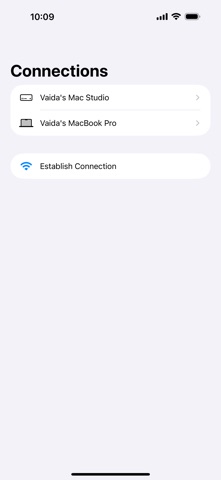
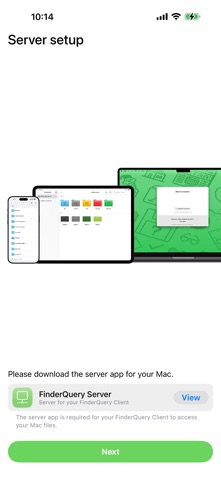
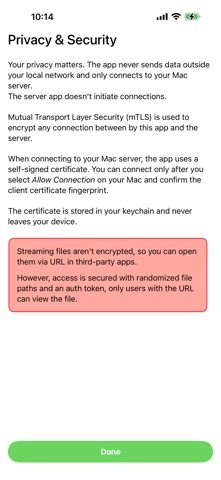
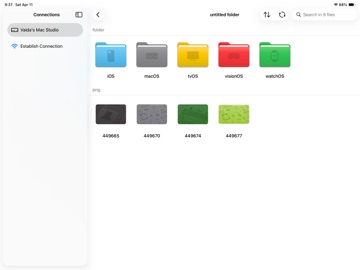
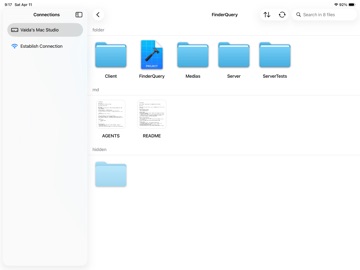
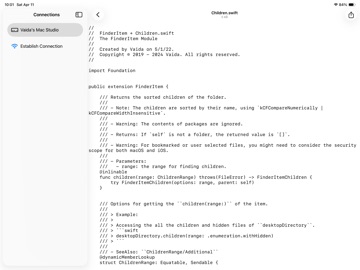
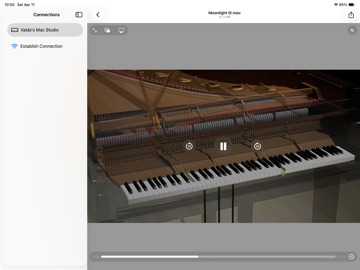
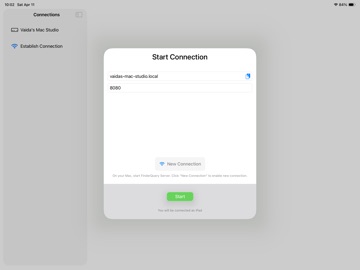
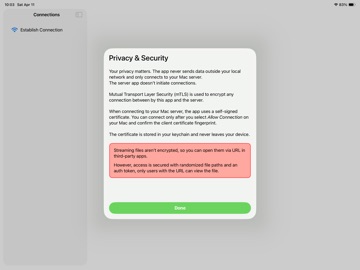
FinderQuery Client lets you browse and access files on your Mac from your iPhone, iPad, or Apple Vision Pro—directly over your local network. Used together with FinderQuery Server (available on the Mac App Store), you can: • Browse Finder folders with icons, including hidden files • Preview files and folders on your Mac • Stream videos and PDFs instantly without downloading • Share a streaming link (URL) to open files in third-party apps • Download and view supported files directly in the app Privacy & Security Your privacy matters: • Local-network only: the app never sends your data to the internet and connects only to your Mac running FinderQuery Server • Mac-controlled access: the server never initiates connections; connections are started only from your device • Encrypted control connection: mutual TLS (mTLS) encrypts communication between the client and your Mac • Verified pairing: you can connect only after approving the connection on your Mac and confirming the client certificate fingerprint • On-device certificates: the certificate is stored in your Keychain and never leaves your device About streaming links To support opening streams in third-party apps, streamed file delivery isn’t encrypted. Access is still protected using randomized file paths and an authentication token—only someone with the URL can view the file.
Latest release
What’s New
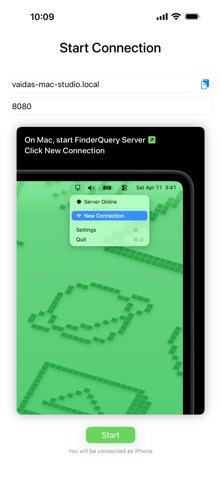
Major Update We rebuilt the entire app from the ground up — new UI, new core, new everything. Updated protocol, interface, and traffic • Network traffic is now protected with mTLS + certificates for stronger encryption. • No more tedious connection setup. • New file streaming server: view PDFs and videos instantly without downloading. • Important: This update is NOT compatible with older versions. You must update both the server and the client. File previews + icons • Files now support previews. • Browsing files now feels more like macOS Finder, with thumbnails and file-type icons. New UI design (Liquid Glass) ^ • Yep, we adopted Liquid Glass too. • Brand-new app icons. Performance improvements • Big speedups across the app thanks to the full rewrite. • Much faster thumbnail streaming: thumbnails should appear almost instantly, even while scrolling quickly. • Significant improvements to file downloading speed over Wi-Fi. It can now consume the entire bandwidth, reaching over 180MB/s under 802.11ax. Other improvements • Uses hostname (when available) instead of raw IP addresses, for a more human-friendly experience. • You can copy/paste the hostname (or IP) directly. • Improve file download speed over Wi-Fi significantly. Internal tests show over 180MB/s transfer speed over 802.11ax. ^ Requires OS 26
Audience growth
Ratings growth
Baseline captured. Growth appears after the crawler observes a changed rating count.
Momentum comes from crawler snapshots for the tracked storefront. “Viral growth signal” means unusually fast recent rating gains; it is an indicator, not download data.
Price tracking
Price intelligence
First snapshot captured. The trend line starts after the next crawler price observation.
- First observed Oct 5, 2026 · 8:40 PM Free
Screenshots