About this app
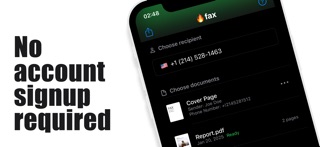
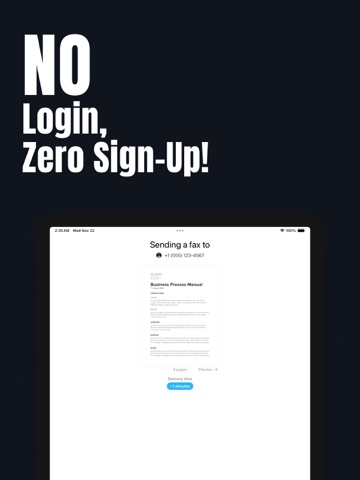
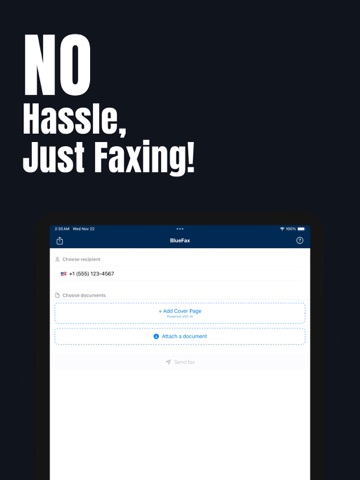
- SEND AND RECEIVE FAXES WITH EASE FireFax makes faxing simple, fast, and reliable right from your iPhone or iPad. Send contracts, signed forms, scanned documents, or handwritten notes in just a few taps, and receive important faxes in the same app. - SEND AND RECEIVE WITH A DEDICATED FAX LINE Get a dedicated fax number in FireFax and use that fax line for both sending and receiving faxes. Your personal phone number is not used for faxing. - NEVER LOSE YOUR PROGRESS Drafts keep your work safe while you are in the middle of preparing a fax. Close the app and come back later to continue exactly where you left off. - STAY SYNCED ACROSS YOUR DEVICES Sign in with Apple lets you access the same account on your devices, so your fax activity and progress stay with you. - SEND FAX ANYWHERE Send faxes instantly to domestic and international numbers. FireFax keeps you connected wherever you are. - MULTIPLE FORMAT SUPPORT Just add your file and we'll send it. FireFax supports PDFs, DOCs, JPEGs, and many more formats. - CAMERA-TO-FAX Use your camera or the built-in document scanner to capture paper documents and fax them instantly. - PREVIEW BEFORE SENDING Review your fax before sending to make sure everything looks right. - EASY FOR EVERYONE Whether you are a business professional, student, freelancer, or just need to send a quick fax, FireFax keeps the process simple. Powerful faxing features built for real use FireFax is more than a basic fax sender. It helps you send, receive, organize, and continue your work without friction. - SUBSCRIPTION OPTIONS: FireFax offers subscription options tailored to your needs. For detailed pricing, please refer to the subscription section inside the app or visit the App Store. All subscriptions are auto-renewable, ensuring uninterrupted access to our services. You can manage your subscription preferences in your iTunes Account settings, where you can also turn off auto-renewal. By using FireFax, you agree to our Privacy Policy and Terms of Use: Privacy Policy: https://bluefax-app.web.app/privacy_policy.html Terms of Use: https://bluefax-app.web.app/terms.html Payment will be charged to iTunes Account at confirmation of purchase. Account will be charged for renewal within 24 hours prior to the end of the current period, and the renewal cost will be identified before the charge is made. Subscriptions may be managed by the user, and auto-renewal may be turned off by going to the user's Account Settings after purchase. Any unused portion of a free trial period, if offered, will be forfeited when the user purchases a subscription to that publication, where applicable.
Latest release
What’s New
This update makes preparing your next fax even easier! • Choose the right country with the new country picker, and enjoy improved handling of international fax numbers. • Find the right words with five cover-message suggestions: official, concise, friendly, detailed, and direct. • Get back to your saved drafts more easily with clearer guidance. • Enjoy improved translations and clearer wording throughout the app. • We’ve also polished the interface and fixed bugs for a smoother experience. Thank you for using FireFax! Have feedback or an idea? We’d love to hear from you.
Audience growth
Ratings growth
Baseline captured. Growth appears after the crawler observes a changed rating count.
Momentum comes from crawler snapshots for the tracked storefront. “Viral growth signal” means unusually fast recent rating gains; it is an indicator, not download data.
Price tracking
Price intelligence
First snapshot captured. The trend line starts after the next crawler price observation.
- First observed Aug 16, 2026 · 10:54 AM Free
Screenshots