About this app
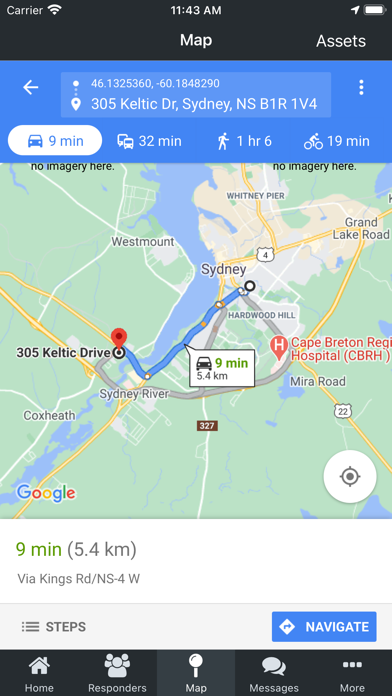
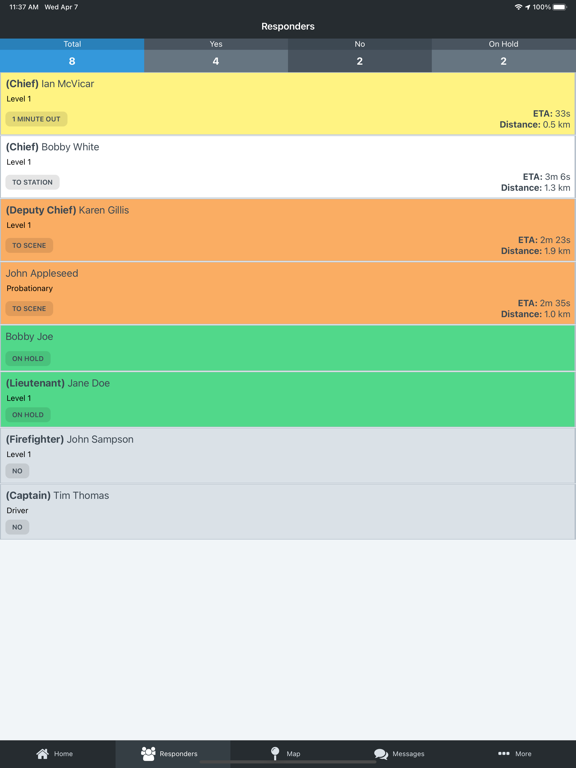
With the FireQ app, firefighters have a complete all-in-one tool that serves them before, during and after an emergency. Firefighters can monitor department readiness, self-dispatch, and respond from the app. They can see who else is responding, what their qualifications are and when they will arrive. They can also get driving directions to the emergency; see mapped locations of assets and hazards; and access detailed preplans. Firefighters can send messages to everyone in the fire department, to specific groups, or to individual firefighters. From the scene, they can use the “Use my Location” feature to send specific location information from the scene of the emergency. They can set themselves off duty, check the service status of apparatus and see a recent incident history. The FireQ app is a powerful tool in the hands of firefighters that access and interpret real-time data.
Latest release
What’s New
Bug fixes and improvements
Audience growth
Ratings growth
Baseline captured. Growth appears after the crawler observes a changed rating count.
Momentum comes from crawler snapshots for the tracked storefront. “Viral growth signal” means unusually fast recent rating gains; it is an indicator, not download data.
Price tracking
Price intelligence
First snapshot captured. The trend line starts after the next crawler price observation.
- First observed Sep 1, 2026 · 3:13 PM Free
Screenshots