About this app
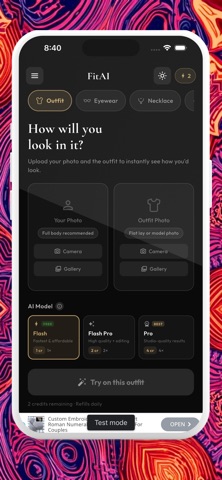
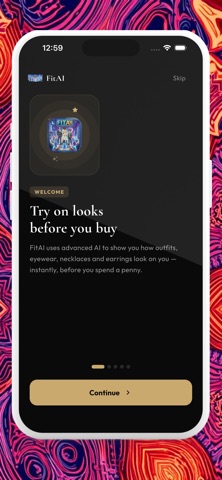
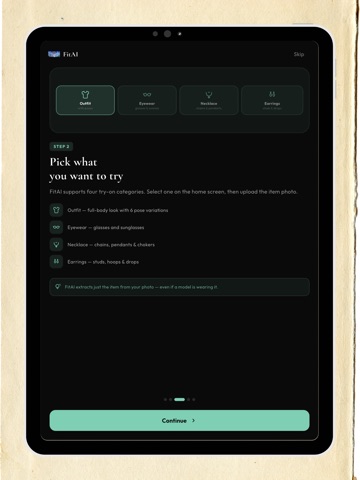
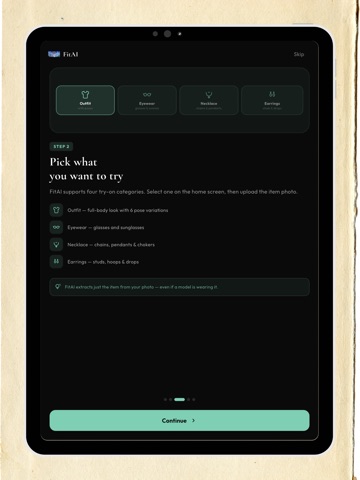
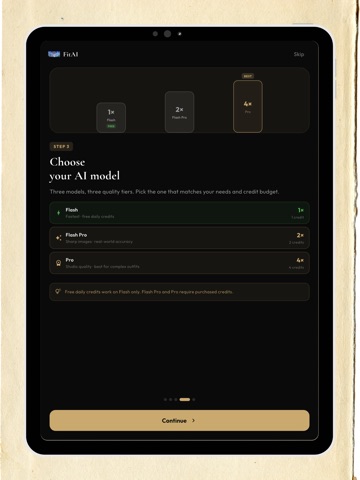
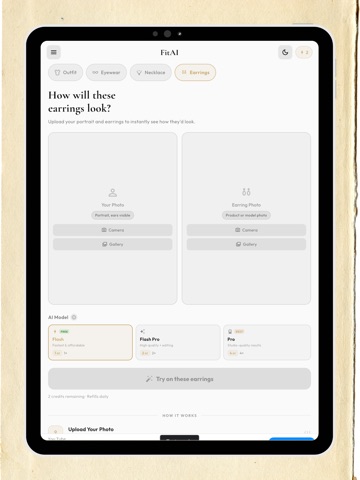
FitAI turns any photo into a personal virtual fitting room. Upload your photo and a picture of any outfit, glasses, necklace, or earrings — and see how it looks on you, instantly. Powered by Google Gemini AI. No AR camera tricks. No guesswork. Just smart, photo-realistic virtual try-on results you can save and share. WHAT YOU CAN TRY ON OUTFITS & CLOTHES Upload a full-body photo and any outfit image — a product screenshot, a flat-lay, or a photo from a store. FitAI generates a realistic preview of you wearing it. Try before you buy from any shop, brand, or online listing. After your initial try-on, use Pose Variations to see the outfit from up to 6 angles — front, side, walking, and more. GLASSES & SUNGLASSES Upload a portrait and any eyewear photo for instant virtual glasses fitting. See how different frames, sunglasses, or styles look on your face — great for online shopping or just exploring new looks. NECKLACES & EARRINGS FitAI is also a virtual try-on jewelry tool. Preview earrings and necklaces on your own photo before buying. Upload a portrait and any jewelry image to see how it looks on you — no guessing, no returns. KEY FEATURES • AI Virtual Try-On — 4 categories: outfits, eyewear, necklaces & earrings • Pose Variations — up to 6 different poses for outfit try-ons • Multiple AI Models — Flash for speed, Pro for premium photo quality • Save Your Photo — set once, reuse it for every session • Download & Share — save to your camera roll or share with friends • Dark & Light Mode • Clean, minimal interface designed for effortless use HOW IT WORKS 1. Pick a category: Outfit, Eyewear, Necklace, or Earrings 2. Upload your photo and the item photo 3. Tap generate — your AI look is ready in seconds TIPS FOR BEST RESULTS Outfit try-on: A clear, full-body photo in good lighting gives the best results. Glasses & sunglasses: A face-forward portrait with your face clearly visible. Necklace & earrings: A clear portrait showing your neck and ears in good light. NOTE FitAI generates AI-produced images for visualization purposes. Results may vary based on photo quality, lighting conditions, and image complexity. AI-generated images are not photographic representations. CREDITS All users receive free daily credits to explore the app. Additional credits are available for purchase inside the app. TERMS OF USE Vist the terms of using the app which includes in-app purchases and subscription packages here: https://www.notion.so/Terms-of-Use-of-FitAI-Virtual-Try-On-App-36a1db3db88780d98de9ef2018bd3083
Latest release
What’s New
• Bugs fixed • Improved User Experience • Try on necklaces, earrings, and eyewear — not just outfits • Cleaner, refined dark mode across the app • Smoother performance, faster results, and various bug fixes Thanks for using FitAI! If you love it, a rating really helps — and we read every piece of feedback.
Audience growth
Ratings growth
Baseline captured. Growth appears after the crawler observes a changed rating count.
Momentum comes from crawler snapshots for the tracked storefront. “Viral growth signal” means unusually fast recent rating gains; it is an indicator, not download data.
Price tracking
Price intelligence
First snapshot captured. The trend line starts after the next crawler price observation.
- First observed Aug 18, 2026 · 4:41 PM Free
Screenshots