About this app
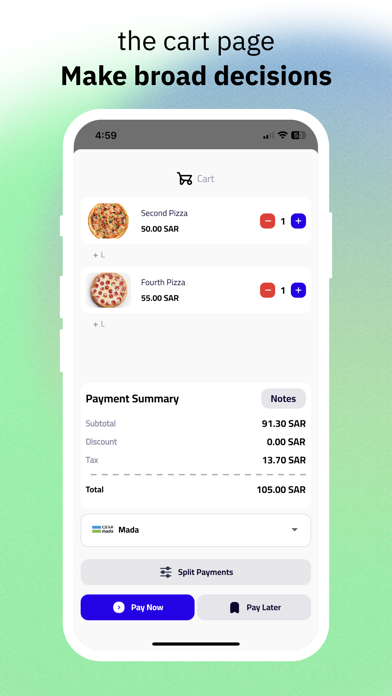
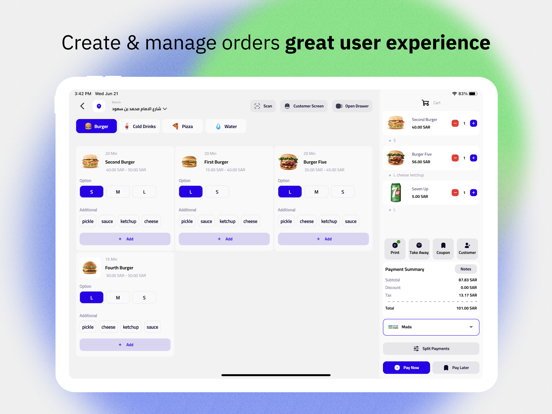
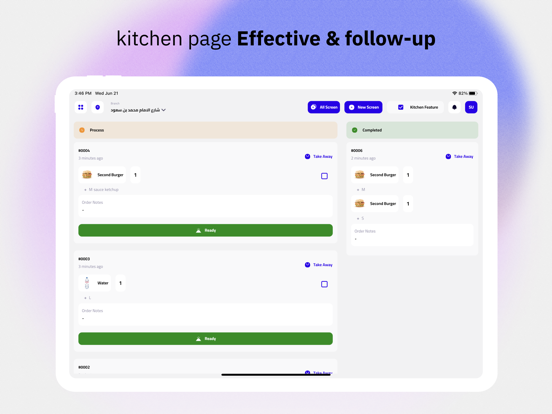
It is a whole cashier system in terms of the features that any restaurant or cafe owner needs. You do not need a kitchen system, or an application for the customer screen, or an application for the status of orders screen; because Flavors collects them for you in one place. Some of the features that Flavours offers: - Connecting to multiple printers for bills and kitchens. - Table management where multiple tables can be created simultaneously for each independent barcode table. - A digital menu through the barcode, which allows customers to pay through it and deliver the order to the appropriate table without need to call the waiter. - The application works both online and offline. - Create and manage coupons, offers. - Add and manage clients. - Multi-language feature - Manage the work schedule and hours available for the cafe or restaurant. - Managing employees and distributing authorities amongst them so that the authority is commensurate with the job without the need for an external application. - Sending an invoice to the customer before his arrival that includes a link through which he can pay, so that the merchant can know the seriousness of the requester and reduce waste within the facility. Flavours points of sale and more and more…
Latest release
What’s New
Order types and payment charges are now yours to define — plus a faster cashier, per-line notes, and a built-in printer test: • Create your own order types in Settings — name them in English and Arabic, pick an icon, and edit or remove them at any time. Dine-in, takeaway and delivery are no longer a fixed list. • Give each order type its own rules: an extra charge (fixed amount or percentage), which payment methods are allowed, which customer details are required, and whether a reference number must be entered before checkout. • Set per-order-type product prices and hide specific products from specific order types, so a delivery menu can differ from the dine-in menu. • New: set a service charge per payment method — a fixed amount or a percentage, applied to the whole order. It is calculated correctly offline too, and appears on the cart, the customer display and the receipt under its own name, so an order-type fee and a payment fee are never shown as one number. • The cashier now starts with no order type pre-selected when you have more than one, so an order can no longer be rung up under the wrong type by accident. The same applies to payment: nothing is chosen for you, and the method you tap is the method the order records. • Manage your product categories in Settings — create them, name them in both languages, choose an icon, and edit or remove them. • Every cart line now carries its own note, so "no onions" stays attached to the right item instead of the whole order. • Redesigned cashier browsing — start from a category, then pick the product. Tapping a product goes straight where it should, with no extra steps. • The order editing screen now uses the same browsing experience as the cashier. • New Printer Test in Settings → Devices → Printer: run every document type on every configured printer, or a single one, and see exactly what succeeded or failed. • Kitchen tickets are now sent at checkout even when receipt auto-printing is turned off, so the kitchen is never left waiting for a paid order. • Noticeably faster — we removed artificial waiting time across the app, so screens, search and checkout respond immediately. • Payment fixes: a cash checkout can no longer complete for less than the amount due, split payments keep the methods you picked, and totals and taxes are correct on duplicated and edited order lines. • Arabic and right-to-left fixes across browsing, payment and printed amounts: correct arrow direction, correct spacing, and names and negative amounts that mix Arabic and English now read properly. • Country lists in settings and phone-number fields are populated again. • Fixed a crash on the kitchen display when an order contained no products, product cards overflowing their tile, product images disappearing after a failed refresh, reports printing the word "null", and a subscription renewal that could stall after it had already been created. • Larger, easier-to-tap controls and no more crowded top bars on phones and small tablets.
Audience growth
Ratings growth
Baseline captured. Growth appears after the crawler observes a changed rating count.
Momentum comes from crawler snapshots for the tracked storefront. “Viral growth signal” means unusually fast recent rating gains; it is an indicator, not download data.
Price tracking
Price intelligence
First snapshot captured. The trend line starts after the next crawler price observation.
- First observed Aug 20, 2026 · 10:46 PM Free
Screenshots