About this app
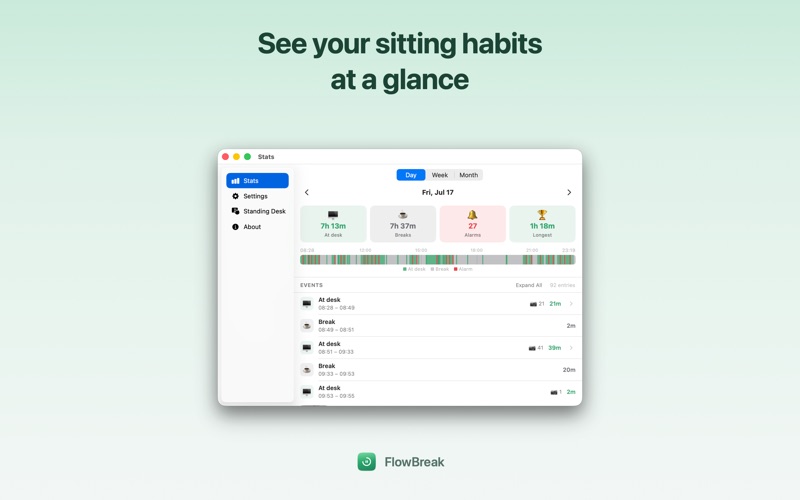
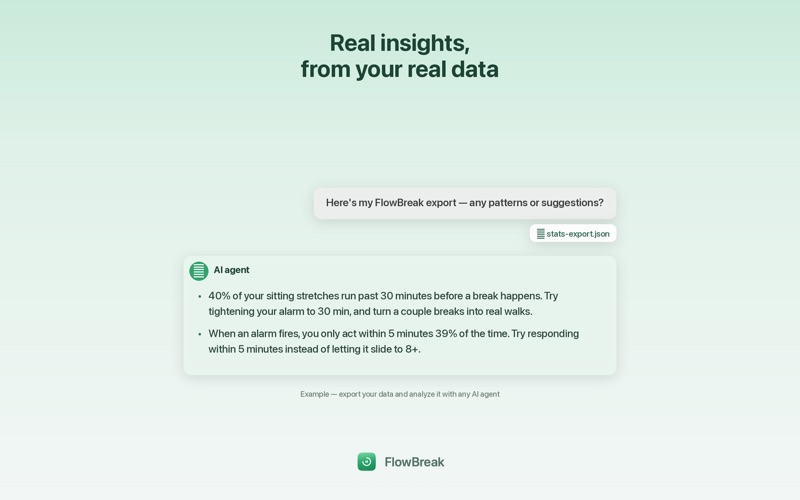
FlowBreak is a menu-bar app that reminds you to take a break — but only when you actually need one. Think of it as the Pomodoro method with eyes. Instead of a rigid 25-minute countdown that keeps ticking while you're away in a meeting, FlowBreak uses on-device AI (Apple's Vision framework) to notice when you're really sitting at your desk. It counts your sitting time, and when you've been at it too long, it gently sounds the alarm. Step away and the timer pauses on its own. No buttons to remember, no timers to reset. Everything happens on your Mac. Camera frames are analyzed locally and are never uploaded or sent anywhere. (There's an optional session-timelapse feature, off by default, that can save photos locally on your Mac — they never leave your computer either.) WHY FLOWBREAK • A smarter Pomodoro — presence-aware, so the timer only runs while you're actually at your desk and pauses when you leave. • Zero fuss — lives in your menu bar with a live countdown. No windows to manage, no timers to start. • Wave to dismiss — hold an open palm up to the camera to snooze the alarm without touching the keyboard. • Moves your standing desk — with a WiFi-connected desk, FlowBreak can act for you when you ignore the alarm: a shake reminder that jogs the desk until you dismiss it, or automatic sit/stand cycling through the day. • See your habits — a built-in stats view charts your sitting and breaks across the day, week, and month. • Export for AI analysis — save your full session history as JSON and hand it to an AI agent to spot patterns in your habits. • Make it yours — choose your break interval and pick from several built-in alarm sounds. • Private by design — on-device detection, no accounts, no tracking, no data collection. Set your break interval, leave FlowBreak running in the menu bar, and get back to work. It'll tap you on the shoulder at the right time.
Latest release
What’s New
Export your stats. Save your full session history as JSON — handy for feeding into an AI agent for analysis. Clearer feedback when the camera can't start (e.g. another app is using it, or camera access is off) instead of silently doing nothing.
Audience growth
Ratings growth
Baseline captured. Growth appears after the crawler observes a changed rating count.
Momentum comes from crawler snapshots for the tracked storefront. “Viral growth signal” means unusually fast recent rating gains; it is an indicator, not download data.
Price tracking
Price intelligence
First snapshot captured. The trend line starts after the next crawler price observation.
- First observed Aug 7, 2026 · 11:36 PM Free
Screenshots