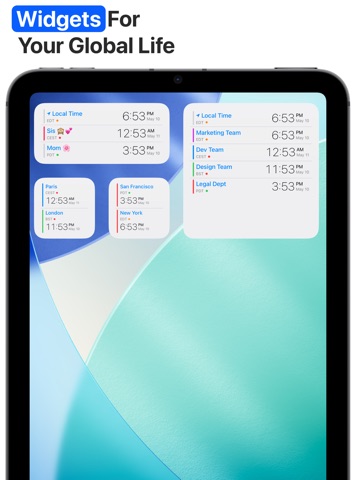
About this app
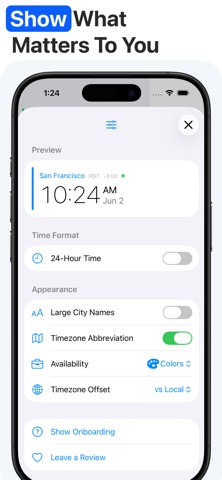
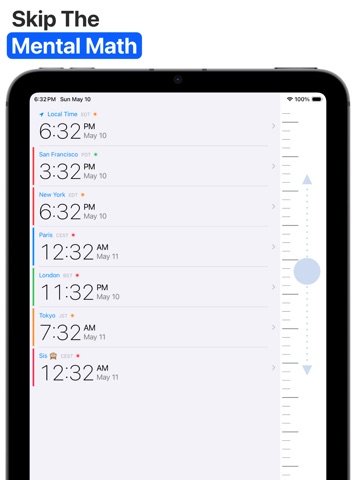
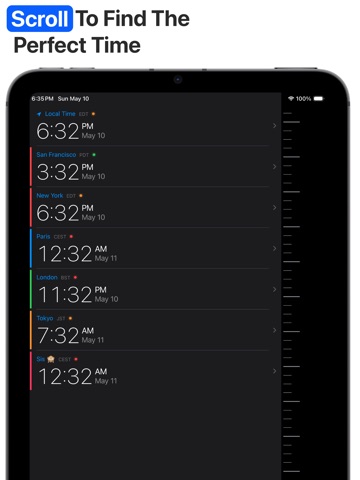
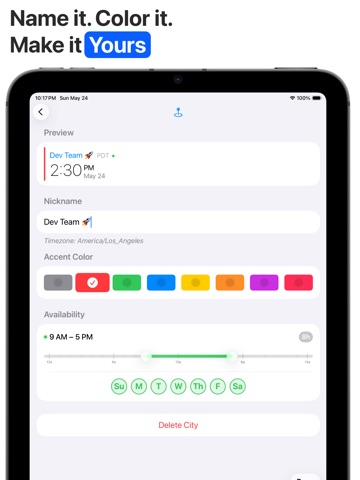
Scheduling calls across timezones is frustrating. It's especially difficult if you are traveling or working with someone remote. Having family across timezones compounds the issue. FlutterTime allows you to add your cities, then move forward and back in time across timezones using an intuitive timeline. It's simple clean, and tackles one problem without extra bloat. No more Googling "PST to London time" or second-guessing meeting starts. Just a smooth, elegant interface that stays out of your way. DESIGNED FOR CLARITY • Gliding Timeline: Scroll forward or backward to instantly see how hours align across multiple cities. • At-A-Glance Status: Visual indicators show you who is sleeping, who is working, and where the "sweet spot" for a meeting lies. • True Minimalism: No ads, no tracking, no clutter, and no unnecessary permissions. Just the time you need, exactly when you need it. POWERFUL UTILITY • Unlimited Locations: Track as many cities as you need—from New York to Tokyo. • Technical Precision: Includes support for UTC, GMT, and Military (Zulu) time for pilots and developers. • Custom Labels: Rename your clocks. Tag a location as "Home," "HQ," or "Dev Team." • Beautiful Aesthetics: Fully optimized for Dark Mode with a Liquid Glass design that feels native to your iPhone. PERFECT FOR • Remote Teams: Find the perfect overlap for Zoom or Slack calls without the back-and-forth. • Digital Nomads: Plan your next flight or travel itinerary with confidence. • Finance & Trading: Keep track of market opening hours across London, New York, and Hong Kong. • Aviation: Quick access to UTC/Zulu time for flight planning. Download FlutterTime today and master your world clock.
Latest release
What’s New
- Subtle (and epic) upgrade to the timeline scrolling mechanism! Now you can go turbo mode by flicking the timeline harder and harder and skip days/weeks at a time. There is no actual speed limit on it! Please be reckless during testing.
Audience growth
Ratings growth
Baseline captured. Growth appears after the crawler observes a changed rating count.
Momentum comes from crawler snapshots for the tracked storefront. “Viral growth signal” means unusually fast recent rating gains; it is an indicator, not download data.
Price tracking
Price intelligence
First snapshot captured. The trend line starts after the next crawler price observation.
- First observed Aug 31, 2026 · 6:09 AM Free
Screenshots