About this app
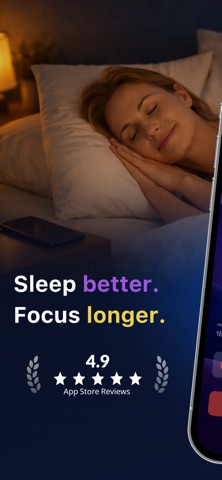
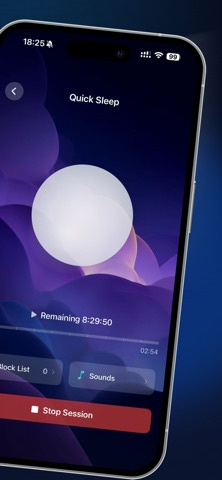
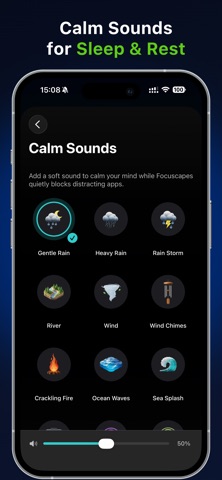
Focuscapes – Block nighttime apps, sleep in peace. Instead of fighting every notification and urge to scroll, you set a mode, choose which apps are still allowed, add a gentle sound, and Focuscapes does the rest in the background. ① Four simple modes for real life * Sleep All Night Mode – Strong blocking from bedtime until morning. * Nap Mode – Short daytime breaks with light blocking and soft sounds. * Wind Down Mode – Ease out of your day before bed, not quite full sleep. * Quiet Rest Mode – A calm screen and fewer apps when you just need quiet. Each mode has its own duration, app rules, and sound settings so you can match Focuscapes to your routine. ② Focuscapes focuses on one thing: * Block high-stimulation apps while keeping what truly matters. * Block social, short-video, news, and other distracting apps. * Keep Phone, Messages, family chat, and your favorite sleep app available. * No puzzles or “unlock tasks” required — just tap Start and forget about it. ③ Saved App Lists for every night * You don’t have to pick apps again every time. * Create simple App Lists like Sleep, Family, Calm, or Travel Night. * Reuse them in any mode so you can start a session in a few seconds. * Change your lists at any time as your needs change. ④ Gentle sounds to help you drift off * Add a soft audio backdrop to match your night: * Rain, gentle rain, rain storm * River, sea splash, wind, ocean ⑤ See your late-night progress * The Progress tab gives you easy-to-read insights: * How many nights you used Focuscapes * How much late-night screen time you reduced * Which apps were blocked the most at night Simple cards, big text, and a gentle tone — no shaming, just small wins over time. ⑥ Private, local, and in your control * Focuscapes uses Apple’s Screen Time API to start and stop app blocking on your device. * Blocking happens on your iPhone using Apple’s system controls. * We cannot see what you do inside apps or websites. * Your personal browsing or message content never leaves your device. * You stay in full control: you can change or stop sessions whenever you want in the app or in iOS settings. Privacy Policy: https://tapscreentime.com/privacy-policy Terms of Service: https://tapscreentime.com/terms Support: support@bettersleepcycle.com
Latest release
What’s New
- This update includes bug fixes and performance improvements.
Audience growth
Ratings growth
Baseline captured. Growth appears after the crawler observes a changed rating count.
Momentum comes from crawler snapshots for the tracked storefront. “Viral growth signal” means unusually fast recent rating gains; it is an indicator, not download data.
Price tracking
Price intelligence
First snapshot captured. The trend line starts after the next crawler price observation.
- First observed Aug 11, 2026 · 1:12 PM Free
Screenshots