About this app
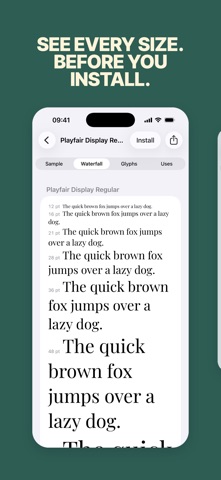
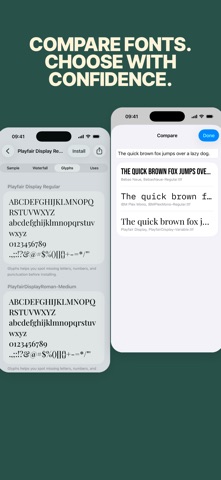
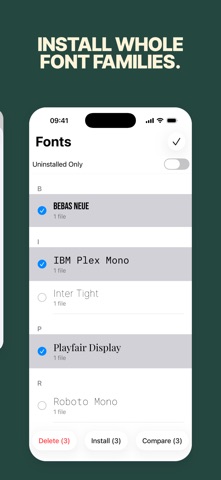
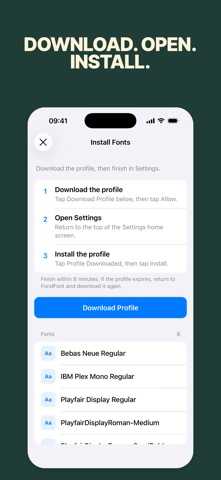
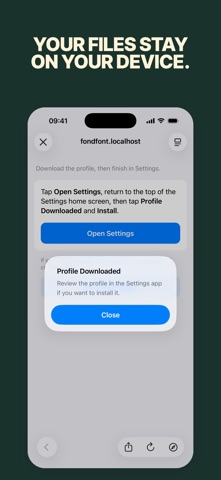
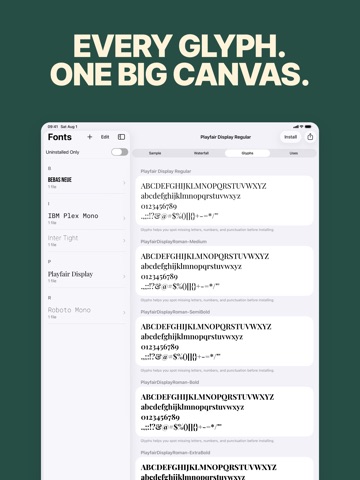
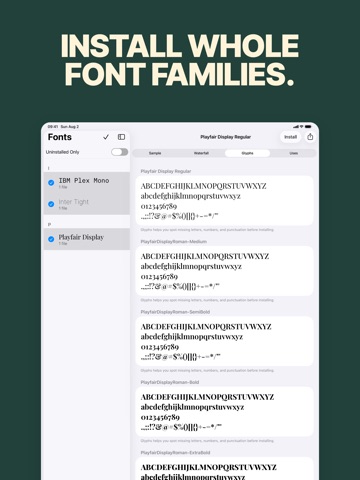
Found the perfect font, but can’t use it in your iPhone or iPad documents? FondFont lets you install fonts you own on iPhone and iPad for apps that support the iOS font library. Preview every size, inspect every glyph, compare families, then install one font or a whole batch. Profiles are generated on your device; your font files are never uploaded, and no account or subscription is required. Get FondFont and put your type library to work. Bring the type you already own into presentations, documents, design handoffs, school projects, and client work—without guessing how it will look after installation. IMPORT FROM WHERE YOU WORK • Open TTF, OTF, TTC, and ZIP files • Import from Files, iCloud Drive, AirDrop, Mail, Safari, or any app with a share sheet • Browse trusted open-font sources including Google Fonts, Font Squirrel, and Noto CJK CHOOSE WITH CONFIDENCE • Preview sample text and a full waterfall of sizes • Inspect glyph coverage before a missing character surprises you • Compare families side by side • Review family, style, PostScript name, designer, license, and source links INSTALL WITHOUT THE BUSYWORK • Install one font or select several families at once • See which imported fonts are already installed • Follow a clear handoff from FondFont to Settings • Generate the required configuration profile locally on your device FondFont is made for people who care about typography looking right in Pages, Keynote, Word, PowerPoint, and every other app that supports installed custom fonts. IMPORTANT FondFont cannot change the iOS system font, keyboard font, or Home Screen font, and it cannot force another app to support custom fonts. Installed fonts appear only in apps that use the iOS font library. iOS requires you to allow the profile download and finish installation in Settings. Because FondFont creates the profile locally on your device, iOS may identify it as unsigned.
Latest release
What’s New
New in FondFont: • A refreshed experience for iPhone and iPad • Waterfall, glyph, and real-world use previews • Side-by-side font comparison • Easier multi-family selection and installation • Clearer steps from profile download to Settings • New German, French, Japanese, Korean, and Traditional Chinese localizations
Audience growth
Ratings growth
Baseline captured. Growth appears after the crawler observes a changed rating count.
Momentum comes from crawler snapshots for the tracked storefront. “Viral growth signal” means unusually fast recent rating gains; it is an indicator, not download data.
Price tracking
Price intelligence
First snapshot captured. The trend line starts after the next crawler price observation.
- First observed Aug 14, 2026 · 8:08 PM $0.99
Screenshots