About this app
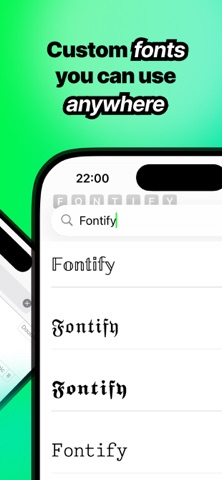
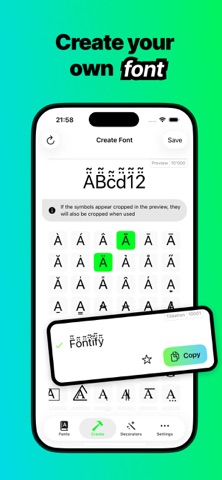
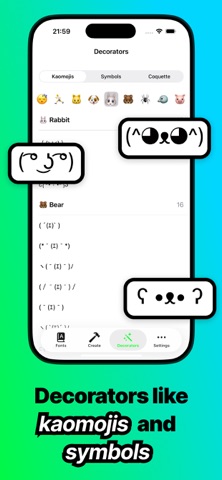
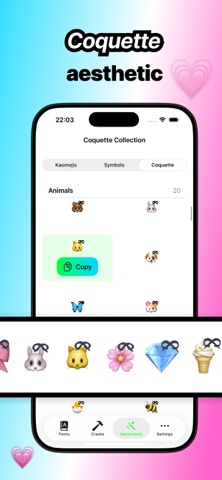
Fontify – The Ultimate Cool Fonts App for iPhones & iPads Unleash your creativity with Fontify, the go-to app for stylish fonts, cool symbols, and personalized kaomojis. Whether you’re designing your Instagram bio, enhancing TikTok captions, or adding flair to WhatsApp and Facebook chats, Fontify offers everything you need to express yourself in a fun and unique way. The perfect tool for anyone looking to stand out with cool fonts on their iPhone or iPad! Top Features of Fontify • Vast Font Collection Discover an extensive library of fonts, each designed to match any mood or style. Whether you’re looking for cool fonts to spice up your Instagram bio, elegant typefaces for TikTok captions, or playful options for iMessage chats, Fontify has it all! • Kaomojis & Symbols Stand out from the crowd with expressive kaomojis and special symbols that add personality to your posts. Perfect for customizing your social media profiles and making every message a little more fun. • Create Custom Fonts Get creative by designing your own custom fonts using Unicode characters. It’s the ultimate way to ensure your text is completely unique, making Fontify more than just a typical fonts app. • Easy to Use on All Platforms Whether you’re using fonts for iPhones, fonts for iPads, or switching between multiple apps, Fontify’s easy-to-use interface allows you to copy and paste your customized text effortlessly into Instagram, TikTok, Twitter, Facebook, and more. • Works Everywhere Fontify isn’t limited to just one app. You can use our stylish fonts and symbols across any platform—whether it’s WhatsApp, iMessage, Facebook, or other apps. With cool fonts that work everywhere, your text will always stand out! Why Choose Fontify? Fontify isn’t just another fonts app; it’s your personal toolkit for digital expression. Whether you’re looking to create a bold Instagram bio, craft unique captions for TikTok, or send personalized messages, Fontify offers the perfect combination of fonts art, symbols, and customization options to make your text unforgettable. How to Use Fontify: 1. Type the text you want to customize. 2. Choose from a wide selection of cool fonts, symbols, or kaomojis. 3. Copy your customized text. 4. Paste it anywhere—on Instagram, TikTok, Twitter, Facebook, WhatsApp, iMessage, or any other app! Take your creativity to the next level with Fontify, the best app for fonts art and custom fonts! Privacy Policy: https://fontify.app/privacy-policy Terms & Conditions: https://fontify.app/terms-and-conditions
Latest release
What’s New
This version of Fontify Fonts & Kaomojis brings: • Performance improvements and bug fixes for a smoother experience
Audience growth
Ratings growth
Baseline captured. Growth appears after the crawler observes a changed rating count.
Momentum comes from crawler snapshots for the tracked storefront. “Viral growth signal” means unusually fast recent rating gains; it is an indicator, not download data.
Price tracking
Price intelligence
First snapshot captured. The trend line starts after the next crawler price observation.
- First observed Sep 7, 2026 · 12:57 AM Free
Screenshots