About this app
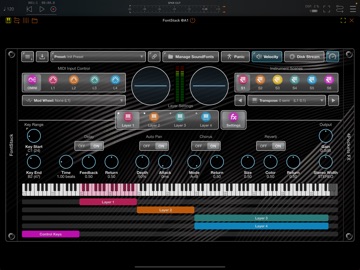
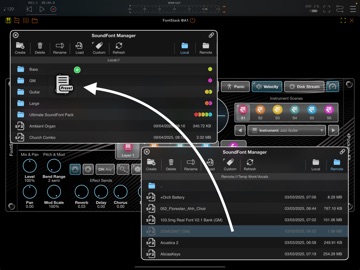
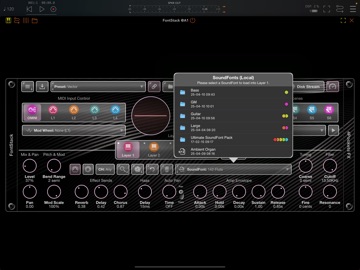
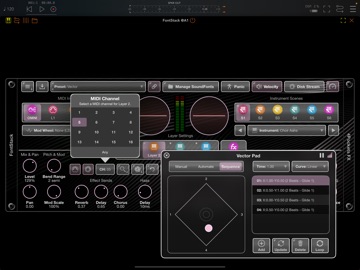
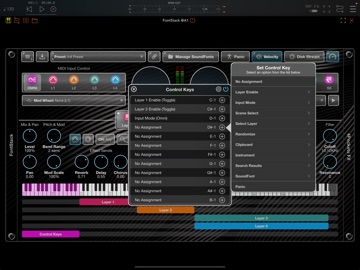
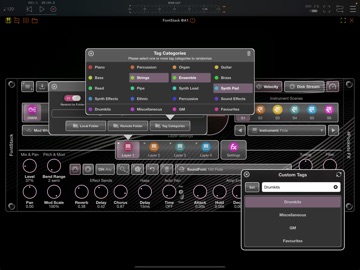
FontStack is a 'fontastic' new AUv3 plugin for iOS which can be loaded into your favourite DAW allowing you to utilise all those wonderful and nostalgic SF2 SoundFonts you've collected over the years. The SoundFont standard was created back in the early 90s, and made famous by the SoundBlaster series of sound cards. With the introduction of the Amiga, it spawned a host of musical creation tools called Trackers, which allowed the Amiga to load these SoundFonts and create sophisticated musical scores of 4 or 8 tracks. These days we don't use this standard so much, but there is a wealth of free SF2 files available on the internet just waiting to be loaded into FontStack. A SoundFont comprises a file with an .sf2 file extension. This file contains a set of samples, instruments, and presets. FontStack enables you to load one or more SoundFonts into its 4 layers, and use them in lots of creative ways. You can stack layers to create a rich combination of multiple tones, or assign each layer its own key range on the keyboard to create virtual splits, or a mixture of the two. Each layer can also be assigned its own MIDI channel for true OMNI mode. One great feature of FontStack is its ability to cache all your SoundFonts and the instruments they contain. This allows quick searching for specific instrument types without the need to physically search through SoundFonts to find them. Another great feature is the ability to optionally link to a remote folder containing a global set of SoundFonts, so that they can be shared between apps. Both internal and external SoundFonts and their instruments will be cached and searching is just as easy as it is using internal SoundFonts. FontStack features: ○ 4 SoundFont Layers which can be stacked, layered or played on different channels. ○ 6 Scenes per Layer containing different SoundFont instruments and settings. ○ Keyboard Splits can be created spreading multiple SoundFonts over a single keyboard. ○ SoundFont Stacks can be created, stacking multiple SoundFonts to produce a bigger, thicker sound. ○ Disk Streaming allows you to stream a SoundFont directly from disk saving physical memory. ○ File Manager allowing local and remote file management. ○ Symbolic Link allows you to specify a remote/external folder from which to access your SoundFonts. ○ Instrument Search allows you to search the content of local and remote SoundFonts folders. ○ Drag and Drop your sound fonts directly into the SoundFont Manager. ○ Reverb, Delay & Chorus effects can be applied to each instrument layer. ○ Haas and Stereo Width can be used to simulate virtual STEREO on SoundFonts with MONO samples. ○ Allows direct control of the SoundFonts Amp Envelope and Filter settings.
Latest release
What’s New
Update due to updated age rating!
Audience growth
Ratings growth
Baseline captured. Growth appears after the crawler observes a changed rating count.
Momentum comes from crawler snapshots for the tracked storefront. “Viral growth signal” means unusually fast recent rating gains; it is an indicator, not download data.
Price tracking
Price intelligence
- First observed Aug 21, 2026 · 10:21 PM $14.99
Screenshots