About this app
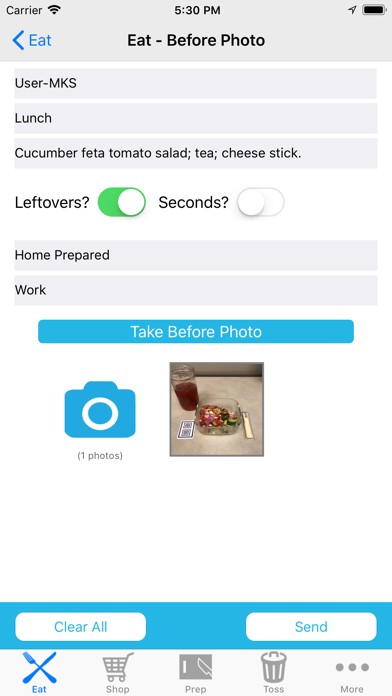
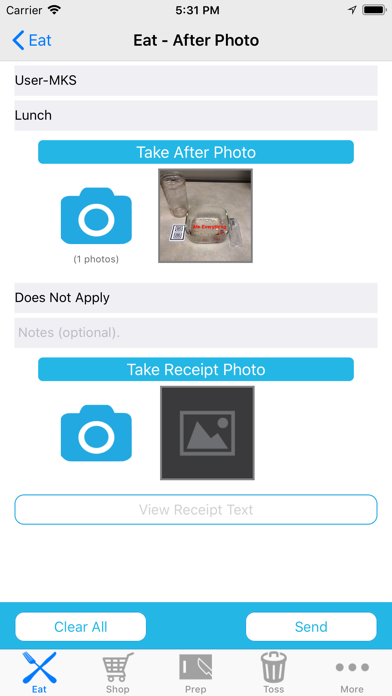
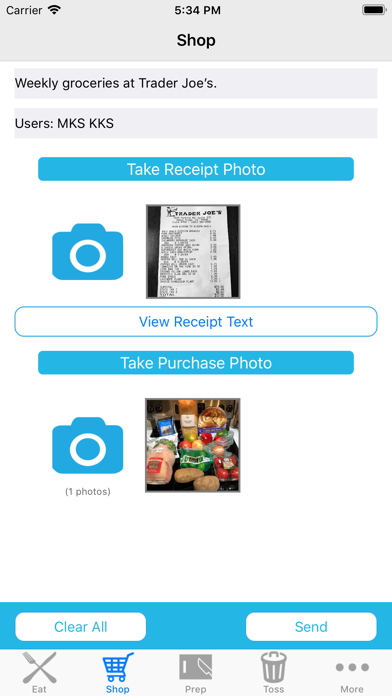
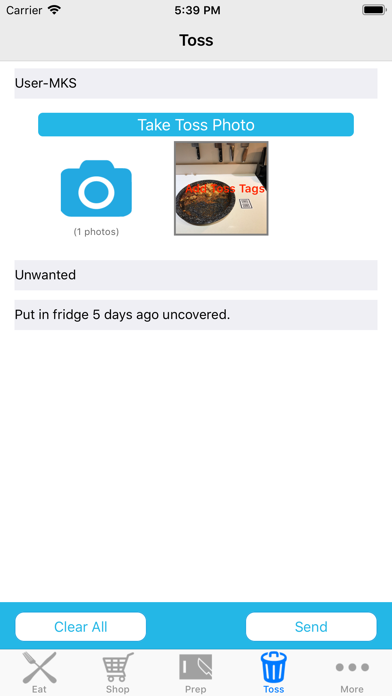
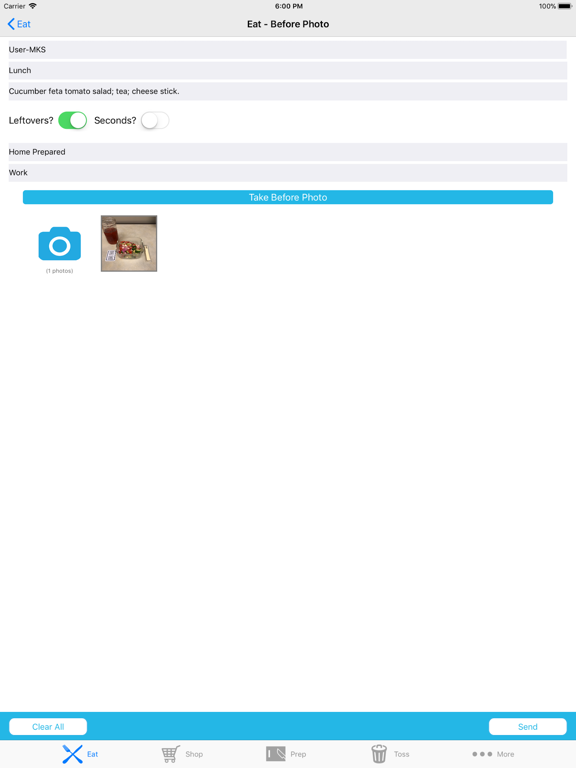
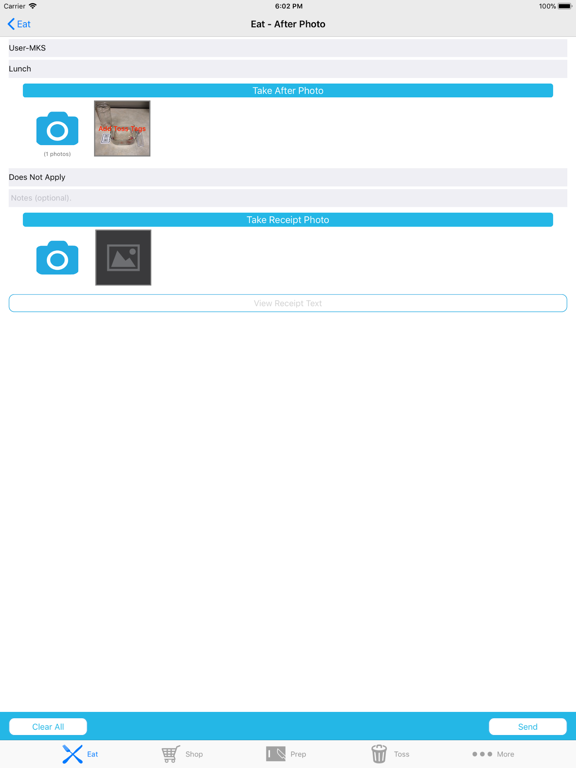
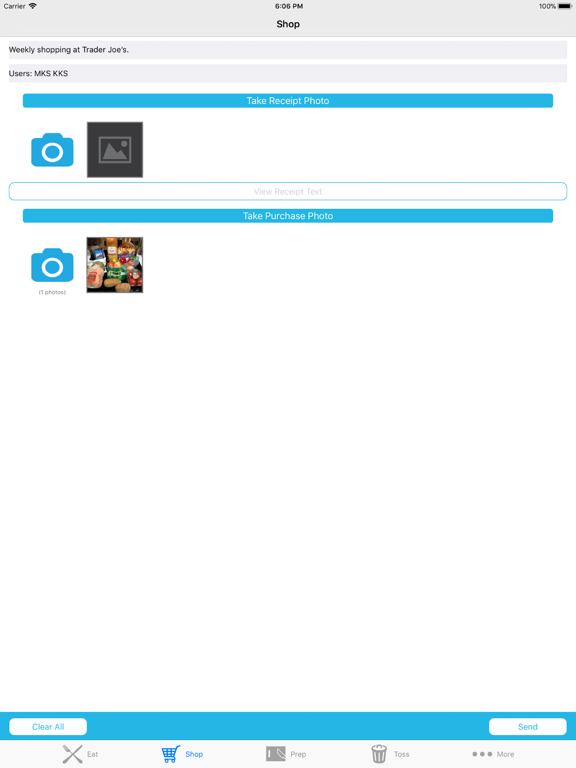
The Food Image app helps you track and understand your family's use of food. Food Image offers four interactive areas to document how you acquire ("Shop"), prepare ("Prep"), consume ("Eat") and discard ("Toss") food. Each of these activities represents a food-related event, and information about these events can be transmitted to a data-center. This information can help researchers better understand the food supply, and it can be used to help you and your family change your habits surrounding food use to achieve certain goals (e.g., eating healthier, reducing food waste, etc.). Here are more details about the four food-related events: SHOP: Purchasing or acquiring food from a grocer, farmer's market, restaurant, etc. In the SHOP area, you take photos of the foods you buy, as well as photos of the receipts, and describe what you have acquired. The app automatically translates the image of receipts into text using an optical-character recognition (OCR) engine. PREP: Preparing meals for your and your household, including tracking the scraps of food that you do not use. In the PREP area, you can take photos of the foods you prepare, food waste from the prep, and share details about them. If you are eating at a restaurant, or similar establishment, you can take a picture of the receipt and that receipt will be translated into text using the OCR engine. EAT: Describing your meals before and after eating. In the EAT area, you can take photos of your food before and after eating, and share details about your meal. TOSS: Describing the foods that you are throwing away, why, and how. In the TOSS area, you can take photos of the foods you are throwing away and share specific details of how you are discarding each food item, e.g., trash, compost, garbage disposal, feeding to pet, etc. Each of these four areas are accessed by their buttons on the bottom of the screen. Just tap the relevant button when you are ready to start that activity, and fill out the intuitive and interactive screen for that activity.
Latest release
What’s New
Improved user interfaces and bug fixes.
Audience growth
Ratings growth
Baseline captured. Growth appears after the crawler observes a changed rating count.
Momentum comes from crawler snapshots for the tracked storefront. “Viral growth signal” means unusually fast recent rating gains; it is an indicator, not download data.
Price tracking
Price intelligence
First snapshot captured. The trend line starts after the next crawler price observation.
- First observed Sep 1, 2026 · 1:59 PM Free
Screenshots