About this app
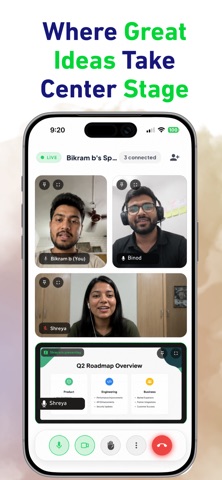
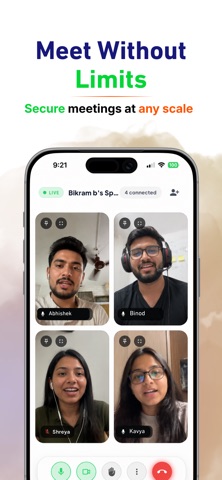
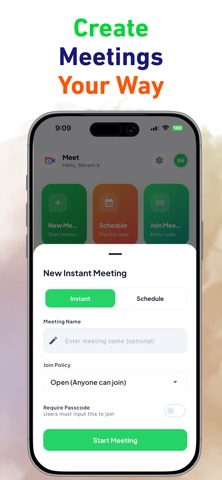
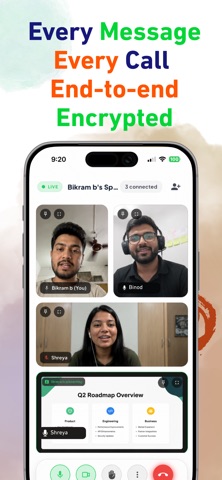
Connect, Collaborate, and Meet Securely. Foxcolab Meet is a secure, high-definition video conferencing and team collaboration platform designed for modern workspaces. Whether you are hosting an instant 1-on-1 check-in, presenting to an enterprise team, or scheduling a workspace sync, Foxcolab Meet provides crystal-clear media streams and productivity tools to keep your team connected. KEY FEATURES: High-Definition Video & Audio Experience low-latency, high-fidelity calls. Foxcolab Meet automatically adjusts stream quality based on your network bandwidth to ensure stable, interrupt-free communication. Industry-Standard Security Host with total peace of mind. All media, chat streams, and room connections are protected by advanced encryption protocols, preventing unauthorized access and keeping your team data secure. Effortless Screen Sharing Present slides, share documents, and collaborate on visual mockups in real-time. Deliver screen sharing streams with native clarity directly from your device. Multitask with Native Picture-in-Picture Minimize your call into a floating native window while taking notes, typing emails, or browsing other apps. The PiP interface features real-time indicators for microphone, camera, and speaking status. Optimized iPad & Tablet Experience Enjoy a native dashboard layout custom-tailored for wider displays. The responsive split-screen sidebar places host controls, participant listings, and meeting schedules beautifully within reach. Pre-Meeting Setup & Fit Check Preview your camera feed, toggle your audio devices, and verify your appearance before entering the call, ensuring you are always ready before you join. Quick Join & Scheduling Start instant meetings with a single tap, share invite codes, or schedule upcoming workspace syncs ahead of time. Unified Workspace Integration Sign in with your unified Foxcolab account credentials to access your organization's directory, calendar events, and meeting history instantly.
Latest release
What’s New
• 6-Participant Paginated Video Grid with active speaker prioritization • Executive gradient placeholders for video-off tiles • 1-Tap front & rear camera switching during video calls • Automatic seamless in-app Play Store updates • Screen wake-lock during calls & bug fixes
Audience growth
Ratings growth
Baseline captured. Growth appears after the crawler observes a changed rating count.
Momentum comes from crawler snapshots for the tracked storefront. “Viral growth signal” means unusually fast recent rating gains; it is an indicator, not download data.
Price tracking
Price intelligence
First snapshot captured. The trend line starts after the next crawler price observation.
- First observed Aug 10, 2026 · 8:17 AM Free
Screenshots