About this app
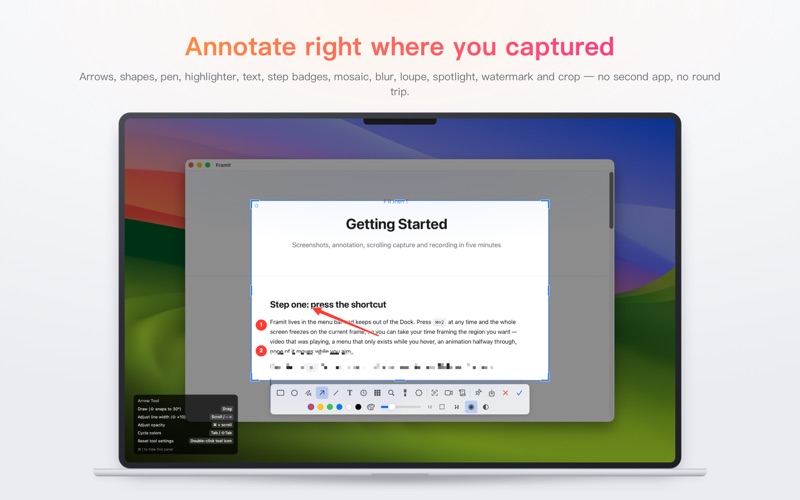
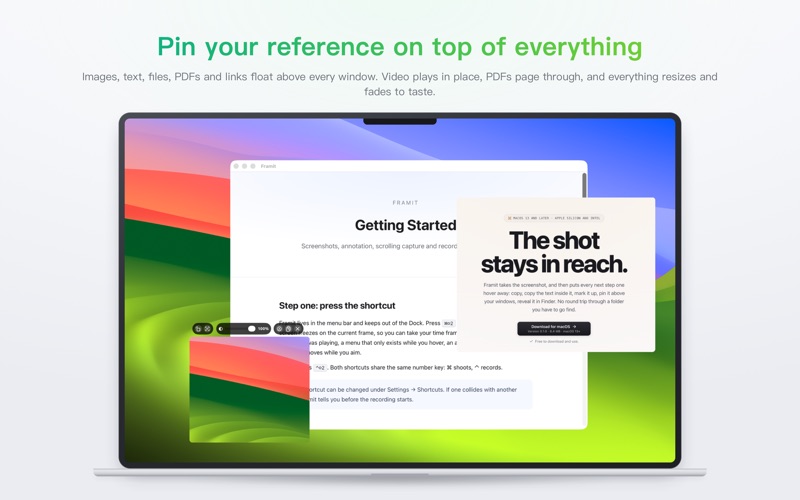
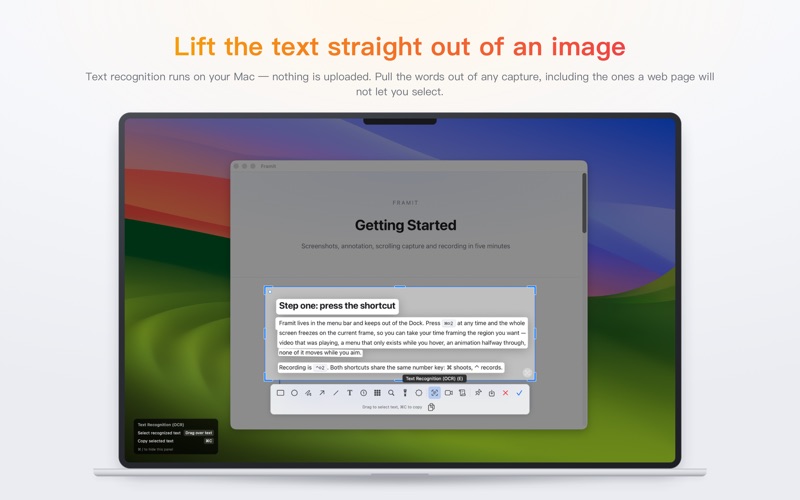
Framit puts screenshots, recording and annotation behind one keyboard shortcut. Press ⌘⇧2 and the screen freezes. Video that was playing, a menu that only exists while you hover, an animation halfway through — all of it holds still on the frame you wanted, so you can take your time framing the shot. CAPTURE • Region, window or full screen, with the picture frozen while you aim • A loupe lines you up pixel by pixel, with live dimensions • Pick up the colour under the cursor while you are there • Scrolling capture: you scroll, Framit stitches, and a page taller than the screen comes out as one image • Text recognition runs on your Mac, so you can lift the words straight out of a capture ANNOTATE • Arrows, lines, rectangles, ellipses, pen, highlighter • Text, numbered step badges, watermark • Mosaic, blur, loupe, spotlight • Crop, with undo and redo throughout RECORD • Export MP4 or GIF, with your choice of frame rate and resolution • Microphone and system audio, or audio on its own • A camera bubble rides along in the footage — move it, resize it • A cursor spotlight and click ripples keep viewers on the step you are on • Countdown to start, pause and resume mid take PIN • Keep images, text, files, PDFs and links above every window • Video plays in place, PDFs page through, files show a Quick Look thumbnail • Resize and fade them, and keep as many as you need STAYS OUT OF THE WAY • Every feature has a shortcut, and every shortcut can be changed • Captures land in Pictures/Framit, or a folder you choose • Recent captures are one click away, with no trip to the Finder PRIVACY Framit does not use the network. No account, no analytics, and no server that receives your data. Text recognition uses your Mac's own on-device capability, so nothing you capture leaves the machine. Free, with no in-app purchases. Requires macOS 13 or later.
Latest release
What’s New
SCROLLING SCREENSHOTS • Manual scrolling capture now recognizes horizontal scrolling on its own, stitching the frames into one wide image the same way it does vertically — no separate mode to pick. • You no longer have to start at the top of a page: begin in the middle, scroll up to fill in the top, then scroll down to continue, and both ends join into one long image. • Tricky pages stitch cleanly too — fixed sidebars, floating video, large blank stretches — and capture no longer slows down as it grows or leaves a thin white line along the bottom. NEW APP ICON • Framit has a brand-new app icon.
Audience growth
Ratings growth
Baseline captured. Growth appears after the crawler observes a changed rating count.
Momentum comes from crawler snapshots for the tracked storefront. “Viral growth signal” means unusually fast recent rating gains; it is an indicator, not download data.
Price tracking
Price intelligence
First snapshot captured. The trend line starts after the next crawler price observation.
- First observed Oct 10, 2026 · 7:40 PM Free
Screenshots