About this app
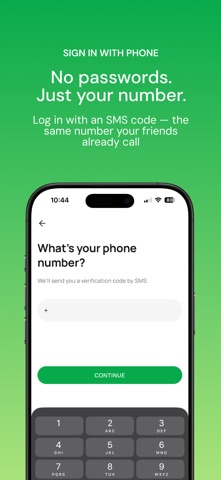
Ever wanted to call a friend but weren't sure if it's a good time? Free to Call solves that. Set your availability status and let your friends know exactly when you're free to talk — no more awkward "is now a good time?" texts. How it works: - Sign up with your phone number - Connect with friends on the platform - When you have free time — driving, waiting, on a break — toggle your availability on - Your friends get notified instantly and can call you with a single tap - Set a timer so your status resets automatically, or stay available indefinitely Stay connected, on your terms Add a short status message like "driving home" or "on lunch break" so friends know the context. Choose to be available now or set a specific end time — 15 minutes, an hour, or whatever works for you. Find your people Browse all users, sync your phone contacts to discover who's already on the app, or invite friends via SMS. Send and accept friend requests to build your network. Privacy first Your phone number is only visible to confirmed friends. Availability notifications are rate-limited to prevent spam. You're always in control of who can reach you and when. Features at a glance: - One-tap availability toggle with optional status message - Timed availability with automatic expiry - Real-time push notifications when friends become available - Native phone dialer integration — no in-app calling, just real calls - Contact sync to find friends already using the app - SMS invites for friends not yet on the platform - Multi-language support (English & Czech) - Light and dark mode - Full profile customization with avatar, username, and spoken languages - Granular notification preferences Your data, your choice You can delete your account at any time from Settings — all your data, friendships, and profile information will be permanently removed. For more information, please review our Terms of Service and Privacy Policy, accessible from within the app's Settings screen and during onboarding.
Latest release
What’s New
Rate the app and send feedback
Audience growth
Ratings growth
Baseline captured. Growth appears after the crawler observes a changed rating count.
Momentum comes from crawler snapshots for the tracked storefront. “Viral growth signal” means unusually fast recent rating gains; it is an indicator, not download data.
Price tracking
Price intelligence
First snapshot captured. The trend line starts after the next crawler price observation.
- First observed Aug 13, 2026 · 11:29 PM Free
Screenshots