About this app
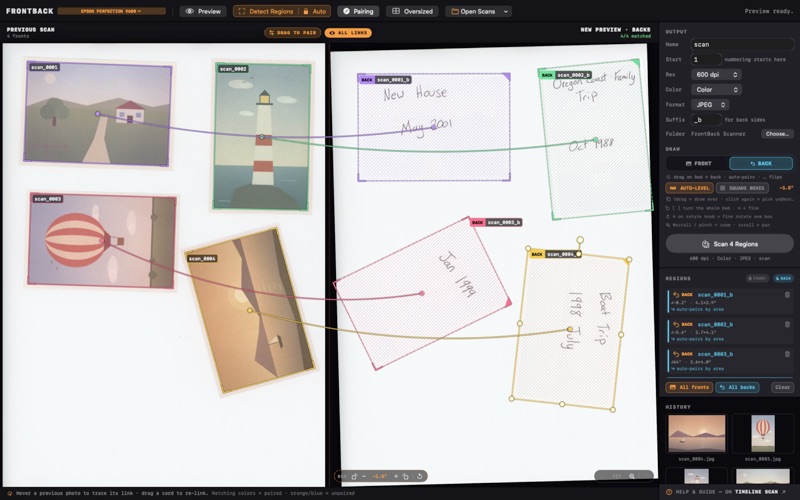
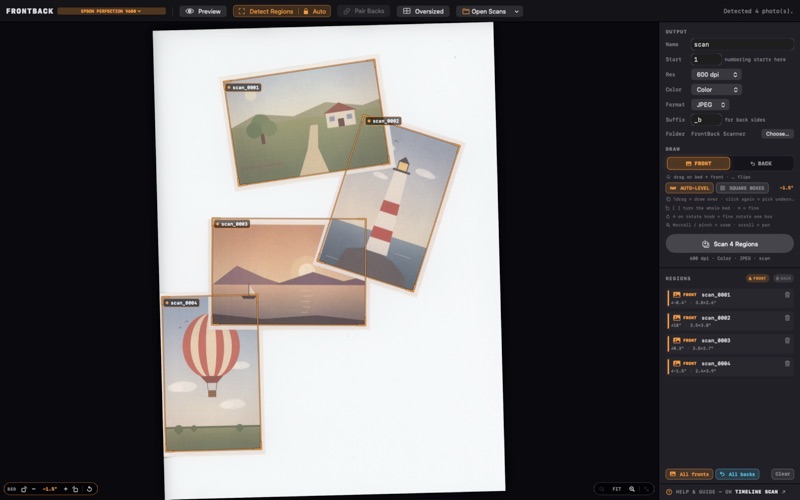
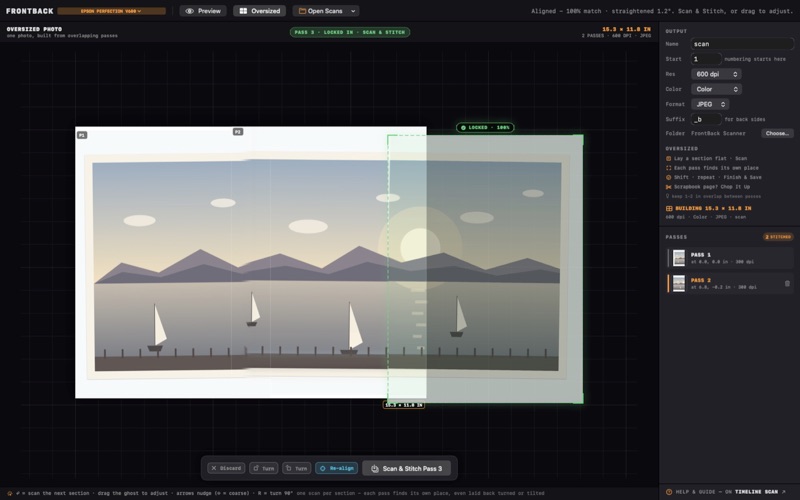
FrontBack Scanner turns a flatbed into a batch photo scanner. Lay four, six, a dozen prints on the glass at once, scan a single pass, and the app finds each photo, straightens it, trims the bed away, and saves it as its own full-resolution file. Then flip all the images over and scan again. FrontBack pairs every back with the front it belongs to, so the note in your grandmother's handwriting is saved beside the photo it describes. SCAN THE WHOLE SHOEBOX, NOT ONE PHOTO AT A TIME - Auto-detect finds every print on the bed and boxes it - One scan pass, cropped into many files - Crooked prints are straightened; the bed background is trimmed off - Photos that overlap or sit at odd angles are handled BACKS, PAIRED TO THEIR FRONTS - Flip the photos, scan once, and backs pair with fronts by position - Link any back to any front by hand when a pile gets shuffled - Backs are named after their front, with a suffix you choose NAMES YOU CHOOSE, NOT DSC_0001 - Pick a base name and a starting number; every file follows - Numbering picks up where a previous batch left off - JPEG or lossless TIFF, at the resolution you set TOO BIG FOR THE GLASS - Scan an oversized print or album page in overlapping passes and stitch them - Cut a whole album page into the individual photos mounted on it, and keep the page too ALREADY HAVE A PILE OF SCANS? - Open bed scans FrontBack did not make, one file or a whole folder - Every region tool works on them, and your originals are only ever read, never changed WORKS WITH THE SCANNER YOU HAVE Any flatbed macOS can see: USB, shared, or a network scanner over Bonjour. No extra driver. PRIVATE BY DESIGN Everything happens on your Mac. FrontBack Scanner has no account, no analytics, and does not send your photos anywhere.
Latest release
What’s New
Auto-detect now uses two learned region detectors to spot difficult layouts, including touching prints and pale photos. They vote independently, and uncertain cases keep the established result. Both models run entirely on your Mac; no scan or photo is uploaded.
Audience growth
Ratings growth
Baseline captured. Growth appears after the crawler observes a changed rating count.
Momentum comes from crawler snapshots for the tracked storefront. “Viral growth signal” means unusually fast recent rating gains; it is an indicator, not download data.
Price tracking
Price intelligence
First snapshot captured. The trend line starts after the next crawler price observation.
- First observed Sep 3, 2026 · 12:02 PM Free
Screenshots