About this app
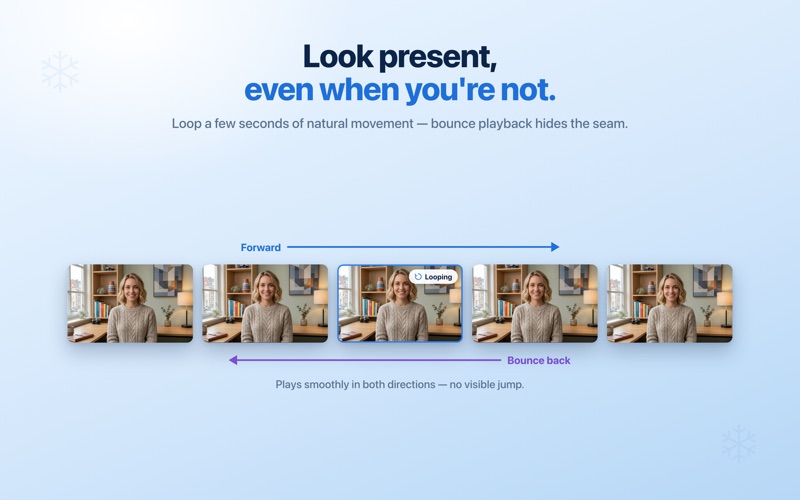
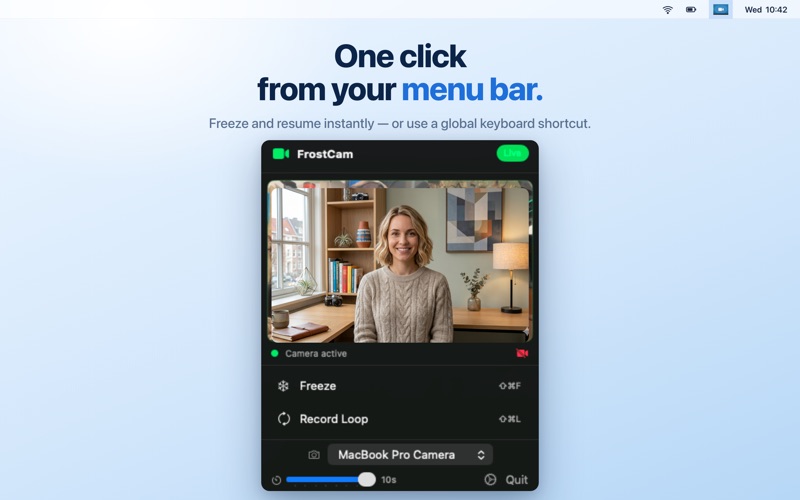
Step away from a video call without the awkward black tile. FrostCam freezes your webcam on a still frame - or loops a few seconds of natural movement - then drops you back to live the instant you're ready. Works in Zoom, Google Meet, Microsoft Teams, FaceTime, Slack, Discord, and any app that lets you pick a camera. No plugins, no browser extensions, no overlay windows - it just shows up as a camera called "FrostCam." WHEN YOU NEED IT Need to grab coffee, talk to a kid, or handle something off-camera? Hit Freeze and the call sees a still frame instead of an empty chair. Just need a moment without breaking the meeting's flow? Loop a few seconds of natural movement and it plays back smoothly while you deal with it. MODES • Freeze - Holds the current frame on the virtual camera until you resume live video. • Loop - Records a short clip (3–10 seconds, configurable) and plays it back continuously. Bounce playback (forward then reverse) hides the seam so the motion never visibly restarts. FREE VS PRO Everything functional is free: freeze, loop, configurable duration, bounce playback, and global keyboard shortcuts. A small "FrostCam" watermark appears on the virtual camera output on the free tier. FrostCam Pro (one-time): • Removes the watermark • Camera source selector (handy if you have multiple webcams) FrostCam Pro+ (one-time): • Everything in Pro • A way to support the indie developer if you find FrostCam useful — no extra functionality, just an optional higher tier. Both unlocks are one-time purchases. No subscriptions, ever. Family Sharing supported. PRIVACY FrostCam runs entirely on your Mac. Your webcam feed never leaves your device - no analytics, no tracking, no servers, no accounts. Everything happens locally between FrostCam and its camera extension. COMPATIBILITY macOS 13 (Ventura) or later. Apple Silicon and Intel. Works with any app that uses the system camera framework - Zoom, Meet, Teams, FaceTime, Photo Booth, OBS, Slack, Discord, Webex, and many more. Available in English, German, Spanish, French, Italian, Japanese, Korean, Dutch, Portuguese and Chinese. SETUP The first time you launch FrostCam, macOS asks you to approve its camera extension in System Settings - a standard one-time security prompt. After that, just pick "FrostCam" as your camera in any video app.
Latest release
What’s New
• FrostCam is now localized in German, Spanish, French, Italian, Japanese, Korean, Dutch, Portuguese and Chinese. • Setup now marks each step as it completes, including camera access. • Fixed setup text being cut off mid-sentence.
Audience growth
Ratings growth
Baseline captured. Growth appears after the crawler observes a changed rating count.
Momentum comes from crawler snapshots for the tracked storefront. “Viral growth signal” means unusually fast recent rating gains; it is an indicator, not download data.
Price tracking
Price intelligence
First snapshot captured. The trend line starts after the next crawler price observation.
- First observed Aug 8, 2026 · 11:07 PM Free
Screenshots