About this app
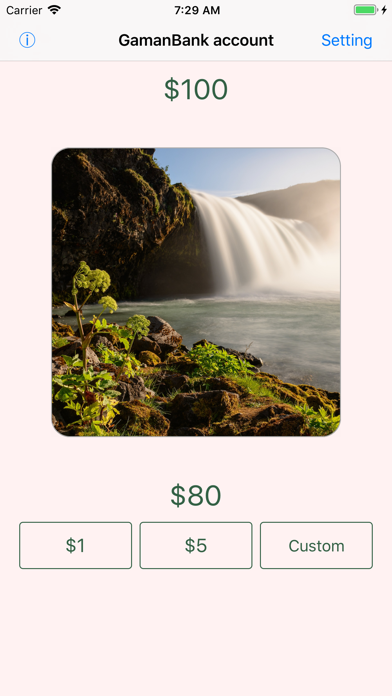
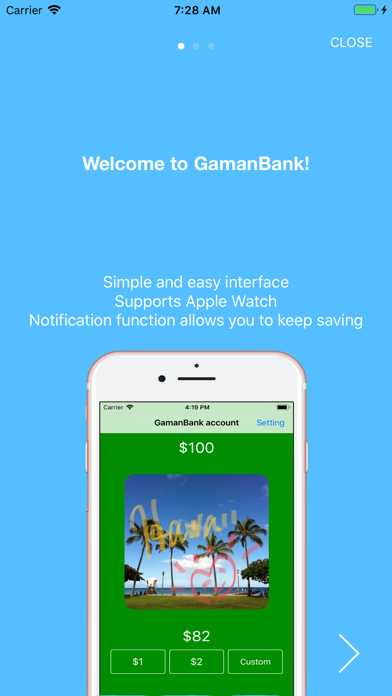
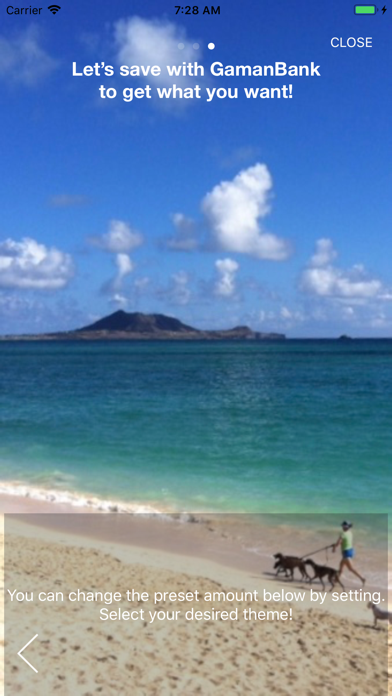
Gaman Bank is here! A simple app that visualizes your small acts of self-restraint (saving money). Stack up tiny “I’ll skip it” moments and turn them into progress toward something you want. “Gaman” is a Japanese word meaning patience, endurance, and self-restraint—the spirit of holding back even when it’s tempting. Gaman Bank (Gbank) turns your everyday “gaman” into a fun, visible “savings” habit. Register a goal with a photo and an amount—something you want to buy, or a place you want to visit. We don’t recommend extremely expensive goals. Goals you’re not 100% sure about can be perfect—sometimes a little “reward spending” is fine! What is “Gaman Saving”? For example: “I’m thirsty… café coffee? Maybe I’ll just grab a canned coffee instead.” While drinking the canned coffee, you might feel like “I saved about 100 yen,” so tap +¥100. The key is being loose and easy—“about” is good enough. Keep stacking small, realistic moments of self-restraint. (Apple Watch supported) Keep your iPhone in your bag—use your Apple Watch to log deposits more easily. *Apple Watch must be within communication range of your iPhone.* (iPhone widgets supported) Show your progress on the Home Screen or Lock Screen. You can also place the iPhone widget on your Mac desktop to keep an eye on your Gaman Bank progress anytime. As you save, your goal photo grows bigger—so you can see your progress! When you reach the goal amount, you’ll get a completion message. (That’s it!) The Statistics screen lets you review your progress path to the goal. Open it by tapping the goal image, current amount, or days left on the main screen. Reaching your goal means you’ve built up that much “gaman.” If you didn’t hold back, you might have spent that money without noticing—so why not treat yourself now? Notes: 1: Reaching the goal does not guarantee you still have that amount of money available. 2: This app is for your own mindset and self-control—please use it as a personal tool. 3: The maximum supported amount is 2,000,000,000 yen due to internal processing limits. If that’s not enough, you can change your unit (e.g., M¥ = Million Yen). 4: Don’t “gaman” on necessities. Skipping water on a hot day can be dangerous. But “I brought a bottle, so I saved about ¥200” is totally fine. 5: There is no edit/correction for deposits. If needed, reset to 0 and set a custom total again. (And “correct” can be approximate!) 6: This is mainly for personal use—results may not convince other people to buy you something. 7: Simplicity is the feature. We may add small improvements in future updates (themes, animations, etc.). 8: Tip: Decorate your goal photos in the iPhone Photos app beforehand if you like.
Latest release
What’s New
* (2.3.1) Added an option to switch back to the old icon * (2.3) Forecast visuals now match across the main screen, Statistics, and widgets, with the same projected goal line * (2.3) Statistics now shows the forecast method, an EWMA explanation, and the projected goal date where the line meets the target * (2.3) Share images can now use small, medium, or large widget-style layouts with an in-settings preview * (2.2.x) Improved startup loading behavior and faster iPhone widget refresh after Apple Watch updates * (2.2) Added iPhone widgets for checking progress on the Home Screen, Lock Screen, and Mac desktop * (2.2) Fixed an issue where statistics could be counted incorrectly after migrating data from older versions
Audience growth
Ratings growth
Baseline captured. Growth appears after the crawler observes a changed rating count.
Momentum comes from crawler snapshots for the tracked storefront. “Viral growth signal” means unusually fast recent rating gains; it is an indicator, not download data.
Price tracking
Price intelligence
First snapshot captured. The trend line starts after the next crawler price observation.
- First observed Aug 19, 2026 · 8:42 AM Free
Screenshots