About this app
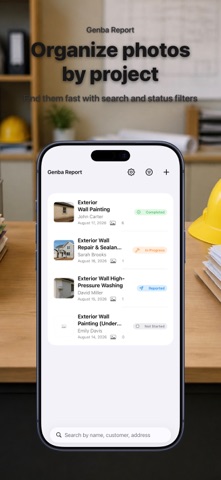
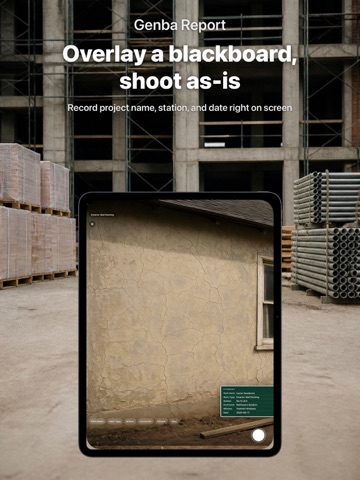
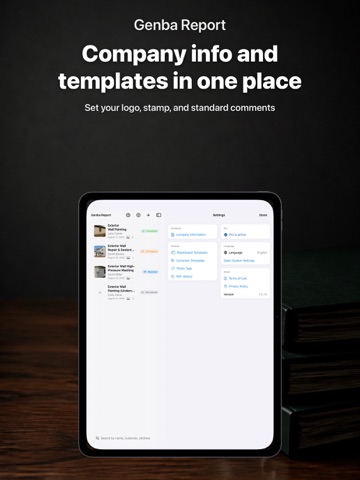
Genba Report is a job-site photo camera: overlay a digital blackboard on your site photos and turn them straight into a PDF report. Digital Blackboard - Overlay project name, work type, station, contractor, and date right on the camera screen - Set up templates ahead of time; on-site, just fill in the values - The original photo (without the overlay) is saved separately, so you can always go back *This feature overlays common blackboard fields you enter manually. It does not guarantee compliance with any submission format or standard. Always check the requirements of the party you are submitting to. Photo Management and PDF Reports - Organize photos by project; tag and add quick comments with preset text - Auto-generate PDF reports in 4 templates (Standard, Before/After, Inspection, Photo Log) - Reopen any generated PDF anytime from history (Pro) - Record shooting location via GPS and include a map in the report Start for free - Pro is a one-time purchase, not a subscription - Free for up to 3 projects with the Standard template - Genba Report Pro (in-app purchase): unlimited projects, all templates, no PDF watermark, company logo, multiple blackboard templates, and full PDF history All your data stays on your device.
Latest release
What’s New
What's New in This Version Digital Blackboard Overlay project name, work type, station, contractor, and date right on the camera screen as you shoot. Save both the composited photo and the clean original. Blackboard Templates Set up field sets ahead of time for each job site. On-site, just fill in the values. PDF History List Reopen any PDF report you have generated, anytime, from a dedicated history list. Automatic Before/After Pairing Photos with the same station are automatically paired into a Before/After layout in your PDF report. Blackboard Info in PDF Reports Blackboard field values are now transcribed into the generated report, alongside the matching photo.
Audience growth
Ratings growth
Baseline captured. Growth appears after the crawler observes a changed rating count.
Momentum comes from crawler snapshots for the tracked storefront. “Viral growth signal” means unusually fast recent rating gains; it is an indicator, not download data.
Price tracking
Price intelligence
First snapshot captured. The trend line starts after the next crawler price observation.
- First observed Sep 8, 2026 · 12:35 AM Free
Screenshots