About this app
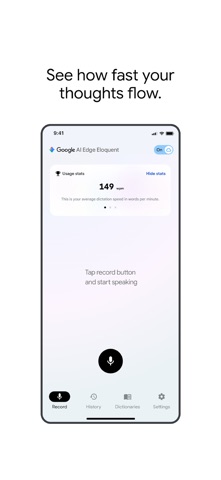
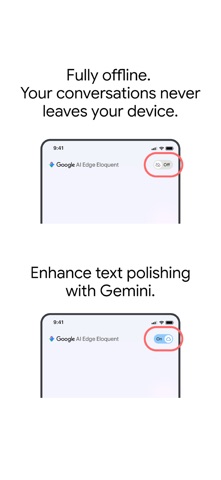
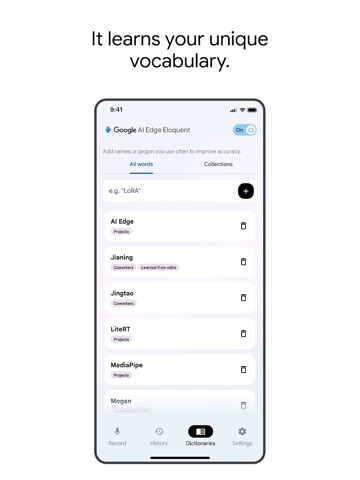
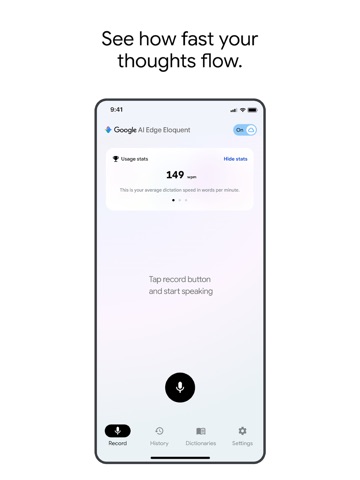
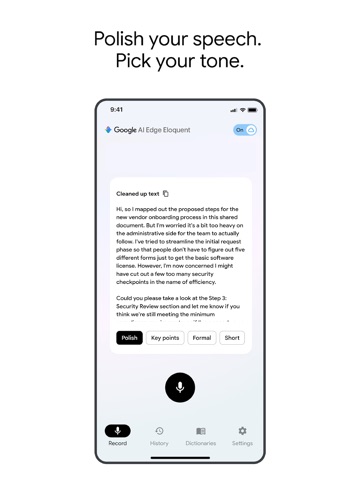
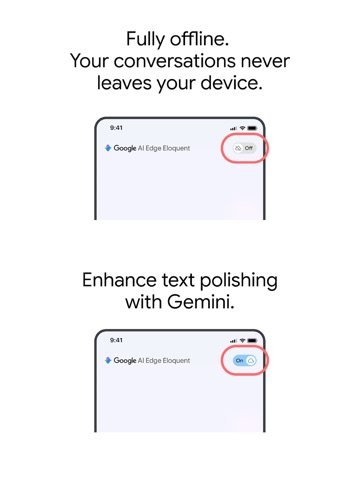
Say goodbye to manual editing and inaccurate speech-to-text transcriptions. Powered by Google's latest Gemma technology, Google AI Edge Eloquent is an advanced dictation app engineered to bridge the gap between natural speech and professional, ready-to-use text. Unlike standard dictation software that transcribes stumbles and filler words verbatim, Eloquent utilizes AI to capture your intended meaning. It automatically edits out "ums," "uhs," and mid-sentence self-corrections, outputting clean, accurate prose. Powered by Google's Gemma architecture, this application utilizes highly efficient, open-weight, on-device models to deliver responsive speech-to-text without requiring a server connection. Core Features & Capabilities: - Intelligent Text Polish: Automatically transforms disorganized speech and stumbles into flawless text, understanding context to deliver your actual meaning. - Uncompromising Privacy: All machine learning processing runs entirely locally on your iOS device. Your audio, confidential conversations, and personal data never leave your device (some advanced optional features require cloud). - Personal context dictionary: Creates an editable dictionary by learning from your vocabulary to improve accuracy of dictation. Optionally connect your Google account to build the dictionary from your Google account data which is processed securely on device. - Optimized Performance: Efficient Google AI Edge runtimes provide highly responsive dictation capabilities without requiring the latest flagship smartphone. - Zero Cost Architecture: Eloquent operates entirely free of charge with no usage limits. - Always available: Works even when you are offline. - Seamless iOS Integration: Keyboard coming soon!
Latest release
What’s New
TL;DR: Say namaste, nǐ hǎo, and konnichiwa to 15 dictation languages, and enjoy a delightful new look while you're at it! You spoke, we listened, to make the app even more eloquent. We squashed bugs and improved performance, because the only thing that should leave you speechless is how smoothly this app runs. Here is a quick look at some of the things we've polished up in this release: Global Voices: We’ve gone truly global! You can now dictate your brilliant thoughts in 14 new languages, including Spanish, German, Italian, Portuguese, Chinese, Japanese, Korean, Hindi, Indonesian, Russian, Thai, Turkish, and Vietnamese (along with English, of course!). No matter what language you're brainstorming in, we’ll make sure your words are perfectly polished. A Fresh Coat of Paint: Our shiny new UI refresh is designed to make your dictation and polishing experience cleaner, sleeker, and more intuitive. 1.4.1 - Contains bug fixes.
Audience growth
Ratings growth
Momentum comes from crawler snapshots for the tracked storefront. “Viral growth signal” means unusually fast recent rating gains; it is an indicator, not download data.
Price tracking
Price intelligence
- First observed Aug 11, 2026 · 7:10 AM Free
Screenshots