About this app
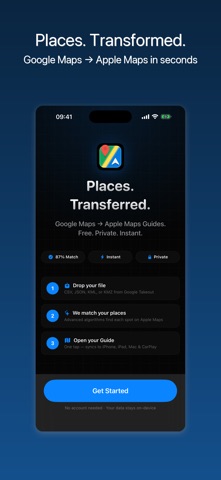
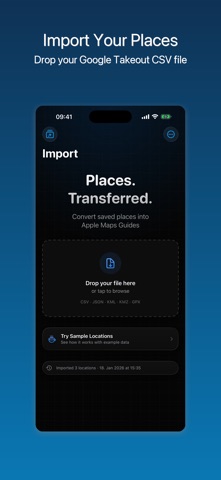
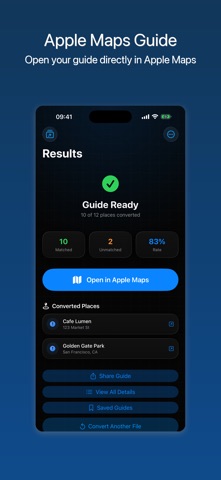
Move your saved places from Google Maps to Apple Maps — quickly and without starting over. GoToAppleMaps imports your Google Takeout export and builds an Apple Maps Guide you can open right away. Whether you're switching ecosystems or just want your saved locations on Apple Maps, the whole transfer takes minutes. SUPPORTED FORMATS • CSV (Google Takeout and Google My Maps) • KML and KMZ • GPX • GeoJSON and JSON HOW IT WORKS 1) Export your saved places from Google Maps Takeout 2) Import the file into GoToAppleMaps 3) Review matched locations and create your Apple Maps Guide WHAT YOU GET • Batch conversion for large lists — hundreds of places at once • Accurate location matching via Apple Maps search • Direct handoff into Apple Maps Guides • Shareable backup file of your converted places • Privacy-first — your data stays on your device NOTE: Best results come from named places (cafés, restaurants, landmarks). Coordinate-only pins are supported but may require a quick manual review. Leaving Google Maps behind? GoToAppleMaps makes the migration simple.
Latest release
What’s New
Big libraries now convert in full — when your places don't fit in one Apple Maps Guide, we split them across multiple Guides so nothing gets left behind.
Audience growth
Ratings growth
Baseline captured. Growth appears after the crawler observes a changed rating count.
Momentum comes from crawler snapshots for the tracked storefront. “Viral growth signal” means unusually fast recent rating gains; it is an indicator, not download data.
Price tracking
Price intelligence
First snapshot captured. The trend line starts after the next crawler price observation.
- First observed Aug 29, 2026 · 1:12 AM Free
Screenshots