About this app
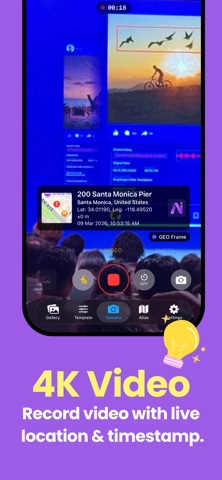
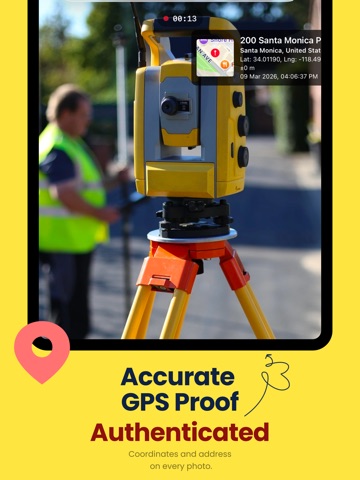
Capture photos with precise location information using GeoFrame – GPS Map Camera. Instantly add GPS coordinates, maps, timestamps, and location details to every photo you take. Perfect for documenting travel, field work, deliveries, construction sites, inspections, or simply remembering where your memories were captured. GeoFrame makes location-based photography simple, accurate, and beautifully presented. GPS Location Stamps Automatically add location information directly onto your photos: • GPS coordinates (latitude & longitude) • Map preview with your location • Address and place name • Date and time stamp • Altitude and accuracy (when available) Map Overlays Add a live map overlay to your photos so you always know exactly where the picture was taken. Perfect for: • Travel documentation • Field reports • Site inspections • Property visits • Delivery confirmations Customizable Photo Templates Choose from multiple professional templates designed to display location information clearly and elegantly. Customize: • Overlay layout • Map style • Timestamp format • GPS coordinate format Simple & Fast Camera Capture photos instantly while GeoFrame automatically attaches location data. No complicated setup — just open the camera and shoot. 100% Ad-Free Experience GeoFrame is designed for focus and simplicity. • No advertisements • No tracking ads • Clean and distraction-free camera interface Premium Features Unlock advanced templates and additional customization with GeoFrame Premium. Premium includes: • Advanced GPS overlay styles • More template designs • Additional customization options Built for Accuracy GeoFrame uses your device’s GPS and location services to ensure accurate location information on every photo. Privacy First Your location data stays on your device and is only added to photos you capture. Terms of Use (EULA): https://www.apple.com/legal/internet-services/itunes/dev/stdeula/
Latest release
What’s New
* Introducing Shared Team Projects — collaborate with your team, sync captures across devices, and manage projects together. Access your team dashboard from the app or via the web. * Team Plans with up to 10 seats — invite team members, manage billing, and keep everyone in sync. * New profile system — sign in with email and password, upload a company avatar, and manage your account across devices. * Team subscriptions are now tied to your account, not your device — sign in anywhere to restore access. * Bug fixes and performance improvements, including smoother scrolling, duplicate project filtering, and offline sync reliability.
Audience growth
Ratings growth
Baseline captured. Growth appears after the crawler observes a changed rating count.
Momentum comes from crawler snapshots for the tracked storefront. “Viral growth signal” means unusually fast recent rating gains; it is an indicator, not download data.
Price tracking
Price intelligence
- First observed Aug 8, 2026 · 9:54 PM Free
Screenshots