About this app
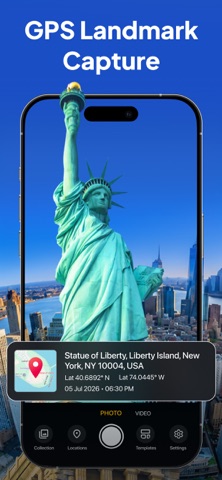
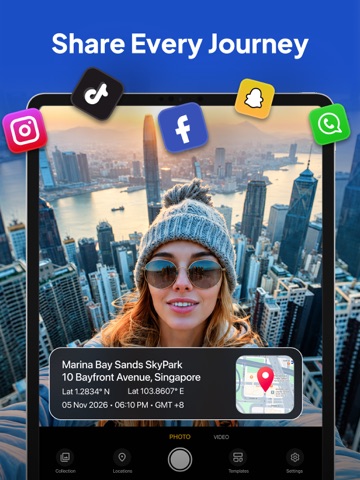
GPS Maps Camera: Timestamp helps you capture photos with GPS location, map, date, time, address, latitude and longitude stamps. Create reliable photo records for work, travel, inspections, property visits, delivery proof, field reports and daily documentation. Turn your iPhone into a simple GPS Camera, GPS Map Camera and Timestamp Camera. Add location proof, geotag details, map stamp, date stamp, time stamp and address information directly to your photos. Whether you are working in the field, visiting a job site, inspecting property, completing a delivery, traveling, auditing a location or saving important memories, GPS Maps Camera: Timestamp makes every photo easier to verify and remember. KEY FEATURES • GPS Camera with location stamp • GPS Map Camera for photos with map • Timestamp Camera with date and time • GPS photo proof with location • Geo tag photo and geotag camera support • GPS photo location details • Latitude and longitude stamp • Address, date, time and map overlay • GPS live location camera • GPS location camera for work and travel • Simple GPS map editor for stamped photos • Photo records for site visits and field reports • Useful for inspection, audit and proof of location • Clean templates for professional photo documentation PERFECT FOR • Field staff and work reports • Construction and job site photos • Real estate and property inspections • Delivery proof and service records • Survey, audit and maintenance work • Travel photos with location • Outdoor activities and memories • Business and professional documentation WHY USE GPS MAPS CAMERA: TIMESTAMP? A normal photo shows what happened. A GPS stamped photo shows what happened, where it happened and when it happened. This app helps you add GPS map camera location details, timestamp, geotag, address, latitude and longitude to your photos. Use it as a GPS Camera, GPS Map Camera, Timestamp Camera, Time stamp camera, Geo tag camera, Geotag camera, GPS location camera or GPS map camera editor. Capture smart photos with location details and create records that are easy to save, share and verify. Download GPS Maps Camera: Timestamp today and start capturing photos with GPS location, map stamp, timestamp, geotag, address, latitude and longitude. Subscription Details: - - Payment will be charged to iTunes Account at confirmation of purchase. - Subscription automatically renews unless auto-renew is turned off at least 24 hours before the end of the current period. - Account will be charged for renewal within 24 hours prior to the end of the current period, and identify the cost of the renewal. - No cancellation of the current subscription is allowed during the active subscription period. - Any unused portion of a free trial period, if offered, will be forfeited when the user purchases a subscription to that publication, where applicable For Further Information: Privacy Policy = https://privacypolicycenter.com/new/view/id6776963144 Terms of Use = https://privacypolicycenter.com/new/terms/id6776963144 EULA = https://privacypolicycenter.com/new/eula/id6776963144
Latest release
What’s New
- Performance Improvement. - Bugs Fixing.
Audience growth
Ratings growth
Baseline captured. Growth appears after the crawler observes a changed rating count.
Momentum comes from crawler snapshots for the tracked storefront. “Viral growth signal” means unusually fast recent rating gains; it is an indicator, not download data.
Price tracking
Price intelligence
First snapshot captured. The trend line starts after the next crawler price observation.
- First observed Aug 13, 2026 · 11:56 PM Free
Screenshots