About this app
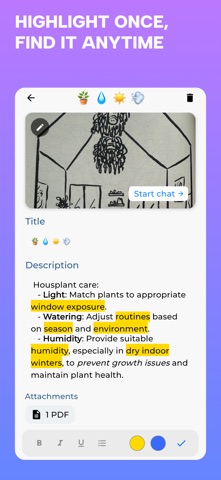
=== Daily Learning Feed === Download past or new knowledge into your brain. Two ways to use Feed: - [1] Remember Mode Pick materials, tags, or your entire Library to revisit old ideas and keep important information fresh. For example, while reading the middle of a book, Feed can bring back ideas from the first chapters so you remember more and learn deeper from your books, PDFs, notes, and saved materials. - [2] Explore Mode Enter any topic or question to discover fun facts and connected ideas. Start with "cooking" and explore questions about flavor, food science, recipes, world cuisines, and surprising facts behind everyday meals. Set a Goal to get the most out of your learning! Boost your learning with feed: - Review before it fades - Bring back old ideas at the right time - Track your marks and missed concepts - Prepare focused decks before exams - Keep books, notes, and saved materials fresh in your head - Explore connected topics and fun facts when you want something new === Flashcards === Turn anything into flashcards instantly * Create from: (1) PDFs (2) Prompts (3) Audio (4) Notes (5) Books (6) Images * Study in 3 modes: * (1) Learn step-by-step * (2) Test your knowledge * (3) Discover fun facts * Play with 3 formats: * (1) Yes / No * (2) Multiple Choice (4 options) * (3) Fill in the blank * Supports 20+ languages with audio playback * Generate up to 30 flashcards per topic for free * Choose your source: Web (default) or your entire Grasply Library! * Verify & Explore: Understand every answer with explanations. Check facts with real sources. The fastest way to turn information into memory. === Second Brain Library === Your knowledge, organized and always accessible * Store everything in one place: * PDFs, notes, images, links, audio lectures * Automatically organized with AI * Chat with your materials like a personal tutor * Instantly turn anything into flashcards * Tag, highlight, and structure your knowledge * Mark favorites and organize into folders and types * Share content directly from your device and auto organize them! * Works offline — your learning travels with you * Synchronize between iPhone & iPad === Camera (Snap & Study)=== Turn real-world content into study material * Scan textbook pages or handwritten notes * Extract text instantly with OCR * Convert scans into flashcards * Save directly to your Second Brain * Snap anything and generate a flashcard quiz instantly === Audio Recording === Capture ideas and learn from them * Upload recordings or record lectures, thoughts, and explanations * Convert audio into text and store it! * Turn recordings into Flashcards * Chat with your recordings! === Explore New Topics (3D Learning Space) === Discover new topics in an interactive 3D space with AI recommendations. Jump into flashcards and learn as you explore. === AI Learning Assistant === * Get instant summaries and explanations * Ask questions about your own materials * Understand complex topics faster * Perform deep research powered by AI * Get personalized study sessions for your goals
Latest release
What’s New
We recently introduced Learning Feed - a new way to know what to learn, review, or explore next. Learning Feed gives you fresh questions every day, helping you update your knowledge and keep important ideas active in your mind. It feels like downloading past or new knowledge into your brain. Two modes: [1] Remember Mode: Pick materials, tags, or your entire Library to revisit old ideas from your books, notes, PDFs, audio, saved items, and more. [2] Explore Mode: Enter any topic or question to discover fun facts, connected ideas, and new things to learn. Start with “cooking” and explore questions about flavor, food science, recipes, world cuisines, and surprising facts behind everyday meals. Features: * Know what to learn, review, or explore next * Keep books, notes, and saved materials fresh in your head * Prepare before exams with focused review decks from the materials you care about * Track your marks in the Feed, so Grasply knows what to bring back later * Explore fresh ideas, fun facts, and connected topics whenever you want something new This update also fixes critical bugs in Feed and improves flashcard generation from your Library, notes, and selected materials.
Audience growth
Ratings growth
Baseline captured. Growth appears after the crawler observes a changed rating count.
Momentum comes from crawler snapshots for the tracked storefront. “Viral growth signal” means unusually fast recent rating gains; it is an indicator, not download data.
Price tracking
Price intelligence
First snapshot captured. The trend line starts after the next crawler price observation.
- First observed Aug 20, 2026 · 6:04 PM Free
Screenshots