About this app
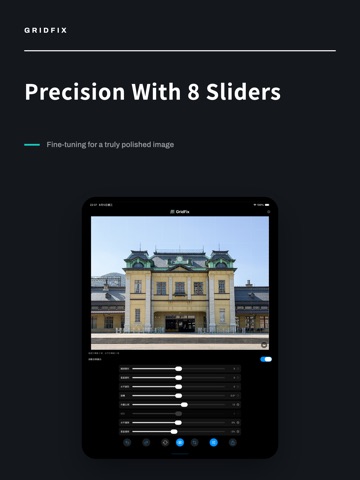
Tilt your camera up at a building and the verticals lean inward. Let your hand tip and the horizon goes crooked. GridFix fixes this the most intuitive way possible: draw guide lines along the edges that should be straight, and the app computes the perspective correction that makes them truly vertical and horizontal. And now, you can get it right at the moment you shoot. LIVE-CORRECTED CAMERA - The corrected image shows live in the viewfinder. What you see is what you get, no guesswork afterwards - A tilt readout shows your pitch and roll at all times - Correct verticals only, or auto-level the horizon as well - Pinch to zoom, EV compensation scale, long-press AE/AF lock, self-timer, volume-button shutter - Level sensor calibration: a fixed offset from your case or sensor tolerance is measured once and subtracted from then on - The session gallery lets you review shots, compare with the original, or send one straight into the editor EDIT IMPORTED PHOTOS - Guide-line correction: no blind slider fiddling, just show the app which lines should be straight - Double-tap to zoom: magnify right where you are working and trace window frames and beams precisely - A loupe keeps the edge visible while you drag, positioned for right- or left-handed use - Lens distortion correction: fixes the outward bow of ultra-wide edges, which perspective correction alone cannot fix - Fine-tuning: adjust every axis manually after the correction - Crop, rotate, flip, and auto-trim the blank edges correction leaves behind - Edit history: every session is saved automatically, so you can reopen and continue any time IMPORT AND EXPORT - Import from Photos, Files and iCloud Drive, or share into GridFix from any other app - Export JPEG, HEIF, PNG or TIFF, at original resolution or a custom size - Everything runs on your device: no account, no network, your photos never leave your phone FREE AND SUBSCRIPTION Every correction tool is free: guide lines, lens distortion, fine-tune sliders, cropping and the live-corrected camera are all fully usable, with unlimited viewfinder time. The limits are only on output: 3 editor exports a day, 10 camera saves a day, both at up to 2048px on the long edge, JPEG, without capture info or location (the capture date and orientation are kept). Subscribing unlocks: - Unlimited exports and unlimited camera saves - Original-resolution export (up to 48MP; the free tier caps the long edge at 2048px) - RAW import (ProRAW, DNG); PNG, TIFF and HEIF export at maximum encoder quality - Full EXIF kept on exports and captures (lens, exposure, location) - Live-corrected video recording (high-bitrate HEVC) GridFix does one thing well: it makes crooked lines straight. No color grading, no filters, no object removal. Available in English, Traditional Chinese, Simplified Chinese, Japanese, Korean, German, French and Spanish. Privacy Policy: https://gridfixapp.com/policy/ Terms of Use (EULA): https://www.apple.com/legal/internet-services/itunes/dev/stdeula/
Latest release
What’s New
This update - Five new interface languages: Simplified Chinese, Korean, German, French and Spanish. Eight in total, alongside Traditional Chinese, English and Japanese. Switch anytime in Settings. - Your camera allowance at a glance: the shots remaining today now show right above the shutter (10 free saves a day; unlimited with a subscription) - Clearer subscription page: all seven benefits are now listed, including HEIF/MAX capture formats and video recording - Privacy improvement: free-tier exports no longer carry lens settings, exposure data or GPS location. Only the capture date and orientation are kept. Subscriber exports keep full EXIF. - Other interface refinements
Audience growth
Ratings growth
Baseline captured. Growth appears after the crawler observes a changed rating count.
Momentum comes from crawler snapshots for the tracked storefront. “Viral growth signal” means unusually fast recent rating gains; it is an indicator, not download data.
Price tracking
Price intelligence
First snapshot captured. The trend line starts after the next crawler price observation.
- First observed Aug 20, 2026 · 10:20 PM Free
Screenshots