About this app
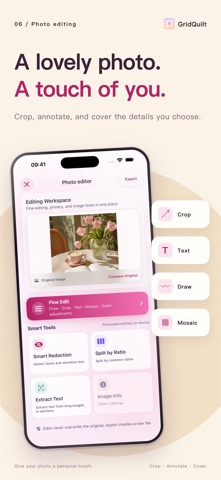
GridQuilt is a focused image tool for splitting photos, creating collages, and making long screenshots. Organize chat history, web pages, tutorials, receipts, and social media images with a fast, local workflow. Key features • Long screenshot stitching Select consecutive screenshots and automatically remove overlapping areas as they are stitched into one long image. Open any seam for precise manual adjustment when needed. • Scrolling screen capture Use the system screen broadcast to capture scrolling content and create a long screenshot. Frames are analyzed on your device and are not uploaded to a server. • Grid image splitting Split one photo into 2×2, 3×3, and other grid layouts. Adjust grid size, spacing, aspect ratio, and shapes for social media layouts and image slicing. • Photo collages Combine multiple photos into horizontal, vertical, or grid layouts. Adjust spacing, color, ratio, and crop position. • Flexible export Export as PNG, JPEG, HEIC, or PDF. Save to Photos, export to Files, or share with the system share sheet. Privacy first Photo processing, screen-recording frame analysis, and long screenshot stitching happen locally on your device. Screen capture starts only after you explicitly confirm the system screen broadcast. Core features are available to use. GridQuilt Pro adds larger grids, higher output limits, and higher-quality screen-recording long screenshots.
Latest release
What’s New
This update makes collages, image splitting, and long screenshots easier to create. • New collage templates with photo reordering, cropping, and editing for a variety of layouts. • A unified template picker for collages and image splitting makes layouts easier to find. • Improved long screenshots from screen recordings to better preserve the final frames before recording stops. • Fixed an issue where automatic screenshot ordering could leave out images in some cases. • Improved high-resolution export: unlock Pro while editing, keep your edits, and continue exporting. • Improved text and crop tools and photo selection, and fixed inaccurate photo selection in iPad collages.
Audience growth
Ratings growth
Baseline captured. Growth appears after the crawler observes a changed rating count.
Momentum comes from crawler snapshots for the tracked storefront. “Viral growth signal” means unusually fast recent rating gains; it is an indicator, not download data.
Price tracking
Price intelligence
First snapshot captured. The trend line starts after the next crawler price observation.
- First observed Sep 13, 2026 · 7:42 PM Free
Screenshots