About this app
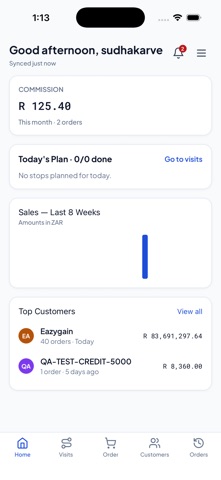
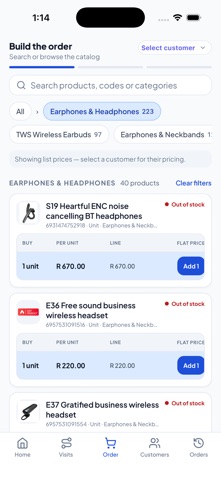
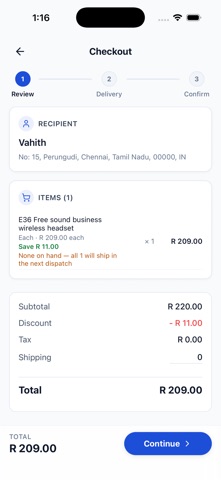
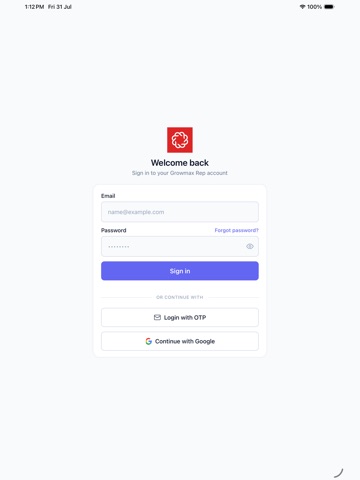
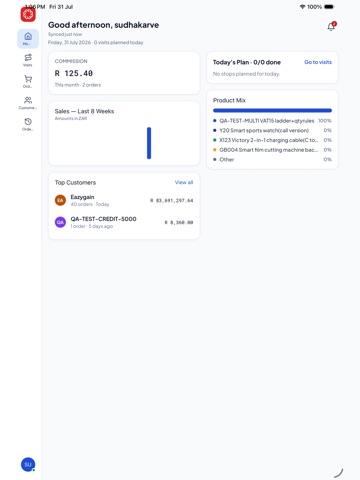
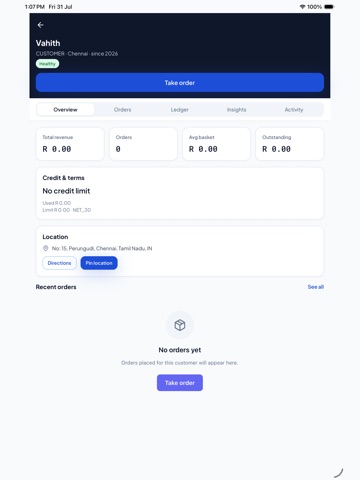
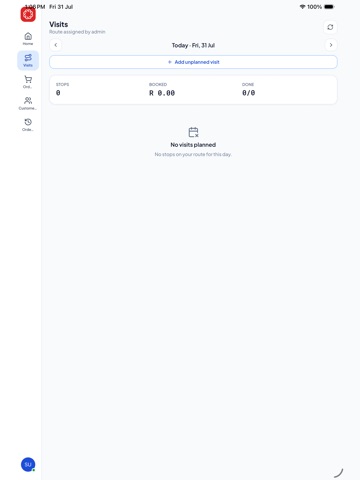
Growmax Rep is a powerful field sales management app built for sales representatives and teams. Plan visits, manage customers, create quotes and orders, track payments, and navigate to customers — all from your mobile device. KEY FEATURES: • Route Planning — Generate a whole visit cycle in seconds: pick a weekly, bi-weekly, every-3-weeks or monthly cadence and your customers are laid out day by day. Managers can generate a route for any rep on the team, and customers that overflow the cycle are listed separately so none are quietly dropped. • Visit Planning & Check-In — Plan your day, check in and out at the customer's location with GPS, and keep a record of every visit. Works offline. • Customer Management — Access your complete customer database with detailed profiles, addresses, contacts, notes and activity history. • Quotes & Orders — Create, manage and track quotes and orders with real-time product catalog access, live pricing, discounts and taxes. • Product Catalog — Browse products with variants, pricing, units of measure and inventory levels, plus related-product suggestions. • Customer Map — Visualize all your customers on a map and get turn-by-turn navigation to their locations. • Dashboard — Get a quick overview of your sales activities, pending orders and key metrics at a glance. • Invoice Tracking — View and manage invoices with clear payment-status tracking. • Payments & Collections — Record collections against invoices and see each customer's outstanding receivables as you take payment, with payment terms and due dates applied automatically. • Commission Tracking — See your earnings for this month and last, with month-over-month performance. • Offline Support — Keep working without connectivity; your data syncs automatically when you reconnect. • Built for iPhone and iPad — Full landscape and tablet layouts. Built for sales teams who need a reliable, fast, and intuitive mobile tool to manage their field operations.
Latest release
What’s New
Order taking is quicker and the numbers you show a customer are now exactly the numbers they're billed. • Simpler bottom bar. Four tabs — Home, Visits, New Order and More. Customers, Orders and your account moved into the More hub, so every tab is a comfortable one-thumb target and no label gets clipped at larger text sizes. • Tap a cart, get the cart. The cart icon on a product, the cart bar on the variant screen and "View cart" now open your order's cart directly, instead of dropping you back on the category list. • Correct discount badges. The struck-through price and the "% off" badge are now calculated from the same baseline on the product page, in the variant list and in the sticky bottom bar — so a line that's billed 2% off no longer shows "5% off" anywhere. • Quantity-tier pricing shown consistently. When a customer's quantity unlocks a better slab price, the product page and the variant list report the same charged price and the same saving. • Clearer variant filters. The Apply button tells you when a filter combination has no matches before you tap it, so you never land on an empty list. • Polish across Home, the order pad, customer lists and visit stops.
Audience growth
Ratings growth
Baseline captured. Growth appears after the crawler observes a changed rating count.
Momentum comes from crawler snapshots for the tracked storefront. “Viral growth signal” means unusually fast recent rating gains; it is an indicator, not download data.
Price tracking
Price intelligence
First snapshot captured. The trend line starts after the next crawler price observation.
- First observed Aug 23, 2026 · 6:09 AM Free
Screenshots