About this app
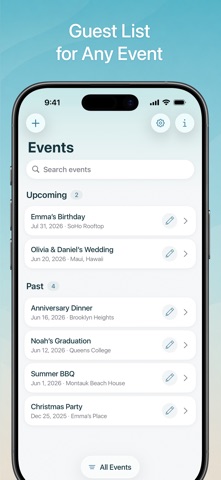
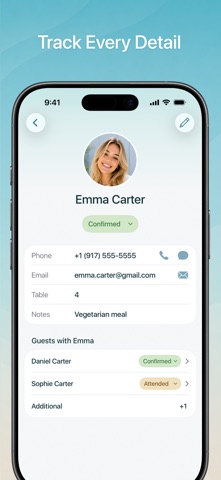
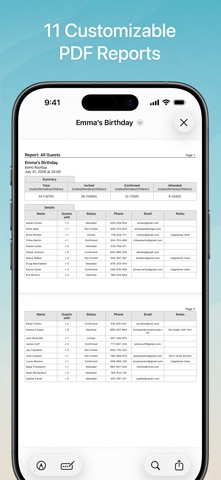
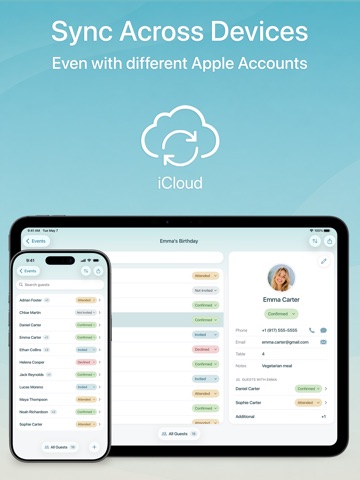
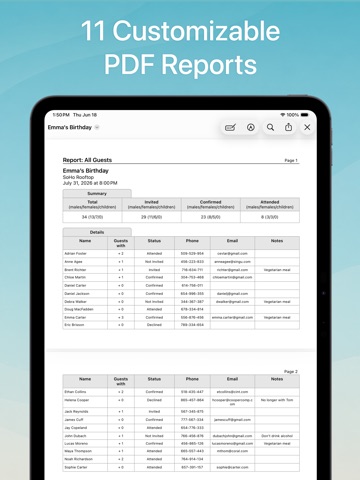
Your one-stop solution for organizing events. Add guests from Contacts, manage every detail, and check everyone in at the door. Everything stays synced across your devices. Whether it’s a party, wedding, conference, or business event, Guest List Organizer keeps you organized from the first invitation to the final PDF report. MANAGE YOUR GUESTS • Import guests from Contacts or previous events • Track RSVPs, attendance, arrivals, and additional guests • Store contact details, table numbers, notes, job titles, and more • Add predefined and custom fields • Manage relationships between guests • Sort and filter guests by name, RSVP status, attendance, and more • Call or message guests directly from their guest cards CHECK GUESTS IN AT THE DOOR • Use your iPhone or iPad at the entrance to quickly find guests and mark their arrival • See who's arrived and who's still expected at a glance SYNC ACROSS DEVICES • Sync guest lists across devices with iCloud • Sync even between different Apple Accounts (Apple IDs) CREATE DETAILED PDF REPORTS • Generate 11 types of customizable PDF reports • Choose exactly which guest fields to include • Create reports on attending guests, RSVPs, no-shows, additional guests, and more • Print, email, or share reports instantly KEEP YOUR DATA SAFE • Guest lists are stored only on your devices and in your private iCloud account • Automatic backups help protect your guest lists and event information Guest List Organizer is free to download and use. You can upgrade to Pro with a monthly or yearly subscription, or choose a one-time Lifetime purchase. Family Sharing is supported, so family members do not need to purchase Pro separately. Subscriptions renew automatically unless canceled at least 24 hours before the end of the current billing period. You can manage or cancel your subscription in your App Store account settings. Privacy Policy: https://xwavesoft.com/privacy-policy.html Terms of Use: https://xwavesoft.com/terms-of-use.html
Latest release
What’s New
• Redesigned and improved user interface • iCloud sync between devices using different Apple IDs • Automatic backups to protect your data • Quickly call or message guests from their guest cards • Fixed incomplete guest information imports from Contacts • Other improvements and bug fixes
Audience growth
Ratings growth
Baseline captured. Growth appears after the crawler observes a changed rating count.
Momentum comes from crawler snapshots for the tracked storefront. “Viral growth signal” means unusually fast recent rating gains; it is an indicator, not download data.
Price tracking
Price intelligence
- First observed Aug 13, 2026 · 4:21 PM Free
Screenshots