About this app
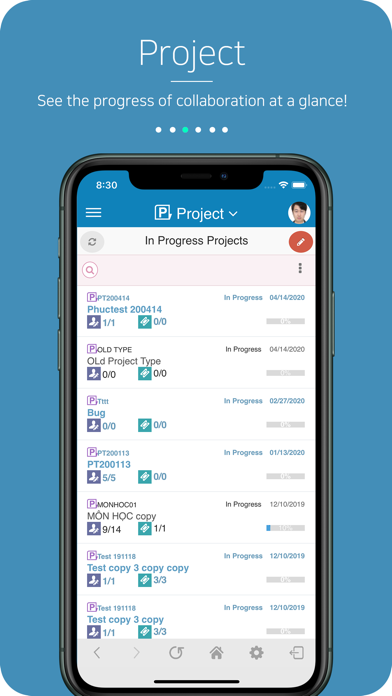
This app does not include Siri Shortcut functionality. MofficeSuite is consisted of Groupware/CloudDisk/Messenger/Note/Time-punch web applications. Collaboration Suite(for business) provides different kinds of UI (for iPhone and iPad). Groupware is consisted of Mail/Calendar/Contacts/Tasks/ToDo/Boards/Organization/Whisper. You can add other functions such as Project/Time-Card/Resource/Holidays/Approval. Manage your contacts or schedules with native mobile app by synchronizing data between native app and groupware system. Sync tool automatically download contacts/calendars between your native app and Groupware. Tasks include Work Diary and Task Report. You can share your work with your colleagues by using work diary function. With Task Report you can report your task to person whom you can select as a specific user. With ToDo you can manage your things to do or share with your colleagues by allowing to read or granting this function for giving tasks to other. With Boards, you can use this function for company announcements, free board or make a spot for information sharing. You can allow to read/write/modify/delete for each user or create a board administrator. Organization function can manage staff's personal information or history. You can also analyse any statistics or company HR's graph. You can use Whisper to send message with attachment file to your colleague and this will be also sent as mobile notification or PC alarm. It is not like real-time chat, it is just same as SMS. With Holidays, you can request a vacation from your available holidays to HR manager and manager can approve it. Approval, you can use this function, if you have work suggestions to get approved with e-signing by also using hand writings on your mobile. Features You can set notification when you receive new mails, documents, reports, posts and etc. You can create a document by hand-writing, insert an image or file attachment on any windows or groupware editor. And it allows to read on web-browser or on your mobile.
Latest release
What’s New
Approval module: + Approving and rejecting documents now works reliably. + Changing viewers and referrers now saves correctly. + After posting a comment, you're taken right back to the document with your comment shown. + Smoother, more stable document viewing.
Audience growth
Ratings growth
Baseline captured. Growth appears after the crawler observes a changed rating count.
Momentum comes from crawler snapshots for the tracked storefront. “Viral growth signal” means unusually fast recent rating gains; it is an indicator, not download data.
Price tracking
Price intelligence
First snapshot captured. The trend line starts after the next crawler price observation.
- First observed Sep 12, 2026 · 4:22 PM Free
Screenshots