About this app
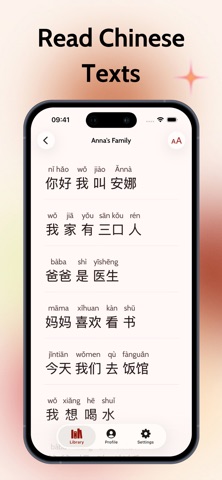
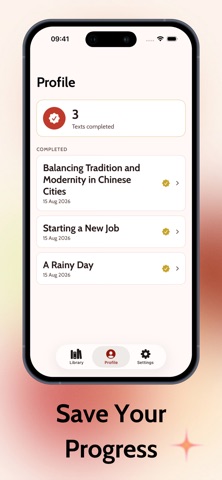
HanDu (汉读) is a Chinese reader for learners stuck between texts that are too easy and texts they can't finish. Every text in the library is fully annotated, so you can read at your level and look things up without ever leaving the page. TAP ANY WORD Tap a character or a multi-character word and a card slides up with its pinyin, its meaning, and whether it's a single word or a set phrase. No copying into a dictionary app, no losing your place. TAP ANY SENTENCE Switch to sentence mode and one tap gives you the natural translation of the whole line, plus a breakdown of every word in it — for when you know all the words but not what they add up to. READ IT YOUR WAY • Show hanzi on its own, or hanzi with pinyin above every word • Scale the text up or down until it sits comfortably • Set your writing system and tap mode once, and every text opens that way • Change your mind mid-text — reading options are one tap away in the reader A LIBRARY SORTED BY LEVEL Texts are labelled beginner, intermediate or advanced and tagged by topic, so you know what you're getting into before you start. Filter to the level you're working on, or read straight through as the difficulty climbs. KEEP TRACK OF WHAT YOU'VE FINISHED Mark a text as read when you're done and it's saved to your profile, with a running count of everything you've completed. Progress lives on your account, not just on this phone. BUILT AROUND THE TEXT Warm, paper-like colours, typography picked for Chinese characters, and a layout that keeps sentences whole instead of breaking them at the screen edge. Long reading sessions stay easy on the eyes. Whether you're studying for HSK, coming back to Chinese after a break, or you just want to read something in Chinese today and actually finish it. Open HanDu and start reading.
Audience growth
Ratings growth
Baseline captured. Growth appears after the crawler observes a changed rating count.
Momentum comes from crawler snapshots for the tracked storefront. “Viral growth signal” means unusually fast recent rating gains; it is an indicator, not download data.
Price tracking
Price intelligence
First snapshot captured. The trend line starts after the next crawler price observation.
- First observed Sep 8, 2026 · 1:07 AM Free
Screenshots