About this app
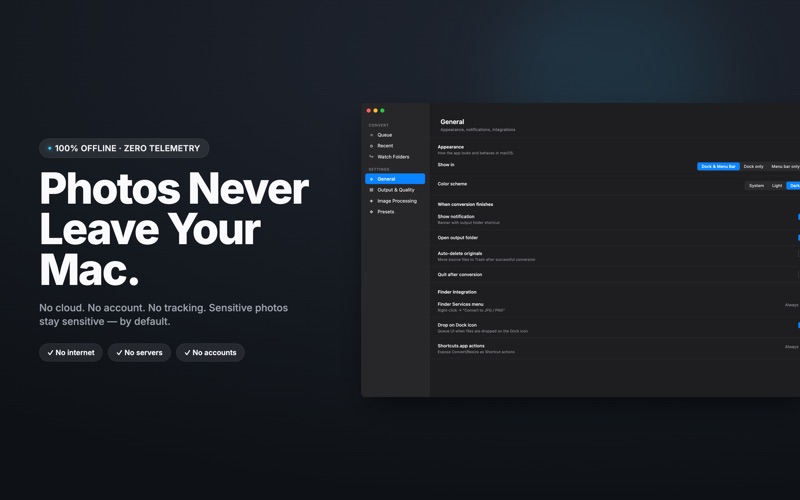
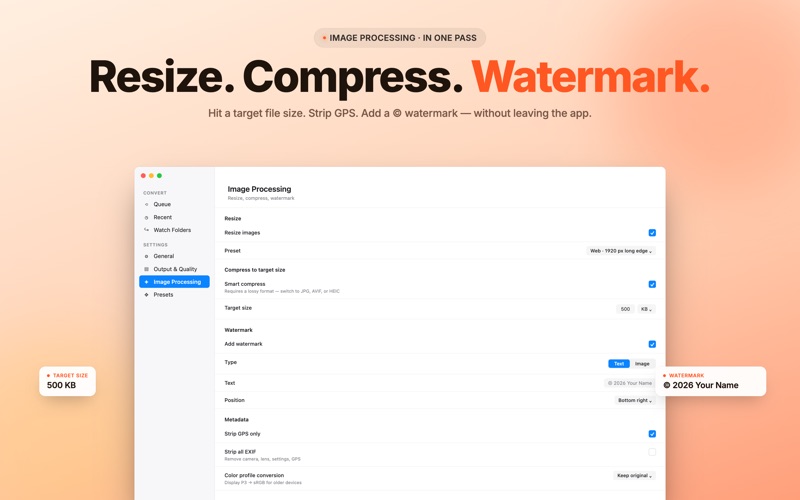
Convert HEIC photos from your iPhone to JPG, PNG, and other formats in batches. Drop a folder, pick the output format, get your files. No uploads, no accounts, no waiting on a server. Built for Mac users who deal with photos from iPhone every week and need them in formats that work everywhere else: JPG for the web, PNG for design work, PDF for archiving, AVIF for sites that ask for it. WHY THIS APP Most HEIC converters either crash on large folders, dump your files online, or charge a subscription for what should be a one-time tool. This one runs entirely on your Mac, handles thousands of files in a single batch, and unlocks lifetime Premium for the price of a coffee. No subscription. Ever. FREE FEATURES - Convert HEIC and HEIF to JPG and PNG - Drop files or folders right onto the app window - Convert from Finder using the right-click context menu - Keep EXIF metadata, color profile, capture date, and GPS - Choose where converted files go (next to originals or a separate folder) - Adjust JPEG quality with a single slider - Auto-delete the original HEIC files after a successful convert (optional) - Get notified when conversion finishes - Open the output folder automatically when done - Works fully offline, your photos never leave your Mac PREMIUM FEATURES (one-time purchase, no subscription) UNLIMITED BATCH - Convert thousands of files in one go - Recursive folder scan, keeps your folder structure intact - Watch Folder mode, auto-converts new HEIC files dropped into a watched folder - Pause and resume large jobs anytime - Conflict resolution rules, skip, overwrite, or auto-rename duplicates MORE FORMATS - Output to AVIF, TIFF, BMP, PDF - Convert JPG, PNG, and AVIF back to HEIC if you need smaller file sizes - Combine multiple photos into a single PDF IMAGE PROCESSING - Resize with presets for Web, Email, 4K, Instagram, or set custom dimensions - Compress to a target file size, set 500 KB and let the app figure out the quality - Add a text or PNG watermark - Rename files using templates with date, counter, and original name tokens - Strip EXIF and GPS data for privacy before sharing - Convert color profiles from Display P3 to sRGB for web use WORKFLOW BOOSTERS - Conversion presets for common scenarios, save your settings once, run them again later - Drop files on the Dock icon to start converting without opening the window - Export the whole batch as a ZIP archive - Shortcuts app actions for full automation, build photo workflows that run on a schedule - Multiple output destinations, send JPG to one folder and PNG to another in a single pass PRIVACY Everything runs locally on your Mac. The app does not connect to the internet, does not collect analytics, does not upload your photos anywhere. The HEIC files you drop in stay on your machine, period. WHO IS THIS FOR - iPhone owners who back up photos to Mac and need JPG for sharing - Photographers who want to archive shoots in compatible formats - Designers and architects who pull reference photos and need PNG for editors - Anyone who hits compatibility errors uploading HEIC to old web forms, banking sites, or print labs - Power users who want Shortcuts integration and recursive folder workflows Terms: https://www.apple.com/legal/internet-services/itunes/dev/stdeula/ Questions, feature requests, or feedback are welcome. Updates ship regularly based on what users actually ask for.
Latest release
What’s New
NEW - Filename Templates • Rename your converted files the way you want, in one click. Mix tokens like {name}, {date}, {time}, {counter:03}, {format} and {folder} into any pattern you like, watch the live preview update as you type, and turn "DSC_8421.HEIC" into "Vacation_2026-06-09_001.jpg" - for the whole batch, automatically. Perfect for photographers sorting trips, designers matching brand conventions, or anyone tired of generic filenames. IMPROVED - Watch Folders now mirror the main app, setting for setting • Files auto-converted from your watched folders now honor exactly the same EXIF, GPS, color-profile and "if file exists" rules as a manual conversion. What you set in Settings is what you get on disk-every time, in every folder. IMPROVED - Shortcuts actions respect every preference • Convert Images and Convert Folder actions in Shortcuts.app now apply your full conversion settings - strip EXIF, drop GPS, force sRGB, your conflict policy and more. FIXED - Safer ZIP export for very large batches • Archives that could previously end up silently truncated past 65,535 files now show a clear, actionable message instead, so your batch is never quietly broken. Got feedback or an idea? Reach us right from the app - every email gets a reply.
Audience growth
Ratings growth
Baseline captured. Growth appears after the crawler observes a changed rating count.
Momentum comes from crawler snapshots for the tracked storefront. “Viral growth signal” means unusually fast recent rating gains; it is an indicator, not download data.
Price tracking
Price intelligence
First snapshot captured. The trend line starts after the next crawler price observation.
- First observed Aug 8, 2026 · 5:15 PM Free
Screenshots