About this app
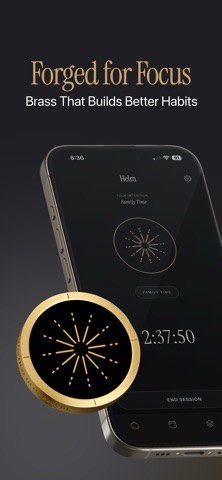
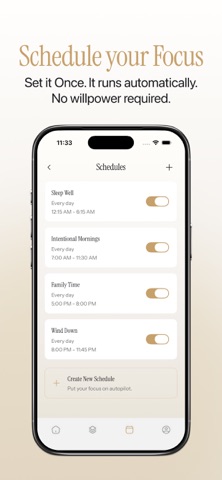
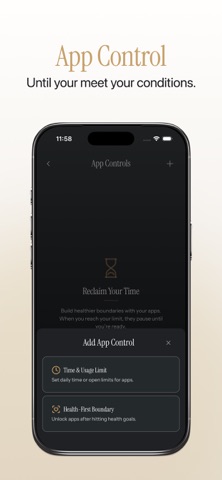
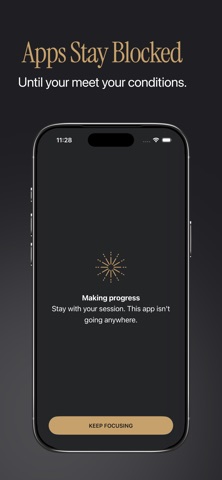
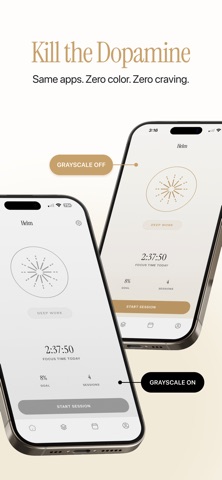
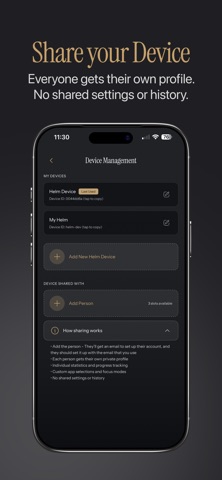
Your phone wasn't designed to let you focus. Helm was. Most focus apps fail because they're too easy to disable. One tap and you're back to doom-scrolling. Helm is different. It uses a physical device you keep away from your desk, so you can't just tap your way out of focus mode. When you want to focus, tap your Helm. When you're done, tap it again. No willpower required. — **HOW IT WORKS** 1. Create a mode: choose which apps to block 2. Start a session from the app or by tapping your Helm 3. Distracting apps are blocked instantly 4. Tap your Helm to end when you're done That's it. Simple by design. — **APP LIMITS** Set daily limits on apps outside of focus sessions: • 30 minutes of Instagram per day • 10 opens of Twitter • 1 hour of TikTok Hit your limit and the app blocks until tomorrow. Choose your enforcement level from Casual to Locked. — **HEALTH GOALS** Make screen time earn-able. Set step or exercise goals that must be completed before limited apps unlock: • Walk 5,000 steps to unlock Instagram • Complete 30 minutes of exercise to access TikTok • Hit your daily move goal before checking email Connect to Apple Health and turn movement into your unlock key. Your health data stays on your device and is never uploaded anywhere. — **UNLOCK CONDITIONS** End focus sessions on your terms. Set requirements to unlock: • Tap your Helm • Complete a minimum session time • Hit your step goal • Finish your workout Stack conditions or keep it simple. Your focus, your rules. — **BLOCK WHAT DISTRACTS YOU** Choose which apps to block during focus sessions. Social media, games, news, dating apps, whatever pulls you away from what matters. Helm uses Screen Time on iOS to block apps at the system level. No workarounds. — **FOCUS MODES** Create different modes for different contexts: • Deep Work: block everything except essentials • Writing: allow music, block everything else • Meetings: block social media only • Wind Down: block stimulating apps before bed Switch modes with a single tap. — **SCHEDULES** Automate your focus. Set recurring schedules that block apps automatically: • Weekday mornings for deep work • Evenings for family time • Weekends for digital detox Your apps block on schedule. No decision fatigue. — **BREAKS & LIFELINES** Need a quick break during a session? Take one. Helm includes built-in breaks so you can step away without ending your session. Need emergency access to a blocked app? Use a lifeline. Limited uses keep you honest, but you're never truly stuck. — **GUARDIAN MODE** For those who need extra accountability. Guardian Mode locks your settings behind your Helm device. You can't change blocked apps, disable schedules, or reduce limits without physically tapping your Helm. Hide it in a drawer, give it to a friend, leave it at the office. Your future self will thank you. — **STATISTICS** Track your progress: • Daily focus time and sessions • Weekly trends and streaks • Monthly insights • Lifetime focus hours See how your habits change over time. — **WHY A PHYSICAL DEVICE?** Because the hardest part of focus isn't starting. It's not stopping. Every other app can be disabled with a few taps. Helm can't. The physical barrier creates just enough friction to make you pause and ask: "Do I really need to check this right now?" Usually, the answer is no. — **WHAT'S INCLUDED** The app is free to download and includes basic features. Full functionality requires a Helm device (sold separately at focushelm.com). Some features work without the device. App Limits and Health Goals can be used standalone. — Take back your attention. One tap at a time.
Latest release
What’s New
Bug fixes and performance improvements.
Audience growth
Ratings growth
Baseline captured. Growth appears after the crawler observes a changed rating count.
Momentum comes from crawler snapshots for the tracked storefront. “Viral growth signal” means unusually fast recent rating gains; it is an indicator, not download data.
Price tracking
Price intelligence
First snapshot captured. The trend line starts after the next crawler price observation.
- First observed Aug 13, 2026 · 1:58 AM Free
Screenshots