About this app
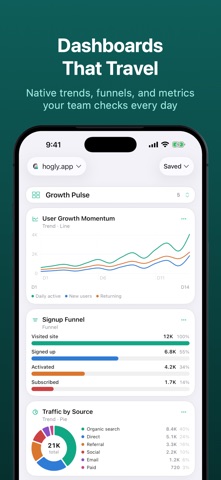
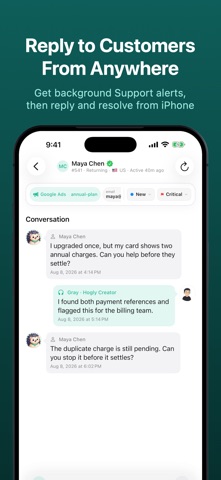
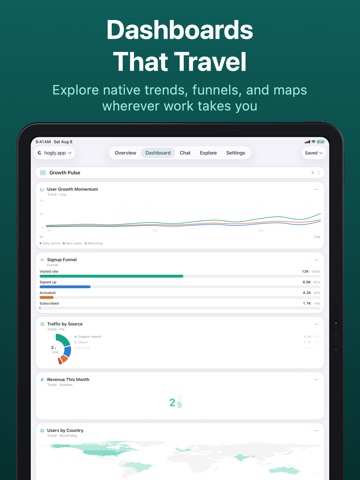
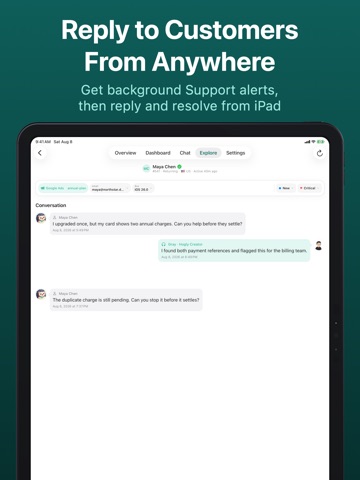
PostHog in your pocket. Hogly brings powerful PostHog management to iPhone. Monitor your products, investigate what changed, and act while you are away from your desk—using the PostHog projects you already have. MONITOR • See key metrics from one or many projects together in Overview. • Browse your PostHog dashboards and Insights as responsive native charts. • Follow live events, web analytics, people, surveys, and project activity. • Keep important metrics close with Daily Brief and Home Screen widgets. INVESTIGATE • Watch Session Replays natively, inspect timelines and console activity, and use Replay Vision for intent, outcomes, friction, and timestamped evidence. • Triage Error issues, review trends, and open related Replays. • Ask PostHog AI about funnels, usage, errors, and what changed. • Open the exact Error or Support conversation from a background alert. ACT • Enable or disable Feature Flags after reviewing their rollout configuration. • Launch, pause, resume, or end Experiments from iPhone. • Resolve Error issues and reply to customer Support conversations. • Create and edit Insights, manage surveys, and add chart annotations. DESIGNED FOR POSTHOG Connect with PostHog OAuth or a Personal API Key and approve only the permissions you want to use. Hogly works with your existing PostHog Cloud or self-hosted projects and does not copy their analytics data into a parallel backend. Hogly-only interface preferences, such as favorite people and pinned Person properties, sync privately through your iCloud account. PRIVACY • Your PostHog credentials are stored in Keychain, never on our servers. • Requests for connected project data go directly from your device to PostHog. Hogly uses a separate PostHog project for anonymous product analytics, crash reporting, and messages you choose to send through DM the Creator; RevenueCat verifies in-app purchases. None of these services receives the PostHog project data you connect. • A DM the Creator message is sent only after you tap Send. • No ads and no sale of personal data. NOT AFFILIATED Hogly is an independent client for PostHog and is not affiliated with, endorsed by, or sponsored by PostHog Inc. "PostHog" is a trademark of PostHog Inc. Privacy: https://hogly.app/privacy Terms: https://hogly.app/terms
Latest release
What’s New
NEW • Add Home Screen widgets for saved Insights and Overview metrics, including Trends, Funnels, Stickiness, Lifecycle, Retention, and Pie charts. • Lock Screen widgets now turn each metric into a compact, truthful mini insight, with chart-specific presentations for trends, bars, funnels, percentages, and lifecycle states. • Daily Brief is now fully free, with richer morning notifications and a redesigned report for active users, new users, pageviews, and top events across every project. IMPROVED • Widget setup previews now match the source analytics card more closely, with complete insight choices, clearer values, project icons, themes, and timestamps across Small, Medium, and Large. • Larger breakdowns remain readable, while dark-mode icons and Pro-locked previews have been refined. • RevenueCat customer links stay available even when a Person has no attribution, and Support participant avatars are preserved more reliably. • The iOS feature hub is now Console, with clearer navigation and the same customizable shortcuts. • Premium boundaries are clearer: Support stays ready to compose until Send, Natural time ranges are consistently marked Pro, and Replay keeps playback focused in Hogly. • Project Summary widgets refresh their own data more reliably, and Widget Gallery previews now use Hogly's current teal theme. • Total Events and Sessions details are cleaner and keep the focus on the metrics that matter. • Project Summary DNU now opens New Users for the last 24 hours, and Person metadata rows stay stable while details load.
Audience growth
Ratings growth
Baseline captured. Growth appears after the crawler observes a changed rating count.
Momentum comes from crawler snapshots for the tracked storefront. “Viral growth signal” means unusually fast recent rating gains; it is an indicator, not download data.
Price tracking
Price intelligence
First snapshot captured. The trend line starts after the next crawler price observation.
- First observed Aug 25, 2026 · 8:07 AM Free
Screenshots