About this app
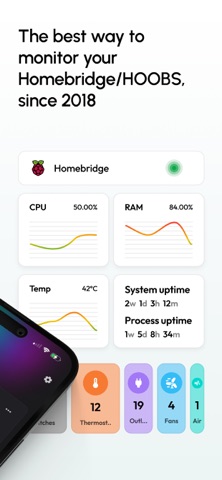
Homemanager makes Homebridge and HOOBS simpler, more modern, and more mobile. Manage your Homebridge or HOOBS systems directly from your iPhone or iPad, with guided flows, an intuitive interface, and powerful tools for setup, integrations, configuration, and maintenance. For many Apple Home users, Homebridge is the easiest way to bring devices and services into Apple Home that would otherwise not be available there. Homemanager helps you get started with Homebridge step by step and set up your system. Why Homemanager? Since 2018, we have been developing Homemanager with the goal of making Homebridge and HOOBS management more accessible, more reliable, and better suited for everyday use. The app supports you from the initial setup all the way to ongoing system management. Whether you are looking for integrations, editing configurations, managing bridges, reviewing logs, or installing updates, everything is designed for a clear and mobile friendly experience. For you in the app: - Integration Store: Discover integrations, filter them, and understand them more easily - Interactive Configuration: Comprehensive support for established community configuration standards, optimized for mobile use - System Updates: Update Node and Homebridge directly in the app - Temporary Changes: Prepare changes, review them, and apply them later when you are ready - Logs and Terminal: Review logs and work directly on your server - System Dashboard: Performance, updates, and status information at a glance For advanced setups: - Hybrid Editor: Edit JSON in a structured, visual way with search - SmartDetect 2: Easily adopt example configurations and continue configuring them graphically - Multi Server: Manage multiple servers centrally - Pairing and Cache Management Who is Homemanager for? For anyone who wants to use Homebridge or HOOBS not just somehow, but manage it reliably and comfortably, from getting started to more advanced setups.
Latest release
What’s New
Improved - Improved restart behavior after updates. We detect which bridges are affected by the update and restart only those that really need it. - Improved auto-restarts after configuration updates. We compare the config change with the last active state and perform selective restarts. - Improved visibility for accessory services of type "InputSource". Fixed - Fixed critical bug that caused all bridge detail pages to stop loading if at least one child bridge of a disabled integration exists (Special thanks @Adriano) - Fixed misleading "Leave flow" popup after the main interaction already finished - Fixed missing auto-restart after uploading config changes - Fixed missing localizations for some system types - Fixed naming for HOOBS Pro boxes
Audience growth
Ratings growth
Baseline captured. Growth appears after the crawler observes a changed rating count.
Momentum comes from crawler snapshots for the tracked storefront. “Viral growth signal” means unusually fast recent rating gains; it is an indicator, not download data.
Price tracking
Price intelligence
First snapshot captured. The trend line starts after the next crawler price observation.
- First observed Aug 20, 2026 · 10:52 PM Free
Screenshots