About this app
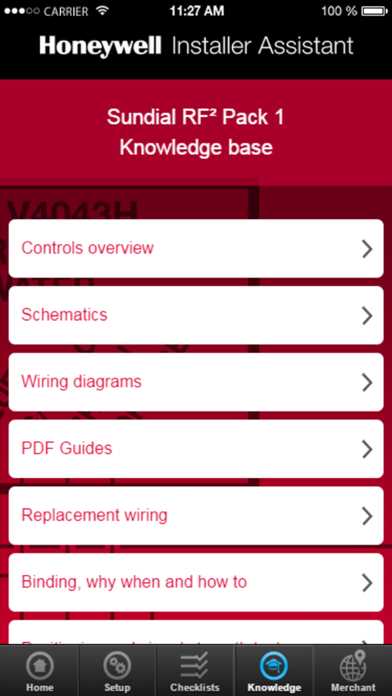
The Honeywell Installer Assistant has been designed to help you successfully install the Sundial RF², ST9000 range and CM range heating controls your customer has requested. It has information that helps you in a number of areas: How to ensure that you can easily set up the controls so that they reflect the choices your customers has made when it comes to choosing a variety of features i.e 12 or 24 hour clock or how many timing periods they require. This App gives you easy menu choices which are then automatically translated into information on what parameters you need to change within the Installer Set Up area. This information can then be emailed to you and your customer for future reference An area that explains how you can set up a service reminder. You can then email the details that you have set to yourself and your customer for future reference A knowledge base that contains the basic technical information you need to install the Sundial RF², ST9000 range and CM range of products you have chosen. This includes: A pictorial overview of the controls and the functions of each button Schematic diagrams Wiring diagrams Replacement wiring information Advice on binding and re-binding the wireless components A commissioning checklist and a completion checklist PDF Installer and User Guides Advice on positioning the units and how to carry out signal strength tests A Find a merchant feature that is searchable by postcode or current location. The merchants listed on this feature have a wide range of Honeywell products always in stock A link to the Honeywell UK website for further information.
Latest release
What’s New
This update from Apple will improve the functionality of this app. No new features are included. Updated image, adding the ERP logo where appropriate.
Audience growth
Ratings growth
Baseline captured. Growth appears after the crawler observes a changed rating count.
Momentum comes from crawler snapshots for the tracked storefront. “Viral growth signal” means unusually fast recent rating gains; it is an indicator, not download data.
Price tracking
Price intelligence
First snapshot captured. The trend line starts after the next crawler price observation.
- First observed Aug 14, 2026 · 5:43 PM Free
Screenshots