About this app
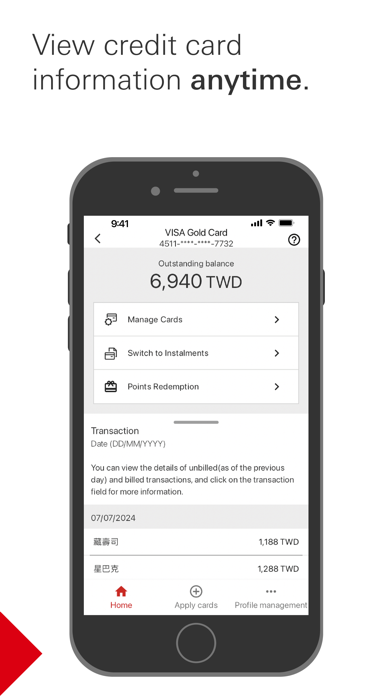
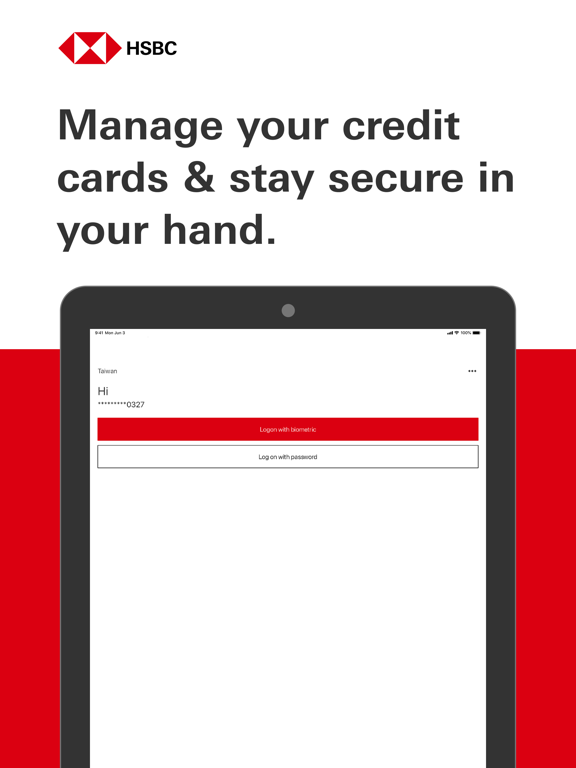
Keeping your device secure: HSBC recommends that you only install apps from official app stores or install your own anti-malware software to protect your mobile device. You should decline pop ups, messages or emails containing links asking you to download an app, as it may be an attempt to install harmful software on your device. HSBC (Taiwan) Credit Card app will collect and store the device identification code for security and verification purposes, and users install this app will be deemed to agree these relevant terms, for more information, include the permissions required from this app, please refer to: https://www.hsbc.com.tw/en-tw/ways-to-bank/mobile/credit-card-app/ You can now enjoy a secure and convenient Credit Card mobile service experience with: • Credit Card Activation • Digital Profile Registration • Card Details and Transaction Enquiry • E-statement Enquiry and Reissuance • Credit Card Payment • Card Lost Reporting and Reissuance • Instalment Conversion • Temporary Credit Limit Adjustment • Reward Management • Airport Transfer and VIP Lounge Privileges Enquiry • Cash Advance PIN Setup • Promotion in-app Enquiry • Push Notification • Suspicious Transactions Identification • Card Safety Control Download HSBC (Taiwan) Credit Card app now to enjoy online credit card services! Important information: This App is provided by HSBC Bank (Taiwan) Company Limited (“HSBC Taiwan”) for use of existing customers of HSBC Taiwan only. Please do not download this App if you are not an existing customer of HSBC Taiwan. HSBC Taiwan’s banking services are subject to the supervision of the competent authorities of the Republic of China (Taiwan). Please be aware that HSBC Taiwan is not authorized or licensed in other countries for the provision of the services and/or products available through this App. We cannot guarantee that the services and products available through this App are authorized to be offered in other countries.
Latest release
What’s New
To provide a better user experience, we’re continuously enhancing and improving our Credit Card Mobile App services. This update includes: 1. Introduce the “Card Safety Control” feature. 2. For security reasons, the minimum supported iOS version has been updated to iOS 15.0.
Audience growth
Ratings growth
Baseline captured. Growth appears after the crawler observes a changed rating count.
Momentum comes from crawler snapshots for the tracked storefront. “Viral growth signal” means unusually fast recent rating gains; it is an indicator, not download data.
Price tracking
Price intelligence
- First observed Aug 21, 2026 · 12:44 AM Free
Screenshots