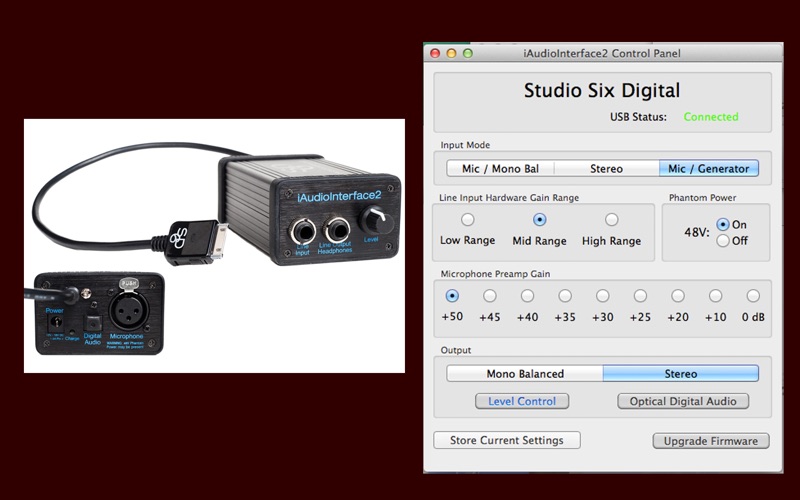
About this app
Control panel for iAudioInterface2, the iOS / Mac audio interface from Studio Six Digital. iAudioInterface2 Control Panel allows you to adjust the settings on iAudioInterface2, including: -- Input configuration, microphone and balanced line input, stereo line input, or microphone input and line output, in loopback mode. -- Microphone phantom power on or off -- Microphone gain -- Line input gain -- Output mode, mono (left channel) balanced, or stereo -- Enable or disable the output level control -- Enable or disable the optical digital audio output -- Upgrade the device firmware You can also store the settings in one of three Configurations, so that you can quickly restore them. Note that iAudioInterface2 Control Panel does not process audio, it only changes the hardware settings of iAudioInterface2. Control Panel also does not have to be open to use iAudioInterface2.
Latest release
What’s New
-Update for Intel silicon Macs
Audience growth
Ratings growth
Baseline captured. Growth appears after the crawler observes a changed rating count.
Momentum comes from crawler snapshots for the tracked storefront. “Viral growth signal” means unusually fast recent rating gains; it is an indicator, not download data.
Price tracking
Price intelligence
First snapshot captured. The trend line starts after the next crawler price observation.
- First observed Aug 16, 2026 · 1:53 PM Free
Screenshots