About this app
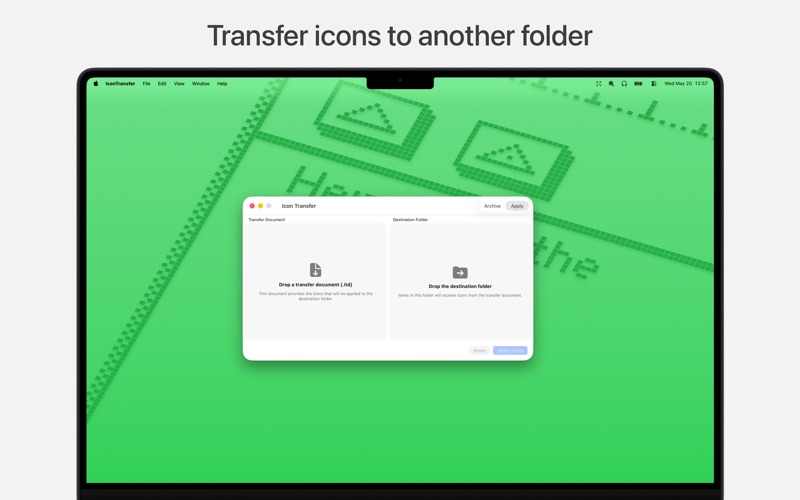
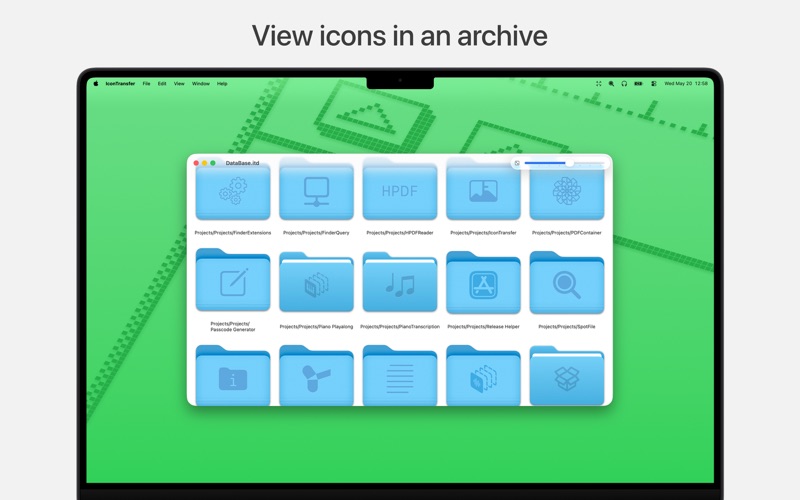
IconTransfer helps you preserve and restore custom macOS folder and file icons. Custom icons on macOS are stored as Finder metadata, such as resource forks, which may not always survive certain sync, backup, copy, or cloud storage workflows. If you have carefully customized folders or files, losing those icons can be frustrating — and manually restoring them one by one takes time. IconTransfer makes the process simple: archive your custom icons once, then apply them again whenever needed. Two simple modes Archive: Drop a folder into IconTransfer to scan it and its subitems. Any custom icons found are saved into a transfer archive file. Apply: Drop a transfer archive and choose a destination folder. IconTransfer applies the archived icons back to the matching files and folders. Private and offline: IconTransfer works entirely on your Mac. - No account required - No internet connection required - No tracking - No analytics - Nothing is collected or uploaded Safe file handling: IconTransfer is designed to be careful with your files. - In Archive mode, files are only read - In Apply mode, file contents are not modified - Only Finder icon metadata is updated when applying icons Whether you are moving folders between Macs, restoring from backup, or working around sync systems that do not preserve custom icons, IconTransfer gives you a fast and reliable way to keep your folder and file icons intact.
Latest release
What’s New
Major update: IconTransfer has been completely rebuilt from the ground up, bringing a refreshed experience and many improvements to discover. Your existing archives are still supported — you can continue opening and using archives created with previous versions as usual.
Audience growth
Ratings growth
Baseline captured. Growth appears after the crawler observes a changed rating count.
Momentum comes from crawler snapshots for the tracked storefront. “Viral growth signal” means unusually fast recent rating gains; it is an indicator, not download data.
Price tracking
Price intelligence
First snapshot captured. The trend line starts after the next crawler price observation.
- First observed Oct 5, 2026 · 8:40 PM Free
Screenshots