About this app
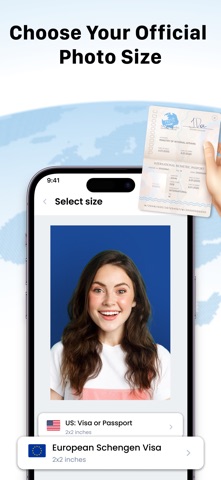
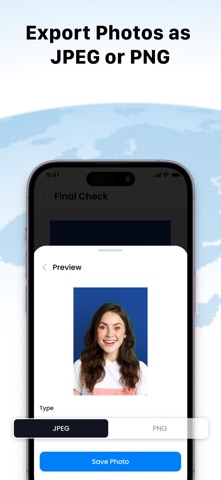
- Create passport, visa and ID photos from your phone with a complete document photo workflow. - ID Photo Passport Maker helps you take or import a photo, choose the right document size, edit the image, clean the background, save a digital copy, or prepare a printable sheet with multiple copies. - Use it for passport photos, visa photos, ID photos, 2x2 photos, green card photos, driver license photos, baby passport photos and custom document sizes. - Key features: - Take a new photo with the camera - Import photos from your gallery - Choose country and document photo sizes - Create custom photo sizes - Crop, rotate, straighten and adjust photos - Remove or change the background - Edit background color - Add text when needed - Save digital photo files - Create print layouts with multiple copies - Export print-ready photo sheets - Manage saved photos in one place How it works: 1. Select a document size or create a custom size. 2. Take a photo or import one from your device. 3. Adjust crop, orientation, color and background. 4. Save a digital photo or create a print layout. 5. Print multiple copies or export the final image. Make document photos faster from home with tools for capture, editing, background cleanup, digital saving and print-ready layouts. Privacy Policy: https://vananhtien.com/about/privacy/ Term of users: https://vananhtien.com/about/terms/
Latest release
What’s New
- Added subscription plans and ads. Fixed crashes and improved stability.
Audience growth
Ratings growth
Baseline captured. Growth appears after the crawler observes a changed rating count.
Momentum comes from crawler snapshots for the tracked storefront. “Viral growth signal” means unusually fast recent rating gains; it is an indicator, not download data.
Price tracking
Price intelligence
First snapshot captured. The trend line starts after the next crawler price observation.
- First observed Aug 19, 2026 · 1:50 PM Free
Screenshots