About this app
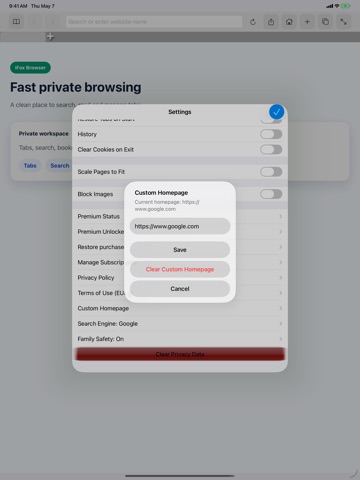
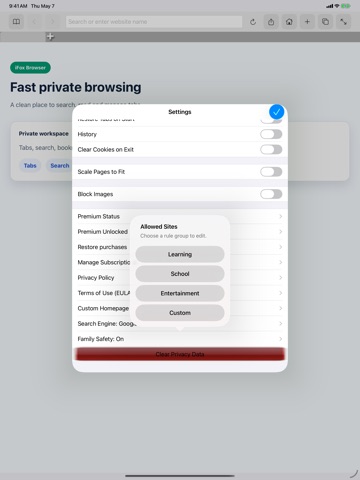
iFox Browser is a lightweight web browser for iPhone and iPad, designed for full-screen browsing, tab management, bookmarks, history, quick search, and family-friendly browsing controls. Highlights: - Fullscreen browsing Use more of the screen for web pages and hide browser controls when you need a cleaner view. - Tabs Open and switch between multiple pages quickly. - Bookmarks and history Save frequently visited pages, revisit recent browsing history, and organize pages for later use. - Search Search the web from the address bar and choose your preferred search engine. - Custom homepage Set a homepage that fits the way you browse. - Family Safety Parents can turn on Family Safety, create a parent PIN, manage allowed sites, set daily browsing limits, and review local activity reports. - Child browsing with fewer interruptions When Family Safety is enabled, third-party ads are hidden during child browsing. - Privacy options Use privacy-related settings and cleanup tools to reduce local browsing traces, including history, cookies, and cache. - In-page search Find words or phrases within the current web page. - Share by email Send the current page link by email. Free version includes basic browsing features with ads. Family Safety basics are free, including the Family Safety switch, parent PIN, basic protection, and hiding third-party ads during child browsing. Premium unlocks advanced features and removes ads. Premium options include monthly subscription, 6-month subscription, annual subscription, or lifetime access. Privacy Policy: http://mindkey.xyz/index.php/mindkey/privacy-policy/ Terms of Use (EULA): https://www.apple.com/legal/internet-services/itunes/dev/stdeula/ Official Website: http://mindkey.xyz
Latest release
What’s New
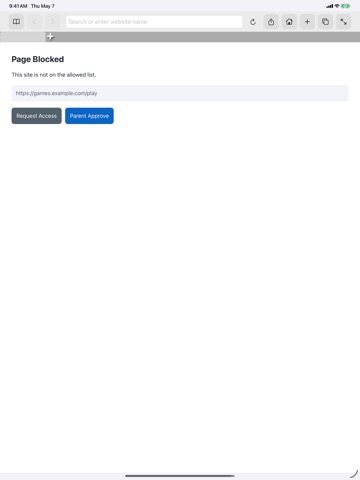
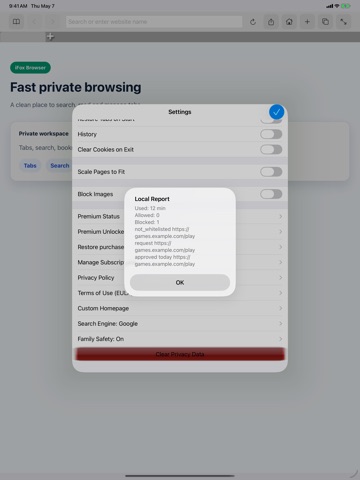
New in this version: - Added Family Safety with parent PIN protection. - Added allowed site controls for guided browsing. - Added daily browsing time limits. - Added local Family Safety activity reports. - Family Safety mode hides third-party ads during child browsing. - Reorganized Settings into clearer sections for current status, subscriptions, browsing, Family Safety, privacy, and legal information. - Improved Premium status and subscription management access. - Improved privacy cleanup access for browsing history, cookies, and cache. - Fixed and polished multiple iPhone and iPad settings flows.
Audience growth
Ratings growth
Baseline captured. Growth appears after the crawler observes a changed rating count.
Momentum comes from crawler snapshots for the tracked storefront. “Viral growth signal” means unusually fast recent rating gains; it is an indicator, not download data.
Price tracking
Price intelligence
First snapshot captured. The trend line starts after the next crawler price observation.
- First observed Aug 15, 2026 · 6:56 PM Free
Screenshots