About this app
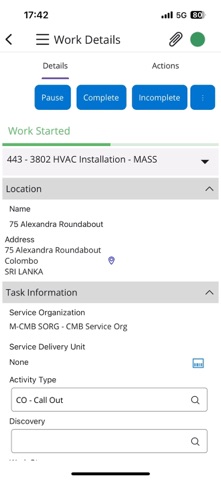
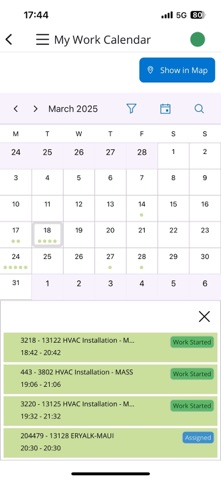
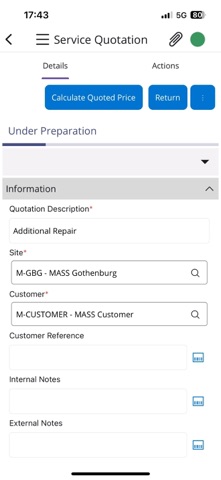
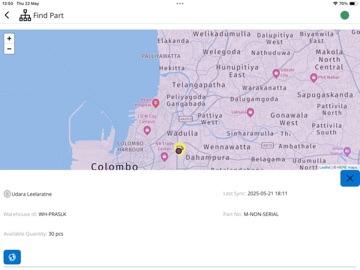
IFS Cloud Mobile Work Order for Service is suited for field service technicians and provides them with service-critical information and offers complete control over your work process. It is intuitive, easy to use and guides field service technicians through the work execution process and other supporting functions. Fully embedded remote assistance capabilities allow field service technicians to visually communicate and interact with other techs and back-office experts in order to assist each other. This includes the ability to remotely see through the camera and add annotations on the video feed. Features such as configurable workflows and remote assistance lead to improved first-time fix rates along with improved accuracy and consistency of entered data. IFS Cloud Mobile Work Order for Service provides full insight to task related information; imagine arriving on site for an emergency call and being able to check the status of any other open work orders, preventive maintenance tasks, or support requests from that customer, check the availability of spare parts and efficiently record the work you have performed and update your work status. This application also provides the ability to initiate, process and release service quotations including the ability to calculate total quoted price and present the generated quotation to the customer for approval. IFS Cloud Mobile Work Order for Service offers robust offline capabilities for use in locations and situations where network connectivity is bad, sporadic or simply not allowed. The software automatically syncs your entered data later, on a schedule or when your network connection is reestablished. IFS Cloud MWO Service is intended for customers running IFS Cloud. Note: Continued use of GPS running in the background can dramatically decrease battery life.
Latest release
What’s New
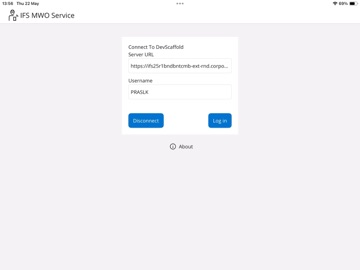
- Improved page navigation performance and stability. - Fixed translation issues affecting localized content in certain languages. - Improved data processing reliability. - Enhanced action buttons reliability and visual consistency. - Added scanning support for URL fields. - Improved reliability when uploading multiple images at once. - Improved page navigation performance and stability. - Improved application behavior when resuming from the background. - Improved page navigation performance and stability. - Improved location and address display reliability. - Improved synchronization monitoring with an at-a-glance status indicator. - Improved handling of unsynced work during account disconnect operations. - Improved eForm survey usability with more intuitive action guidance. - Improved attachment upload reliability. - Improved authentication reliability and configurability. - Enhanced location tracking diagnostics. - Added support for scanning Server URLs.
Audience growth
Ratings growth
Baseline captured. Growth appears after the crawler observes a changed rating count.
Momentum comes from crawler snapshots for the tracked storefront. “Viral growth signal” means unusually fast recent rating gains; it is an indicator, not download data.
Price tracking
Price intelligence
First snapshot captured. The trend line starts after the next crawler price observation.
- First observed Sep 8, 2026 · 2:52 AM Free
Screenshots