About this app
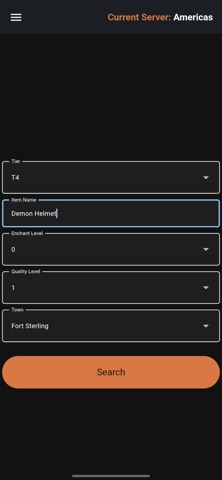
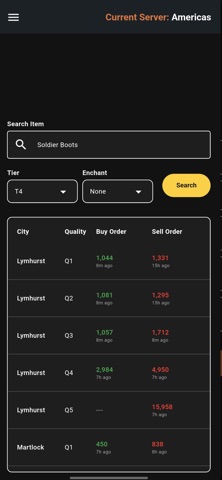
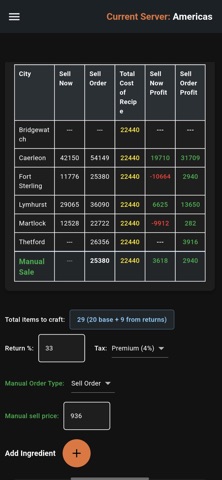
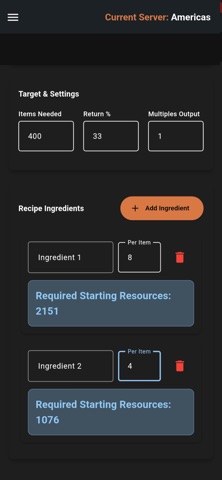
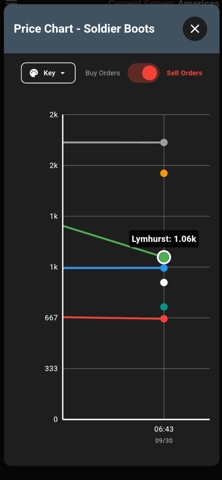
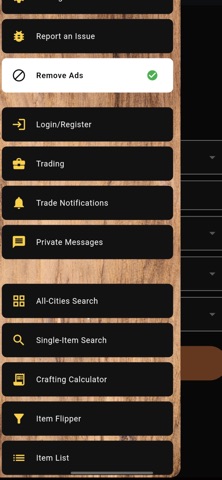
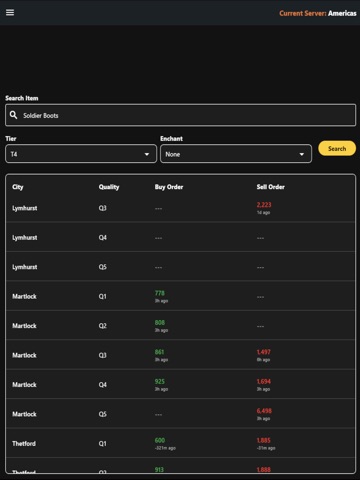
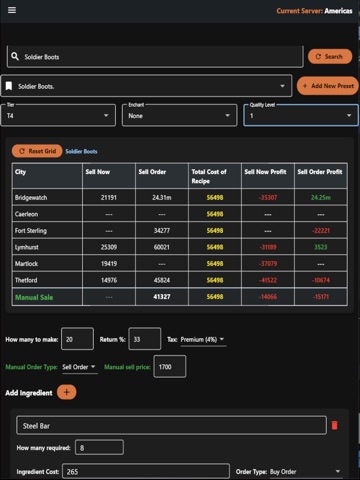
ILLBEON Economy is an all-in-one mobile solution for exploring the different markets that Albion Economy has to offer. Find the prices you need for the items you’re keeping an eye on so you can make intelligent market decisions, and make that silver stack you’ve always wanted. Disclaimer: ILLBEON Economy is meant as an ANALYSIS tool, not as the final word. Make sure that you double check ALL information, as Albion Online’s market moves incredibly quickly. [IMPORTANT] This tool uses the Albion Data Project API. This means that not all market data is available at all times. This depends on individuals to run the server on their computers to 'fetch' the market data. If you want to support them and run a server on your own computer so the market data becomes even MORE accurate, we suggest you visit their website and follow the instructions to do so Search: Using the search function, find prices across ANY city. All Cities Search: Type in your item and add your Tier + Enchant level, then hit 'Search'. Once you do so, you'll see ALL Sell Order and Buy Order pricing available for every royal city (including Black Market and Brecilien) across ALL qualities, including the timestamps that the pricing data was grabbed from. Crafting Calculator: This calculator will make the headache of crafting no more. What the calculator takes into account: - How many you'll make - Return % - Premium or Free player (4% vs 8% tax) - Sell now or Sell order (for 2.5%) - Input as many ingredients as you would like (with buy order/sell order option on the ingredient itself) - Item multiples (for items like potions) - Key in your own pricing Resources Calculator Type in your item recipe information, return percentage, multiples of items (for things like potions), and how many items you want to make overall. The calculator will tell you exactly how many resources you need for that number of items. Watchlist: Pull data for any item. It's saved and graphed across all cities so you can track how an item is doing over time. Pull data as often as every hour to build up your own custom database. Learn more about the markets you're in, track trends, and more! Can set up to 20 items for data pulls at the same time. Market Flipper: Set your item type, buy-from city, sell-to city, the buy method (Buy Now or Buy Order), and the sell method (Sell Now or Sell Order). Once you’ve input your search terms, the system will find the highest profit % of the items to buy and sell between the cities you’ve chosen. Switch Servers on the Fly: Choose between the West, East, and European servers easily! Dark Mode: Switch to something a bit easier on the eyes, if that’s your thing.
Latest release
What’s New
Updating Copyright info and Marketing URL
Audience growth
Ratings growth
Baseline captured. Growth appears after the crawler observes a changed rating count.
Momentum comes from crawler snapshots for the tracked storefront. “Viral growth signal” means unusually fast recent rating gains; it is an indicator, not download data.
Price tracking
Price intelligence
First snapshot captured. The trend line starts after the next crawler price observation.
- First observed Aug 19, 2026 · 9:40 AM Free
Screenshots