About this app
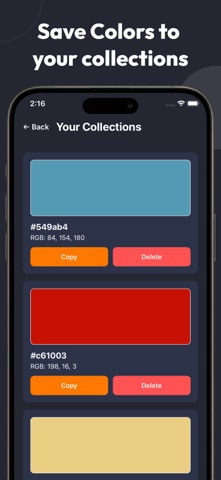
Color Finder makes it effortless to find, identify, and save colors from any image. As a powerful color picker and image color extractor, it lets you simply upload a photo, tap anywhere on the image, and instantly get the exact HEX or RGB color codes. You can easily copy the color code or save it to your personal collections, building your own organized color library for future design inspiration and creative projects. Beyond basic color detection, Color Finder also works as a smart color palette generator, helping you discover harmonious tones and build beautiful palettes directly from real photos. Whether you're extracting colors from nature, artwork, UI designs, or everyday objects, you can quickly turn inspiration into usable design assets. Whether you are a designer, artist, photographer, developer, or content creator, Color Finder is the perfect tool to help you match brand palettes, explore color combinations, and choose visually balanced design tones. It is designed with a clean, minimal, and intuitive interface that ensures fast performance and a seamless user experience. With Color Finder, you can transform real-world inspiration into practical color decisions in seconds. Discover, pick, analyze, save, and organize your favorite colors effortlessly. Improve your creative workflow and speed up your design process with just one tap — Find. Extract. Copy. Save. Create. Note: All features are available in the app, and advanced color detection from photos is included with a subscription. Terms of Use: https://www.apple.com/legal/internet-services/itunes/dev/stdeula/ Privacy Policy: https://ai-same-9b8c4bb73be3.herokuapp.com/dist/color-finder/privacy-policy
Latest release
What’s New
Your colors just got an upgrade! This update brings improved color detection with better accuracy, faster performance, and a smoother color picking experience. We’ve also fixed bugs and enhanced overall stability to make the app more reliable. Thank you for using Image Palette - ColorPicker.
Audience growth
Ratings growth
Baseline captured. Growth appears after the crawler observes a changed rating count.
Momentum comes from crawler snapshots for the tracked storefront. “Viral growth signal” means unusually fast recent rating gains; it is an indicator, not download data.
Price tracking
Price intelligence
First snapshot captured. The trend line starts after the next crawler price observation.
- First observed Sep 4, 2026 · 2:38 AM Free
Screenshots