About this app
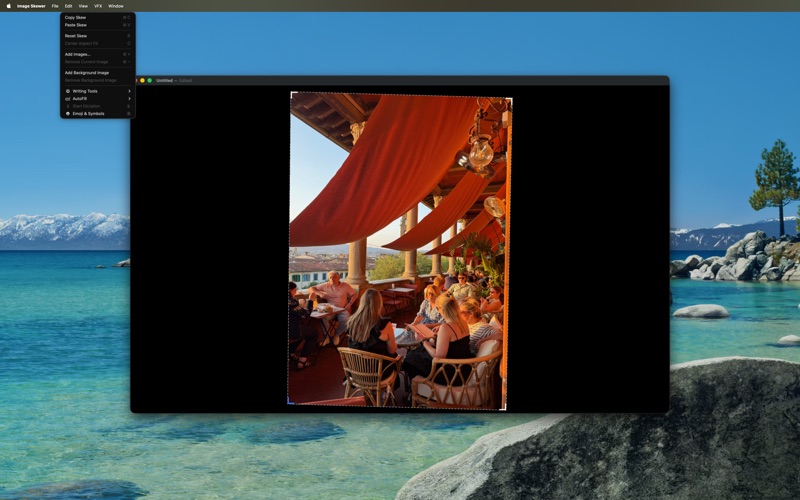
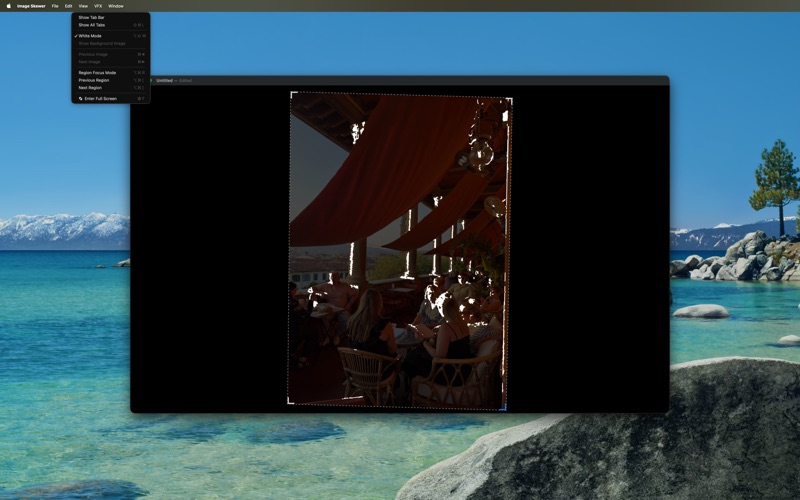
Perfect projector alignment for large-scale art projects - murals, canvas paintings, and more. Getting consistent, precise alignment with a projector is challenging, especially across multiple working sessions. Image Skewer eliminates the guesswork and tedium, making professional-quality projection setup simple and repeatable. Key Features: • Multi-layer support - Load multiple images per document and cycle through color separations without losing your alignment • Precision corner controls - Use mouse, trackpad, or keyboard shortcuts to fine-tune perspective correction beyond basic keystone • White mode - Convert all opaque pixels to white while preserving transparency - essential for overlapping color layers • Real-time VFX modes - Enhanced visibility options including radar sweep, pulse, and scanline effects for better edge detection • Save & sync settings - Copy/paste alignments between documents and save configurations for consistent multi-session projects Pro Tips: - Use in full-screen mode for best results - Add small circular guide targets to your surface for sub-divided projection areas - Perfect for artists working beyond their projector's native keystone correction capabilities Transform your large-format art workflow with precision digital alignment.
Latest release
What’s New
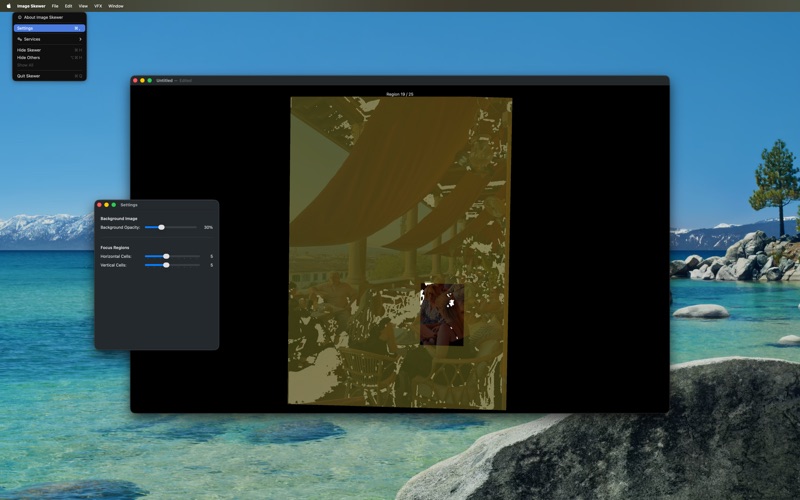
New Features: - Background Image Support: Add a background image to your perspective-corrected work to understand the larger context. Control opacity in Settings to blend it seamlessly with your foreground layers—perfect for reference images or understanding how your work fits into the bigger picture. - Focus Regions Mode: Break complex images into manageable pieces with a customizable grid. Focus on one region at a time to stay organized and avoid losing track of details in highly intricate work. Navigate regions with keyboard shortcuts for fast, distraction-free editing.
Audience growth
Ratings growth
Baseline captured. Growth appears after the crawler observes a changed rating count.
Momentum comes from crawler snapshots for the tracked storefront. “Viral growth signal” means unusually fast recent rating gains; it is an indicator, not download data.
Price tracking
Price intelligence
First snapshot captured. The trend line starts after the next crawler price observation.
- First observed Aug 29, 2026 · 4:52 PM Free
Screenshots