About this app
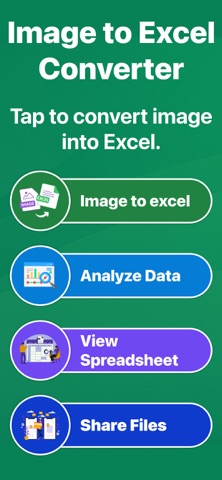
Image to Excel Converter – Smart OCR Scanner Convert images into editable Excel spreadsheets in seconds with Image to Excel Converter. This powerful tool works as a Picture to Excel Converter and Photo to Excel Converter, helping you turn scanned images into structured spreadsheet data effortlessly. Whether you need JPG to Excel, PNG to Excel, or JPG to XLSX, this app delivers fast and accurate results using advanced OCR technology. Scan Image to Excel with High Accuracy Take a photo or upload an image and instantly convert it into Excel. As an Image to Spreadsheet Converter, the app automatically detects tables, rows, and columns for clean data extraction. - Image to Excel conversion with OCR - Picture to Excel Converter for documents & reports - Photo to Excel Converter for invoices and tables - Supports JPG to Excel, PNG to Excel & JPG to XLSX - Powerful Smart Tools This app is more than just an Image to Excel Converter. It includes smart tools to manage, analyze, and reuse extracted data. - Image to Spreadsheet Converter with table detection - OCR scanner to extract text from images - Image to PDF & document scanning - QR code scanner and data analyzer - Replace & Customize Spreadsheet Data After converting Photo to Excel or Picture to Excel, you can edit extracted spreadsheets directly. Fix values, rename columns, and organize data before export. - Edit Excel rows and columns - Replace text and numbers - Clean OCR data for accuracy - Export Data in Multiple Formats Export your converted files in formats that work everywhere. Whether you need JPG to XLSX or Image to Spreadsheet Converter output, sharing is easy. - Export as Excel (XLSX), CSV, or Image - Compatible with all spreadsheet apps - Ideal for finance, accounting, and business data - Share Files Anytime - Quickly share files created with Image to Excel Converter. - Share Excel, CSV, or PDF files - Send via email, cloud, or messaging apps - Perfect for teamwork and reporting - Light & Dark Mode Support Enjoy a clean and modern interface with both light and dark themes, designed for comfortable long-term use. - Ideal for Multiple Use Cases - Finance & accounting spreadsheets - Business reports and invoices - Data entry automation - Students, professionals & offices - Daily work with JPG to Excel & PNG to Excel - Why Choose This App? - Reliable Image to Excel Converter - Accurate Picture to Excel Converter - Fast Photo to Excel Converter - Advanced OCR for tables & text - Simple, secure, and user-friendly Turn photos into spreadsheets instantly with a trusted Image to Spreadsheet Converter. Scan, extract, edit, and export data with confidence. Privacy Policy https://health-fitness-pro.fit/privacy Term and Services https://health-fitness-pro.fit/terms
Latest release
What’s New
- Improved image to Excel conversion accuracy - Faster processing for large images - Enhanced table and data detection - Better performance and stability - Minor bug fixes and UI improvements
Audience growth
Ratings growth
Baseline captured. Growth appears after the crawler observes a changed rating count.
Momentum comes from crawler snapshots for the tracked storefront. “Viral growth signal” means unusually fast recent rating gains; it is an indicator, not download data.
Price tracking
Price intelligence
First snapshot captured. The trend line starts after the next crawler price observation.
- First observed Aug 8, 2026 · 5:02 PM Free
Screenshots