About this app
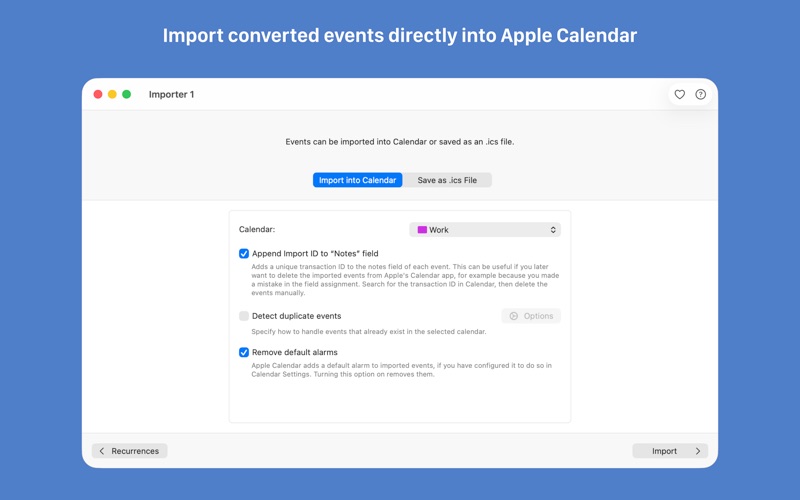
Importer for Calendar transforms your spreadsheet data into calendar events seamlessly, with the flexibility to import directly into Apple Calendar or export as .ics files for use with other applications. The app comes with support for recurring events including custom recurring rules and guarantees full privacy through local data conversion that takes place entirely on your Mac. With just a few simple steps, you can effortlessly convert your CSV data to calendar events. Copy your spreadsheet data to your clipboard, paste it into Importer for Calendar, and watch as it translates into calendar events. For those who frequently import similar data, save field assignments for future use, eliminating repetitive setups. Before importing, preview the conversion with options for a list view or a detailed look at each event. Whether you're using third-party calendars like Outlook, Fantastical, or BusyCal, Export the converted events as .ics files to smoothly integrate them. The app's versatility extends to various date, time, and duration formats, even supporting alarm creation for timely reminders. Here's what makes Importer for Calendar stand out: - Effortlessly import events with specified durations, not just defined end times. - Handle diverse date and time formats with ease. - Enjoy flexibility with any table structure, without the hassle of rigid formats. - Experience smooth time zone support, allowing different time zones for start and end dates. - Supports Outlook categories and BusyCal tags when exporting as .ics file - Safeguard your privacy with local data conversion and import on your Mac. - Benefit from a genuine, modern Mac experience, specifically designed for macOS. Rest easy knowing your data is processed entirely on your Mac, ensuring it remains secure and private, unlike online converters where there's uncertainty about data handling. In its free basic mode, Importer for Calendar limits event titles to 12 characters, allowing you to explore its features without cost and time pressure. Unlock full functionality with a single, affordable purchase (no subscription).
Latest release
What’s New
- When your data specifies a start time zone but no end time zone, the event's end date and time now use the start time zone. - Improved reading of Excel files: some workbooks that previously couldn't be opened now import correctly.
Audience growth
Ratings growth
Baseline captured. Growth appears after the crawler observes a changed rating count.
Momentum comes from crawler snapshots for the tracked storefront. “Viral growth signal” means unusually fast recent rating gains; it is an indicator, not download data.
Price tracking
Price intelligence
First snapshot captured. The trend line starts after the next crawler price observation.
- First observed Aug 11, 2026 · 8:51 AM Free
Screenshots