About this app
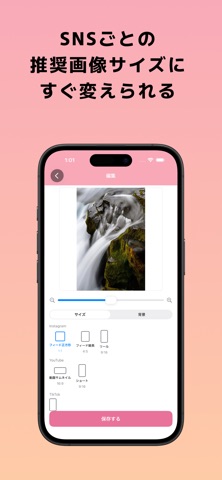
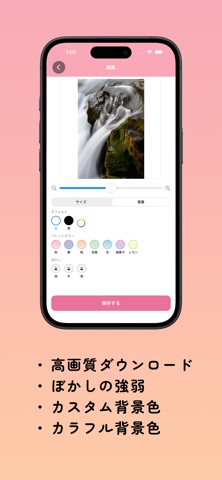
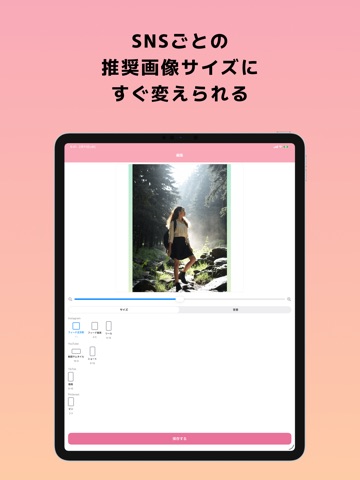
Resize photos for any social app, in one tap. InstaResize lets you resize photos to the recommended aspect ratios of Instagram, YouTube, TikTok, Pinterest, and more. No tracking, no ads served — every operation runs locally on your iPhone. 【Supported Sizes】 ● 1:1 (1080×1080) Instagram Feed Square ● 4:5 (1080×1350) Instagram Feed Portrait ● 9:16 (1080×1920) Instagram Reels / YouTube Shorts / TikTok ● 16:9 (1920×1080) YouTube Thumbnail ● 2:3 (1000×1500) Pinterest Pin ● Custom — any pixel dimensions you choose 【Background Customization】 Make the empty space around your resized photo look beautiful. ● Solid color — White, Black, or any custom color (color picker) ● Gradient — 7 presets: Sakura, Wisteria, Peach, Fresh Leaf, Sky, Cotton Candy, Lemon ● Blur — Use a blurred copy of the original as a soft backdrop (Light / Medium / Strong) 【Photo Effects】 Change the mood of your photo with 16 one-tap effects. ● Miniature — tilt-shift diorama look ● Comic — line art with halftone ● Pixel Art — retro 8-bit style ● Halftone — printed dot pattern ● Film — vintage analog tone ● Mono — clean black and white ● Sepia — warm classic tone ● Vivid — saturated punch ● Warm — golden, cozy tones ● Cool — crisp blue tones ● Fade — soft faded color ● Oil Painting — painterly brush ● Sketch — pencil-drawn texture ● Glow — soft light bloom ● Dramatic — striking contrast ● Neon — vivid neon color 【Easy Controls】 1. Choose a photo 2. Pick a size and a background 3. Save or share Pinch to zoom, drag to reposition, double-tap to reset. Intuitive controls help you get post-ready images fast. 【High-Quality Export】 ● PNG format with no quality loss ● Save directly to your Photo Library ● Share straight to social apps from the share sheet 【Privacy】 ● No personal information is collected ● Your photos never leave your device ● No analytics or ad SDKs
Latest release
What’s New
v1.2 update ● 16 photo effects (Miniature, Comic, Pixel Art, Halftone, Film, Mono, Sepia, Vivid, Warm, Cool, Fade, Oil Painting, Sketch, Glow, Dramatic, Neon) ● Custom sizes — export at any pixel dimensions ● UI improvements and performance tweaks
Audience growth
Ratings growth
Baseline captured. Growth appears after the crawler observes a changed rating count.
Momentum comes from crawler snapshots for the tracked storefront. “Viral growth signal” means unusually fast recent rating gains; it is an indicator, not download data.
Price tracking
Price intelligence
First snapshot captured. The trend line starts after the next crawler price observation.
- First observed Aug 19, 2026 · 5:30 AM Free
Screenshots