About this app
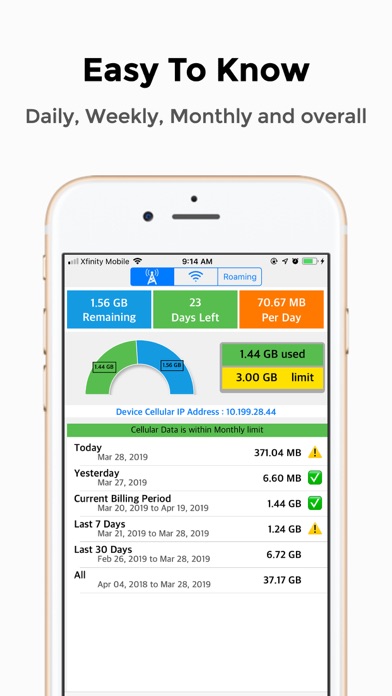
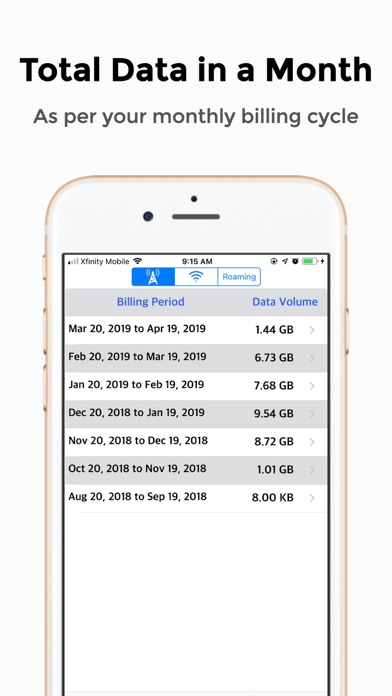
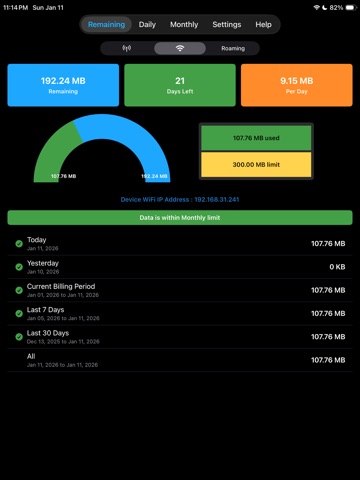
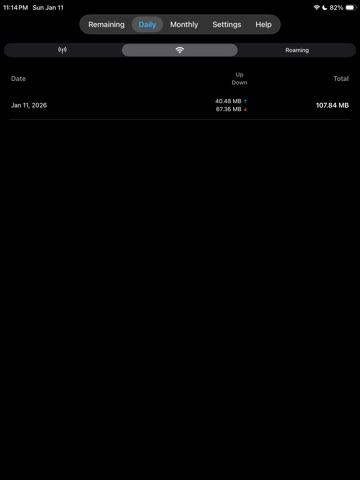
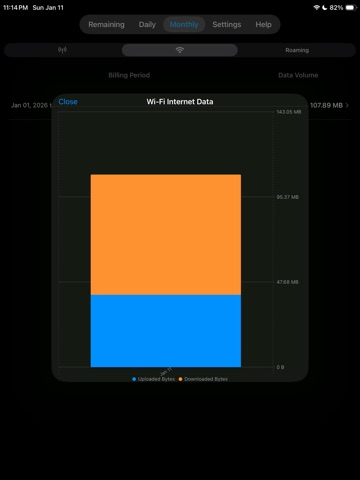
Will help you to avoid to avoid bill shocks when you are on internation roaming- with a home screen widget, Apple Watch support and alerts before you hit your carrier's limit. No VPN required. App shows how much data you've used, how much is left and how many days you can safely use it without hitting your limit. Works with all network types - 5G, LTE, 4G, 3G, Wi-Fi and international roaming. REMAINING AT A GLANCE Monitor Cellular, Wi-Fi and Roaming usage in one place See Remaining data, Days left and Per-day allowance at a glance Understand monthly trends with a clear bar graph of your billing periods Tap any bar to see a color-coded upload vs download breakdown REAL-TIME · NO VPN · NO SERVER All monitoring happens on-device using live network interface counters. No VPN profile is installed. No data ever leaves your phone. 100% private, 100% on-device. DAILY & MONTHLY HISTORY Track today's and yesterday's usage separately Review up to the last 6 billing cycles with per-period totals Quickly spot spikes so you can avoid overages and throttling HOME SCREEN WIDGET Add the InternetTracker widget to your Home Screen See Remaining / Days Left / Per Day plus Today & Yesterday usage without opening the app Tap the widget to jump straight into the correct mode (Cellular, Wi-Fi or Roaming) APPLE WATCH Use Apple Watch complications to see your status at a glance View your current remaining data and days left on Apple Watch Check usage while traveling, right from your wrist Data is synced from your iPhone so your watch always reflects your latest usage SMART ALERTS Set your monthly limit and billing cycle day once per bearer (Cellular, Wi-Fi, Roaming) See a clear status banner: within limit, nearing limit or exceeded Optional alerts before you hit your configured threshold ROAMING TRACKER - TRAVELING ABROAD? Switch to Roaming mode to track international data separately. Get alerted before you hit your carrier's roaming cap and avoid expensive overage charges. INTELLIGENT GAP RECOVERY Didn't open the app for a few days? No problem. The app estimates your usage from raw hardware interface counters and fills in the missing days automatically — so your history stays complete and your monthly total stays accurate. INTERNET TRACKER PRO Upgrade to InternetTracker Pro to unlock the full experience: - Remove all banner ads across the app - Unlock full Remaining, Daily and Monthly views with complete history - Enable detailed monthly usage graphs for each data bearer - Use Home Screen widgets and Apple Watch to check usage instantly InternetTracker is designed for clarity, not clutter. Whether you're on a strict roaming plan, sharing a hotspot or just want to avoid surprise bills, InternetTracker gives you the numbers that matter - right when you need them. Enjoying the app? A quick rating helps others find it - thank you!
Latest release
What’s New
Now you can do speed test on your phone, see network parameters like ping, jitter.
Audience growth
Ratings growth
Baseline captured. Growth appears after the crawler observes a changed rating count.
Momentum comes from crawler snapshots for the tracked storefront. “Viral growth signal” means unusually fast recent rating gains; it is an indicator, not download data.
Price tracking
Price intelligence
First snapshot captured. The trend line starts after the next crawler price observation.
- First observed Aug 19, 2026 · 3:14 PM Free
Screenshots