About this app
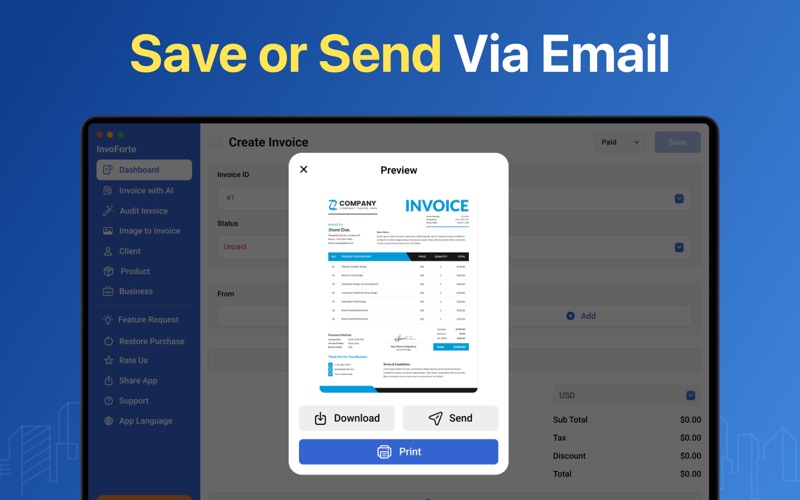
Professional Invoice & Receipt Creator! Easily create professional invoices, receipts, and estimates with our all in one billing app. Save, share, and print invoices in PDF format instantly. Designed for speed and simplicity, our app lets you send invoices right away, track overdue payments, and ensure timely collections. Perfect for freelancers, small business owners, and self employed professionals, it simplifies your finances and keeps everything organized. Key Features Invoice with AI: Generate smart invoices instantly using AI powered suggestions. The app can automatically fill client details, itemized charges, and payment terms based on previous entries. Save time, reduce errors, and create professional invoices effortlessly. Image to Invoice: Convert receipts, bills, or images directly into invoices with ease. Simply upload a photo, and the app extracts details to generate a ready to send invoice, saving time and manual data entry. Customizable Templates: Personalize invoices and receipts with your logo, brand colors, and layouts. Make every document look polished and professional. Choose from multiple template designs to match your business style. Estimates & Quotes: Prepare detailed estimates or quotes for clients. Easily convert approved estimates into invoices to streamline your workflow. Give clients clear, professional pricing before starting a project. Track Payments and Status: Monitor invoice statuses, including paid, pending, or overdue. Stay on top of cash flow with real time updates and reminders. Quickly identify overdue payments and follow up efficiently. Multi Currency and Tax Support: Bill clients in different currencies and apply tax rules like VAT or GST. Manage international transactions effortlessly. Ensure accurate billing for global clients without extra hassle. Secure Cloud Backup: Keep all your billing data safe and accessible across devices. Sync automatically to the cloud for secure, reliable storage. Restore your data anytime without worrying about loss or corruption. Export and Share PDFs: Send invoices and receipts as PDF files via email, print, or share. Ensure professional presentation and easy access for clients. Share documents instantly to save time and maintain transparency. How to Use: • Add client details, items, and payment terms manually or use AI suggestions. • Upload images of receipts or bills to automatically convert them into invoices. • Send invoices as PDF via email or share directly with clients. Additional Purchases Required Invoice maker app follows a freemium model. Users can use the app for 3 free attempts. After that, they may activate a 3-day free trial or purchase a premium subscription. During the 3-day free trial, users can use the app without any restrictions. After the free trial ends, the subscription will be automatically charged unless canceled. Users may choose from weekly, monthly, or annual subscription plans to gain full access for the duration of their subscription: Weekly Plan: $4.99 Monthly Plan: $9.99 with 3 days free trial Yearly Plan: $29.99 Lifetime: $59.99 Payment will be charged to your iTunes account upon purchase confirmation and will automatically renew at the selected duration and price unless auto-renewal is turned off at least 24 hours before the end of the current period. You cannot cancel the current subscription during the active period. However, you can manage your subscription and turn off auto-renewal in your Apple Account Settings after purchase. Premium users benefit from faster results, an uninterrupted experience, and unlimited usage. Privacy Policy: https://sites.google.com/view/nimrajamil/privacy-policy Terms of Use: https://sites.google.com/view/nimrajamil/terms-of-use EULA: https://sites.google.com/view/nimrajamil/end-user-license-agreement
Latest release
What’s New
Bug fixes and stability improvements
Audience growth
Ratings growth
Baseline captured. Growth appears after the crawler observes a changed rating count.
Momentum comes from crawler snapshots for the tracked storefront. “Viral growth signal” means unusually fast recent rating gains; it is an indicator, not download data.
Price tracking
Price intelligence
First snapshot captured. The trend line starts after the next crawler price observation.
- First observed Aug 8, 2026 · 5:56 PM Free
Screenshots