About this app
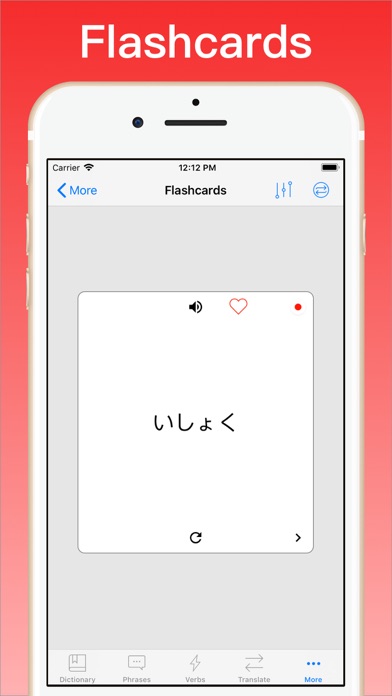
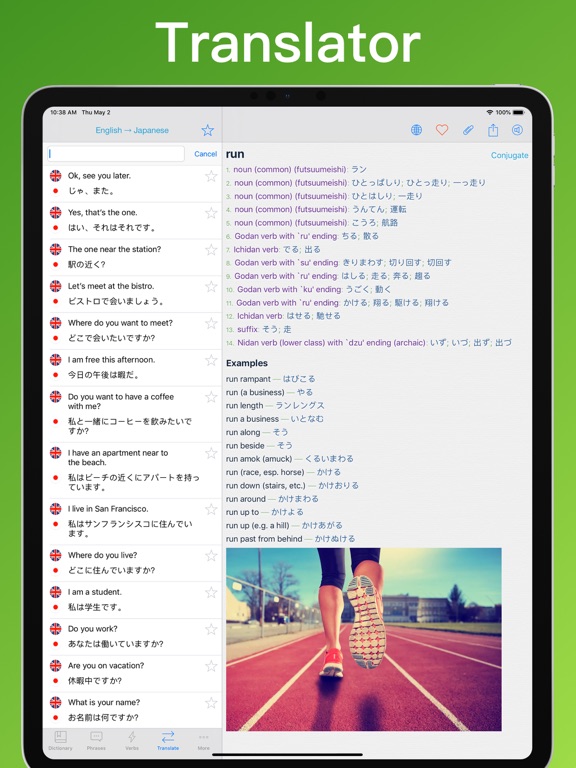
The #1 Japanese English Translator & Dictionary for iPhone, iPad & Apple Watch ◇ Offline Translator & Dictionary ◇ Verb Conjugator ◇ Phrasebook ◇ Vocabulary Quizzes ◇ Flashcards ◇ Loved by Millions "Apps from Vidalingua are hugely popular... they're free and they work offline, handy when you're actually abroad." New York Times Selected by Apple as "What's Hot" in over 40 countries. “This app packs an undeniable allure for travelers.” iPhone App Review USER REVIEWS “This app includes more reliable features than any of the others I’ve tried. The customer service people are great.” “My students are ditching their books for iPads so I looked at apps and websites with quality material. This is the app I recommend.” “I use this everyday to help me with my work. I would recommend this to anyone who needs a translator better than google translate.” “Great for Travel. Very helpful to find words and phrases without an internet connection.” “I've tried several apps and this is the best one I found so far. After trying the free version, I purchased the Pro upgrade.” Japanese Translator Dictionary + by VidaLingua transforms your iPhone, iPad and Apple Watch into an advanced language assistant, always ready to help. It includes features you won’t find in any other app and it’s trusted by millions of users who have given it the highest ratings of any app in its category. FEATURES • Offline Phrase Translator using advanced Artificial Intelligence (AI), augmented by the Human Intelligence (HI) of our linguists, to deliver the best translations of any app. • Photo Translator. Take a picture and translate any text in the image. • Voice Translator. Say a phrase in one language and translate it to another. • Text Translator. Type or copy text and generate accurate translations. • Japanese English Dictionary with over 2,740,000 offline entries. Includes numerous translations, usage examples, part-of-speech & images. Compiled and updated by professional linguists. • Best verb conjugator of any app including 10,626 Japanese verbs, 4,318 English verbs. Over 1,094,292 verb forms in all! • Phrasebook with 20 categories such as Conversation, Asking Directions and Making Friends. • Multiple-choice vocabulary quizzes. • Flashcards. Create study lists based on dictionary favorites. • Offline pronunciation in Japanese & English. Settings for speed and accent (Japanese, US, UK, Australia, South Africa, Ireland). • iPad Split Screen support so you can drag & drop words from other apps into Japanese Translator & Dictionary + to translate them. • Apple Watch support with voice lookups so you can say a word and find translations quickly. • Advanced voice recognition to enter words and phrases hands-free. Useful for practicing pronunciation. • Helpful dictionary features such as single index search, reverse lookup and sharing entries with friends. • Integrated access to Wikipedia, Wiktionary and other online sources for dictionary words. • Dictionary word attachments for notes, images and audio clips. • My Phrases section of phrasebook to add your own translations. • Vidalingua Pro includes more dictionary examples, more verb forms, a bigger phrasebook and no ads. By upgrading, you’ll be supporting our team of linguists, developers and customer success partners who greatly appreciate your support! USER REVIEWS “My go to app for everything Japanese and English! “This has been an extremely useful app as I prepare for a language exam and review verb conjugations.” “I love this app so much! It is a complete package for finding almost anything starting from words to phrases in Japanese.” At Vidalingua, we consider every user a partner to help us make the best app in the world for learning a language. Download Japanese Translator & Dictionary + for free and start learning today! Marc Bolh Founder Vidalingua https://vidalingua.com/terms-of-service.php
Latest release
What’s New
Howdy Partners, We’ve done a lot of work bringing you new features and improvements in this versions which we think you will like. - Switched translation English to Gemini for additional AI features. - Translation explanations. Very useful for idiomatic phrases. Part of Vidalingua Plus which can be activated at no charge for testing purposes. - Voice Translator improvement. One tap to initiate, record, translate and play. Ideal for conversing with person in another language. - Voice translator settings for Record Automatically, Detect Pause & Say Translation. Tap gear icon to access and perfect them. - iOS Siri integration. Set up in iOS Shortcuts, then say "Hey Siri, Vidalingua Spanish Translator" and Siri will ask you for a phrase to translate. - Keyboard Translator to use with Message and other apps. Go to Settings to activate. - Tap "More" on all dictionary headwords to show more usage examples. - Keyboard autocorrect now functions in the language selected for input. - iOS Spotlight lookup. Find the app by searching on "Spanish" or "Translator". - Fixed description of 7-day trial. - When dictionary word is not found, drop down asks user if they want to translate the word. - Fixed bug with Restore Purchases. - Improved Settings format. If you have any questions or comments, please email support@vidalingua.com If you want to support our work, upgrade to premium and write a 5-star review! Best Marc Founder Vidalingua
Audience growth
Ratings growth
Baseline captured. Growth appears after the crawler observes a changed rating count.
Momentum comes from crawler snapshots for the tracked storefront. “Viral growth signal” means unusually fast recent rating gains; it is an indicator, not download data.
Price tracking
Price intelligence
First snapshot captured. The trend line starts after the next crawler price observation.
- First observed Aug 21, 2026 · 1:39 PM Free
Screenshots